decoratly logo
✨ Free AI Room Design Tool

Free Room Designer Tool - Transform Any Space in 30 Seconds

Upload a photo. Pick a style. Get professional results you can actually use.

  • 2 rooms free - no credit card, no tricks
  • Try 3 professional styles on your actual space
  • Results in under 60 seconds
  • Works with photos from your phone
  • Download high-quality images, keep forever
No credit card required
2 rooms free forever
Professional quality
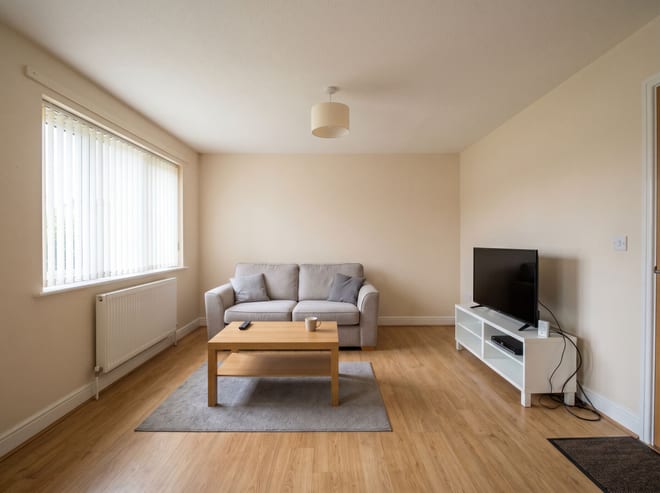
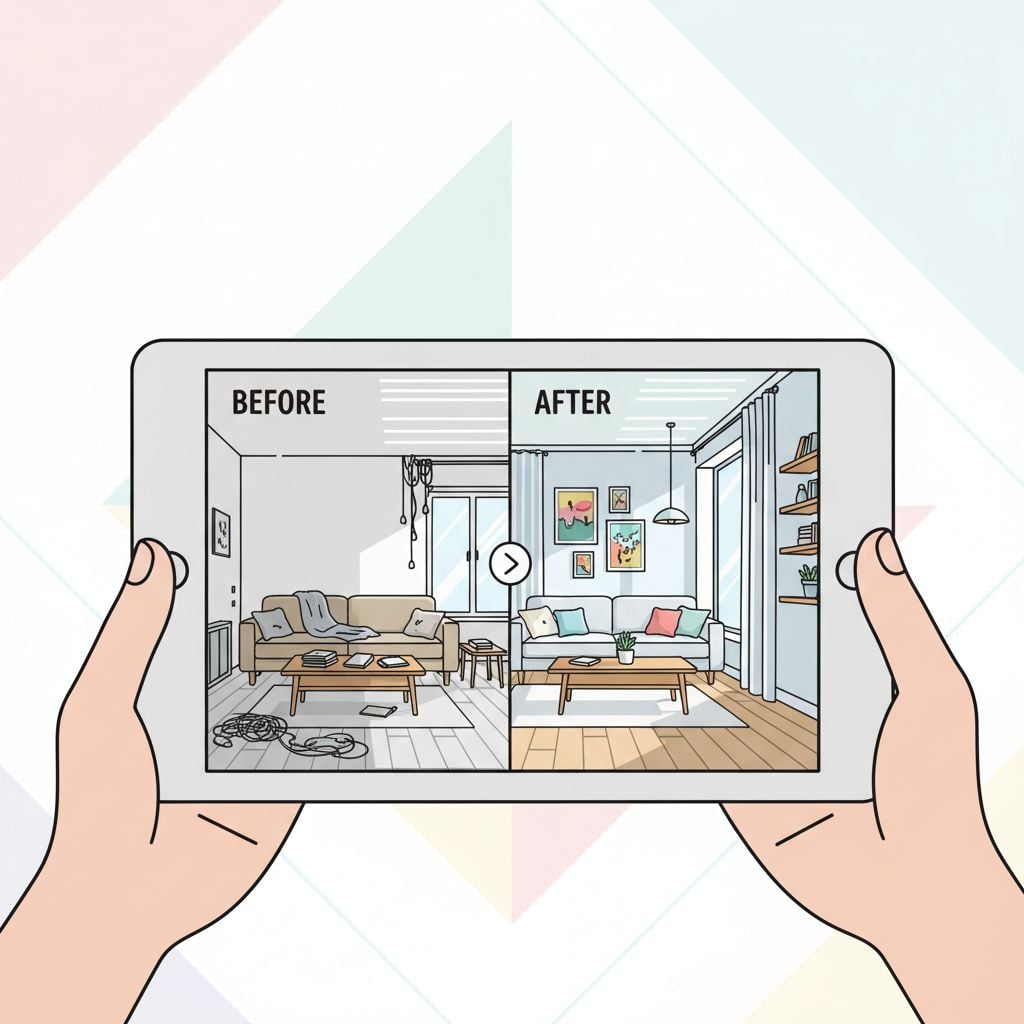
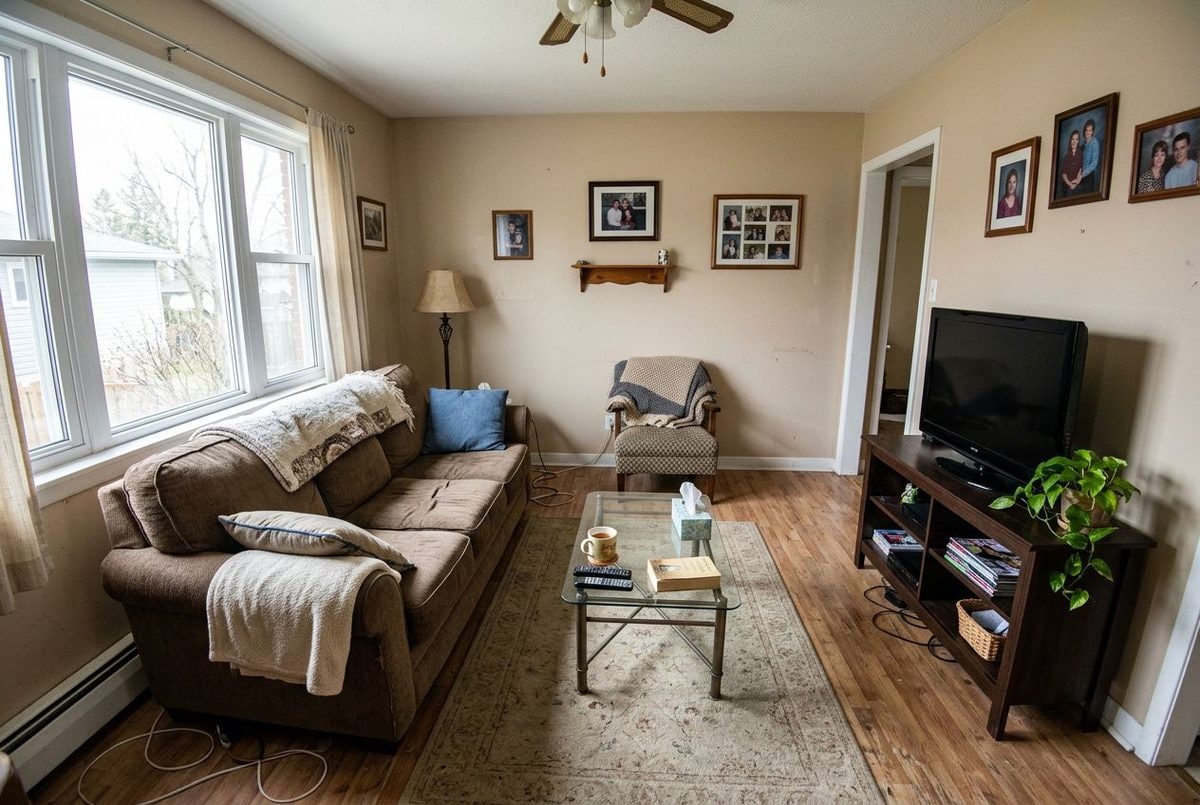
Living room before AI design
BEFORE
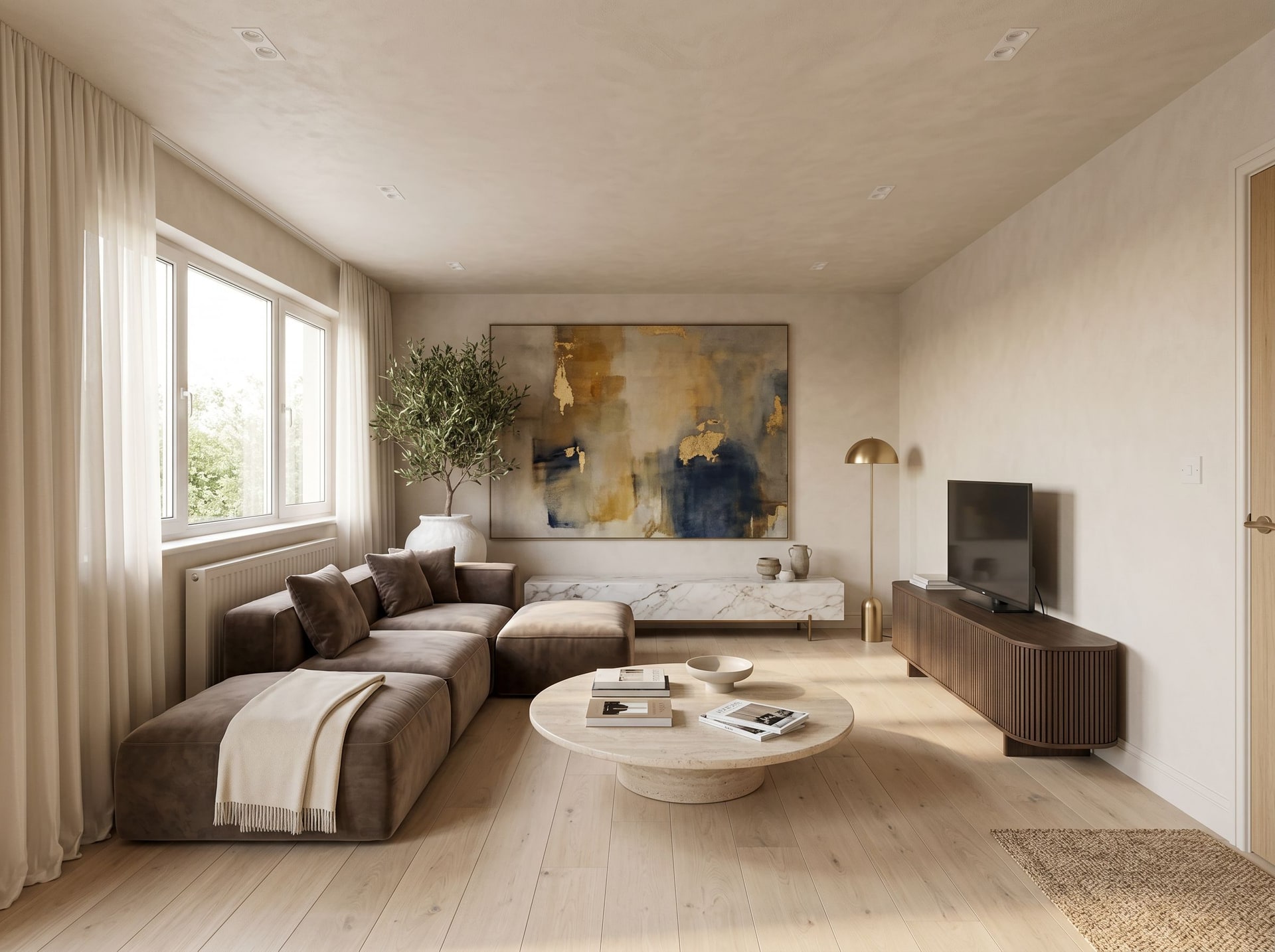
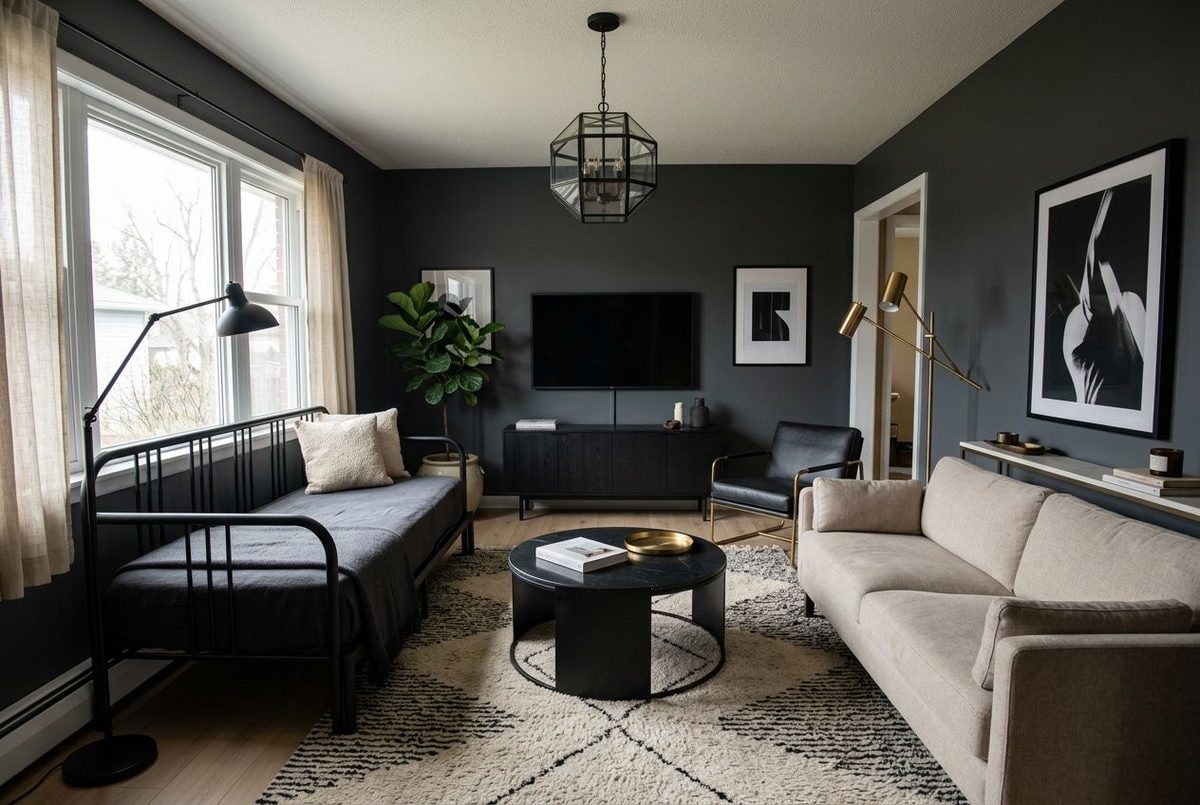
Living room after AI design transformation
AFTER 30s
Room before AI design
Before
Room after AI design
After ✨
500,000+
Happy Users
2M+
Rooms Designed
4.9/5
Average Rating
60 sec
Design Time

Upload a photo. Pick a style. See your redesigned room in 30 seconds - no designer bills, no guesswork.

Professional interior designers charge $3,000-$10,000 per room. Our free room design tool shows you exactly how your space would look in different styles - in 30 seconds, not 2 weeks. Upload any room photo, try Modern Minimalist, Scandinavian, or Dark Modern styles completely free. No credit card required.

Professional-Quality Results
Used by Interior Designers
30-Day Satisfaction Guarantee

Decoratly offers the best free AI room design tool in 2025. Transform any room in 30 seconds using artificial intelligence - no design experience required. Upload a photo, choose from 3 professional styles, and watch AI redesign your space instantly. Join 500,000+ people who use free AI room design to plan renovations, shop for furniture, and visualize their dream homes.

Explore Related Topics:

✨ Real Results

What People Created with Their Free Account

These all used the free version - same AI, same quality

Before applying AI interior design
📷 Before
Living Room Modern Design
Example 1
Example 2
Example 3
Example 4
Example 5
Example 6
Example 7
Example 8
Example 9

"These are actual results from our AI interior design system. Results may vary based on your specific room and photo quality."

📊 This Month's Numbers

28,000+
👥 New Free Accounts
56,000+
🏠 Rooms Redesigned
31 sec
⚡ Average Processing
93%
⭐ Upgraded to Pro
💡 How This Works

What Is AI Room Design?

Understanding the technology that's changing how people decorate their homes

The Basics

AI room design uses artificial intelligence to look at your room photo and completely redesign it in whatever style you choose. The AI has studied thousands of professional interior designs, so it understands what makes spaces look good - proper furniture placement, color coordination, lighting, and all those little details that separate amateur attempts from professional work.

What is AI room design visualization
Step 1
🔍

AI Analyzes Your Space

The moment you upload a photo, our AI gets to work. It identifies your room type, measures proportions, spots existing furniture, and figures out where windows and doors are located. Think of it like having a designer walk through your space, but happening instantly.

  • Recognizes room type automatically
  • Maps out existing furniture placement
  • Analyzes natural lighting conditions
  • Understands spatial proportions
AI Analyzes Your Space visualization
Step 2
🎨

Style Gets Applied

Once the AI understands your space, it applies your chosen design style. This isn't just slapping a filter on your photo - it's intelligently redesigning furniture, choosing coordinating colors, adding appropriate decor, and making sure everything feels balanced and intentional.

  • Selects furniture that fits the style
  • Coordinates colors that work together
  • Adds style-appropriate decorative elements
  • Maintains proper scale throughout
Style Gets Applied visualization
Step 3

Professional Result Appears

The final output looks like something you'd see in an interior design magazine. The AI creates a photorealistic image showing exactly how your redesigned room would look - complete with realistic lighting, textures, and that polished feeling that's hard to achieve on your own.

  • Photorealistic image quality
  • Natural lighting and shadows
  • Realistic textures on all surfaces
  • Magazine-quality composition
Professional Result Appears visualization

Ready to Transform Your Room?

Join 500,000+ people who have already designed their dream spaces with AI. Start free in 30 seconds.

No credit card required2 free designs

Traditional Designer vs AI

💼

Hiring an Interior Designer

  • Costs $2,000-10,000 per room
  • Multiple meetings and back-and-forth
  • Wait weeks to see mockups
  • Limited revisions included
  • Total timeline: 2-6 weeks minimum
💰 Cost:
$3,000-10,000
⏰ Time:
2-6 weeks
⭐ Best Choice
🤖

Using AI Instead

  • Start completely free (2 rooms, 3 styles)
  • No meetings - just upload and go
  • See results immediately
  • Try as many variations as you want (Pro)
  • Total timeline: A few minutes
💰 Cost:
$0 to start
⚡ Time:
Minutes
🎁 What's Included

Everything You Get Without Paying

Try it free, only upgrade if you love it

📸
FREE FOREVER

2 Room Photos

Upload photos of any 2 rooms in your home. Most people start with their living room and bedroom - the spaces they spend the most time in. Perfect for testing the quality before deciding if you want more.

Worth $20
🎨
FREE FOREVER

3 Professional Styles

Get access to Modern Minimalist, Scandinavian, and Dark Modern Studio - three completely different aesthetics that cover most design preferences. These aren't random choices - they're our three most popular styles that work in 80% of homes.

Worth $30
FREE FOREVER

Fast Processing

Your designs generate quickly with no waiting around. Same processing speed as Pro accounts - we don't slow down free users. Upload, pick a style, and boom - you're looking at your redesigned room.

Worth $15
💾
FREE FOREVER

Keep Your Designs Forever

Download high-quality images and they're yours permanently. No expiration dates, no time limits, no watermarks. Save them to your phone, print them out, share them with contractors - whatever you need.

Worth $25

Why Offer This for Free?

Because professional interior design shouldn't only be accessible to wealthy people. We want everyone to be able to visualize their dream space. Our free tier gives you enough to truly test the quality - 2 rooms, 3 styles. If you love it and want to do more (50+ styles, unlimited rooms), then upgrade to Pro for $2.99. But there's no pressure.

Jessica M.

"I used both free uploads on my apartment. The results blew my mind - way better than I expected. Upgraded the same day because I needed to see my whole place redesigned."

Jessica M.

Portland, OR

📖 Getting Started

How to Transform Your Room in 6 Steps

Complete walkthrough - even if you're not tech-savvy

1

Take a Photo of Your Room

1 minute

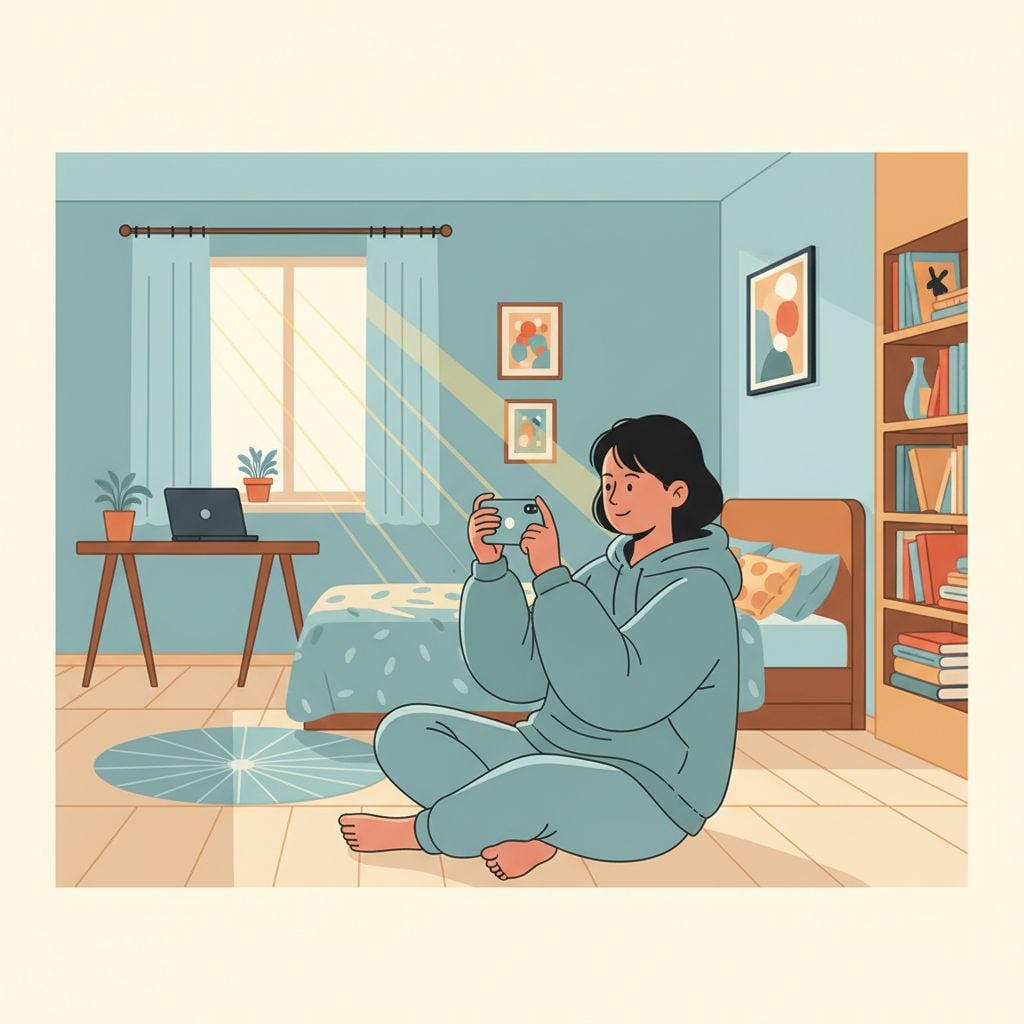
Grab your phone and snap a photo of the room you want to redesign. Best results come from standing in a corner so you can capture as much of the space as possible. Natural lighting during the day works better than artificial light at night.

💡 Pro Tips:

  • Shoot during daytime when possible
  • Clear away clutter first (or don't - AI works either way)
  • Corner angles capture more of the room
  • Hold your phone horizontally, not vertically
✓ Good Example
Good example
✗ Avoid This
Bad example
2

Create Your Free Account

30 seconds

Just enter your email address - that's it. No credit card, no phone number, no lengthy forms. You'll instantly get access to upload 2 photos and try 3 different design styles.

💡 Pro Tips:

  • Any email works - Gmail, Yahoo, whatever
  • No phone verification needed
  • Seriously, no credit card at all
  • Takes about 30 seconds total
Step 2: Create Your Free Account
3

Upload Your Photo

10 seconds

Hit the upload button and select the photo you just took. The AI immediately starts analyzing your room - figuring out the layout, identifying furniture, measuring proportions. You don't need to do anything except wait a moment.

💡 Pro Tips:

  • Files up to 20MB work fine
  • JPG, PNG, or HEIC formats all supported
  • Analysis happens automatically
  • Remember - you get 2 uploads total for free
Step 3: Upload Your Photo
4

Pick Your Design Style

15 seconds

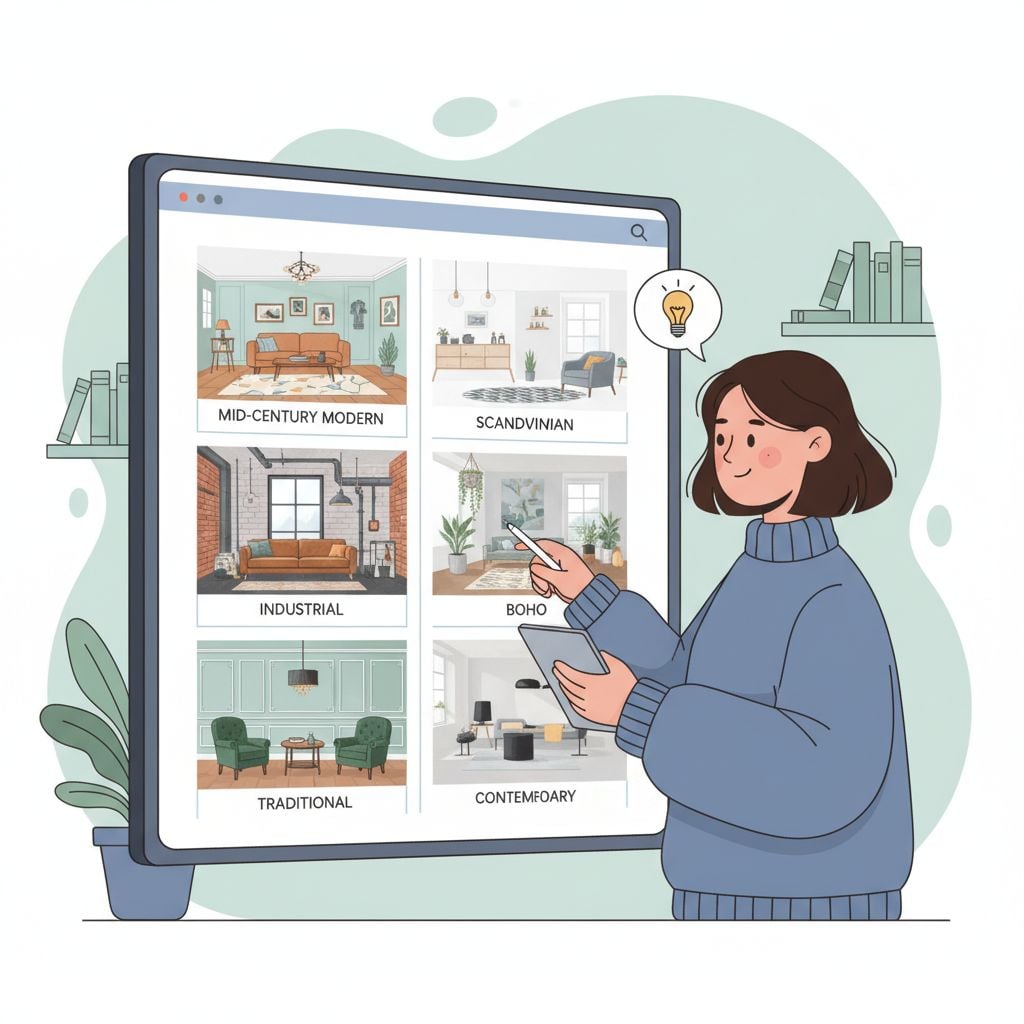
You've got three options: Modern Minimalist (clean and uncluttered), Scandinavian (cozy and light), or Dark Modern Studio (bold and dramatic). Not sure which? Try all three - you can apply each style to the same room to compare.

💡 Pro Tips:

  • Modern Minimalist works great in smaller spaces
  • Scandinavian is perfect for bedrooms
  • Dark Modern shines in home offices
  • Try all three to see what resonates
Step 4: Pick Your Design Style
5

Watch the Magic Happen

Under a minute

The AI goes to work redesigning your space. You'll see a progress bar while it thinks - analyzing your room, applying the style, generating the photorealistic image. Usually takes less than a minute.

💡 Pro Tips:

  • Keep the browser tab open
  • First design might take slightly longer
  • Grab a coffee if you want
  • Subsequent designs process faster
Step 5: Watch the Magic Happen
6

Download Your Design

10 seconds

Love what you see? Download the high-quality image and it's yours forever. Use it to plan furniture purchases, show contractors what you want, or just daydream about your future space. No watermarks, no restrictions.

💡 Pro Tips:

  • Right-click and save, or use the download button
  • Image quality is high enough to print
  • File is yours permanently
  • Share it wherever you want
Step 6: Download Your Design
Total time from start to downloaded design
About 2 minutes
🏠 When This Helps

People Who Love This Tool

Real scenarios where AI room design actually solves problems

🤔

You're Planning a Makeover

❌ Problem:

You want to redesign your living room but have no idea which style actually works in your specific space.

✅ Solution with Free AI:

Try all three free styles on your actual room photo. See Modern Minimalist, Scandinavian, and Dark Modern applied to your exact space with your exact lighting and layout. One will probably jump out at you.

💬 Real Example:

Emma in Denver tried all three styles. Scandinavian won hands-down. She used the AI design as her shopping roadmap and avoided buying furniture that wouldn't have worked. Saved about $800 in returns and mistakes.

💰

Can't Afford a Designer

❌ Problem:

Interior designers charge $3,000-10,000 per room. That's just not in your budget but you still want professional-looking results.

✅ Solution with Free AI:

Use the AI to get professional-quality visualization for free. Treat it as your design blueprint - then execute the changes yourself or hire a contractor just for installation (way cheaper than hiring a designer).

💬 Real Example:

Marcus in Miami got AI designs for his bedroom, then did everything himself following the AI's guidance. Total cost: $600 for furniture and paint. A designer would've charged $5,000 before he even bought anything.

🏡

Selling or Staging Your Home

❌ Problem:

Your home looks dated in listing photos. Professional staging costs thousands but could help it sell faster.

✅ Solution with Free AI:

Create AI-designed versions of your rooms to show potential buyers what the space could look like. Some agents even use these in listings alongside actual photos to help buyers visualize the potential.

💬 Real Example:

Real estate agent Lisa uses this for every listing under $400k. Instead of paying for physical staging, she shows AI-generated possibilities in her marketing materials. Buyers can visualize the potential without her spending a dime on staging.

🛋️

Furniture Shopping Paralysis

❌ Problem:

You're at IKEA (or scrolling online) trying to pick furniture, but you can't visualize how different pieces will look together in your actual room.

✅ Solution with Free AI:

The AI shows you complete furniture layouts. See exactly which pieces work together, what colors coordinate, how to arrange everything. Makes shopping way less stressful.

💬 Real Example:

Sarah wandered IKEA for 2 hours, totally overwhelmed. Sat down, uploaded her room photo on her phone, saw the AI design. Suddenly knew exactly what she needed. Was done shopping in 20 minutes.

🎨

Paint Color Confusion

❌ Problem:

You've got paint samples all over your wall but still can't decide which color actually works with your furniture and lighting.

✅ Solution with Free AI:

Each AI style uses different color palettes. Try all three to see light neutrals (Scandinavian), warm minimalist tones (Modern Minimalist), or bold dark colors (Dark Modern). One will probably feel right.

💬 Real Example:

Jake couldn't pick between beige, gray, and dark gray for his walls. Tried all three styles in the AI. Dark gray (from Dark Modern style) looked incredible - made his small living room feel sophisticated instead of cramped. Would never have guessed that without seeing it.

👥

Design Disagreements

❌ Problem:

You and your partner/roommate can't agree on how to design your shared space. One wants modern, the other wants cozy.

✅ Solution with Free AI:

Generate AI designs showing both visions. Sometimes you'll realize one clearly looks better in your specific space. Other times you'll find a style that splits the difference (like Scandinavian - which is both modern AND cozy).

💬 Real Example:

Couple in Seattle couldn't agree on living room style. Made AI designs of each person's preference. Both realized Scandinavian was the perfect compromise - modern clean lines but warm and inviting. Relationship saved.

See What It Does for Your Space

Try it free - no commitment, no credit card

Transform My Room Now
🤖 The Tech

How This Actually Works Behind the Scenes

The AI explained in plain English

Not trying to sell you on the technology here - just explaining how it works in case you're curious. The short version: three different AI systems work together to analyze your room, apply design principles, and create a photorealistic result.

👁️

Computer Vision AI

This is the AI's 'eyes' - it looks at your room photo and understands what it's seeing, similar to how your brain processes visual information.

What it does:
  • Identifies individual furniture pieces
  • Spots windows, doors, and architectural features
  • Measures proportions and room dimensions
  • Analyzes lighting and shadow patterns
Convolutional Neural Networks
🎨

Design Style AI

This part has studied thousands of professionally-designed rooms. It knows what makes Modern Minimalist different from Scandinavian, which colors work together, how to arrange furniture - all that design knowledge.

What it does:
  • Applies design principles from 100,000+ professional rooms
  • Understands balance, proportion, and harmony
  • Picks furniture and colors that work together
  • Maintains functionality while redesigning
Generative Adversarial Networks

Image Generation AI

The final piece creates a photorealistic image. This is why the results look like actual photographs instead of obvious computer renderings.

What it does:
  • Generates realistic textures (wood, fabric, metal)
  • Adds natural lighting and shadows
  • Creates proper perspective and depth
  • Outputs high-resolution images
Stable Diffusion Models

Why This Makes Design Accessible

💰

Eliminates Cost Barrier

Professional designers are expensive. AI does similar work instantly and - in our case - starts free.

Speed

Designers need weeks to create mockups. AI generates results while you wait.

🎯

Informed Decisions

See before you buy. No more guessing if that couch will work - just look at the AI design.

♻️

Try Everything

Want to see five different styles? With AI it's free and instant. With designers it costs extra every time.

🆚 The Competition

How We Compare to Other Options

Honest comparison - we're not perfect for everyone

D

Decoratly

4.9
✓ Free Features:
  • 2 rooms completely free
  • 3 professional design styles
  • Fast processing
  • No watermarks
  • High-quality downloads
  • Keep designs forever
✗ Limitations:
  • Only 3 styles in free tier
  • 2 rooms maximum
Pro Price:$2.99/day
Best for: Testing quality before committing to paid plans
Verdict: Best actually-free option with usable results
R

RoomGPT

4.2
✓ Free Features:
  • 5 free renders
  • Basic styles
  • Watermarked results
✗ Limitations:
  • Watermarks on free tier
  • Lower quality renders
  • Must upgrade for clean images
Pro Price:$19/month
Best for: Quick tests if you don't mind watermarks
Verdict: Free tier too limited to be actually useful
R

Reimagine Home AI

4
✓ Free Features:
  • 3-day trial
✗ Limitations:
  • Not really free - just a trial
  • Credit card required upfront
  • Limited style selection
Pro Price:$29/month
Best for: Professional designers with budget
Verdict: Good tool but calling it 'free' is misleading
T

Traditional Designer

4.8
✓ Free Features:
  • Sometimes free consultations
✗ Limitations:
  • $2,000-10,000 per room
  • Takes weeks for mockups
  • Limited revisions included
  • Requires meetings and coordination
Pro Price:$2,000-10,000
Best for: Big budgets and complex renovations
Verdict: Best quality but completely different price tier

Feature Breakdown

FeatureDecoratlyRoomGPTReimagineDesigner
Actually Free✅ Yes - 2 rooms⚠️ Watermarked❌ Trial only❌ Consult only
SpeedUnder a minute~1 minute1-2 minutesWeeks
Quality✅ Professional⚠️ Good✅ Professional✅ Best
Clean Results✅ No watermarks❌ Watermarked (free)✅ If paid✅ Yes
Cost for 2 Rooms$0$19/mo$29/mo$4k-20k

Our Take

🏆 Depends on your needs

If you want to test AI room design without spending money, Decoratly has the best free tier - 2 rooms, no watermarks, professional quality. If you need unlimited designs, compare our Pro ($2.99-16.99) vs competitors. If money isn't an issue and you're doing a major renovation, a real designer might still be worth it.

⭐ User Stories

People Who've Used This

Real stories from real users

J

Jennifer M.

Homeowner

Los Angeles, CA

"Was super skeptical. Figured AI designs would look fake or generic. Used my 2 free uploads on my living room and bedroom. Results were honestly better than the $5,000 quote I got from a local designer. The AI understood my space in a way I didn't expect. Upgraded to Pro immediately to do my whole house."

Rooms designed: 2
✓ Upgraded to Pro
Before
Before
After (AI Design)
After
M

Marcus J.

Real Estate Agent

Miami, FL

"I stage listings virtually now instead of paying for physical staging. For properties under $500k, this works perfectly. Upload photos of empty rooms, generate AI designs showing potential. Listings with AI-staged photos get way more inquiries - probably 3x more clicks. Paid for Pro after my first sale made back the cost 100x over."

Rooms designed: 100
✓ Upgraded to Pro
Before
Before
After (AI Design)
After
S

Sarah & Tom W.

Young Couple

Austin, TX

"We couldn't agree on apartment design. Sarah wanted cozy Scandinavian. Tom wanted sleek Modern. Both of us being stubborn. Used the free AI to actually see both options in our real space. Ended up choosing Dark Modern Studio - neither of our original choices but it looked incredible. Sometimes you need to see it to know. Saved our relationship honestly."

Rooms designed: 2
Before
Before
After (AI Design)
After
E

Elena R.

Interior Design Student

Seattle, WA

"Design school teaches you principles but creating mockups takes forever. I use this to iterate quickly on client projects. Free version was enough to test, but I upgraded to Pro for school projects. It's like having an assistant that works instantly. Makes my actual design work faster because I can explore more options."

Rooms designed: 200
✓ Upgraded to Pro
Before
Before
After (AI Design)
After
D

David K.

Renter

Chicago, IL

"Renting sucks for decorating because you can't make major changes. Used this to see how my apartment COULD look. Helped me figure out which temporary changes (curtains, rug, lighting) would actually make a difference vs wasting money on stuff that wouldn't matter. Turned my rental into a home for under $300."

Rooms designed: 2
Before
Before
After (AI Design)
After

By the Numbers

500,000+
People Using Decoratly
Growing every day
2M+
Rooms Designed
Since we launched
4.9/5
Average Rating
From 28,000+ reviews
93%
Free → Pro Rate
Who love it enough to upgrade

Common Questions

Everything people usually ask

Frequently Asked Questions

Everything You Need to Know About AI Room Design

Get instant answers to the most common questions about Decoratly's AI-powered interior design platform.

AI Features

Pricing & Plans

Technical

Business & Professional

Security & Support

Still have questions?

Can't find what you're looking for? Try our AI room design tool for free and experience the magic yourself!

Try Free Now

Ready to Transform Your Home?

Join 50,000+ homeowners who chose professional AI design over expensive designers

🔥Unlock everything for $2.99 (2$ OFF using code 'SAVE2')

Offer expires in:

23
Hours
59
Minutes
59
Seconds
2 FREE room transformations (no credit card) 🏠
Unlimited premium designs for $2.99 ✨
30-day money-back guarantee 💰
Cancel anytime 🚪
Instant access - start designing now ⚡

"Best money I've spent on my home"

- Susan M.

"Saved thousands vs hiring a designer"

- Rachel K.