AI interior designer
Ask about a photo of your room and get short, practical advice. Then have the chat create a custom style and apply it to your photo, so you see the idea in your own space in about 30 seconds.
The AI interior designer is part of Pro (a one-time $14.99 for 30 days, nothing renews). You can try a free style redesign first: 1 free design, no signup.
A real run
This room has a wonderful, cozy foundation with its warm wood floors and natural light. To elevate it into a cohesive design while respecting your constraints, I recommend a Coastal Serenity style. This approach uses a soft, airy palette and organic textures to create a peaceful, light-filled atmosphere.
Custom style created by the chat
Coastal Serenity
A serene, light-filled aesthetic utilizing a palette of crisp white, soft sand, and pale seafoam green. Furniture features organic linens and brushed brass accents, while lighting is diffused through sheer curtains on the window. The overall feeling is airy, peaceful, and uncluttered.
Avoid: plants, black furniture
Create & Apply This Style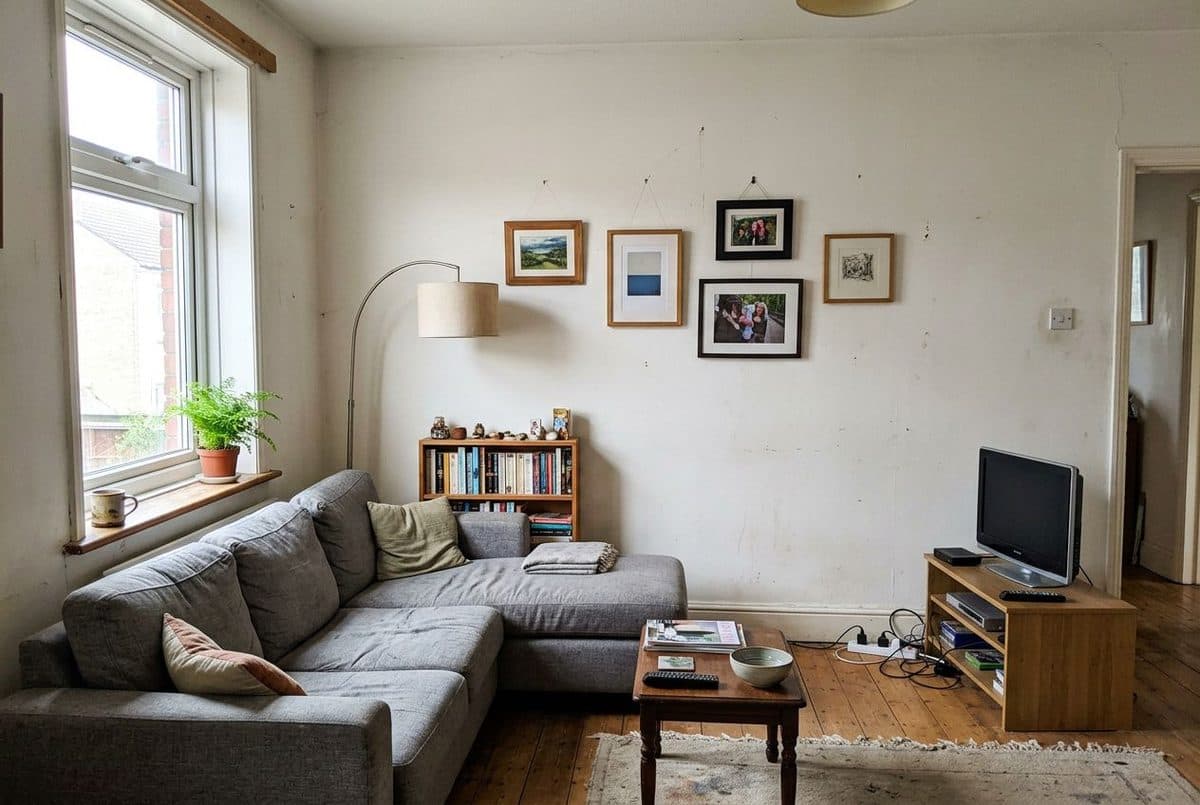
Before
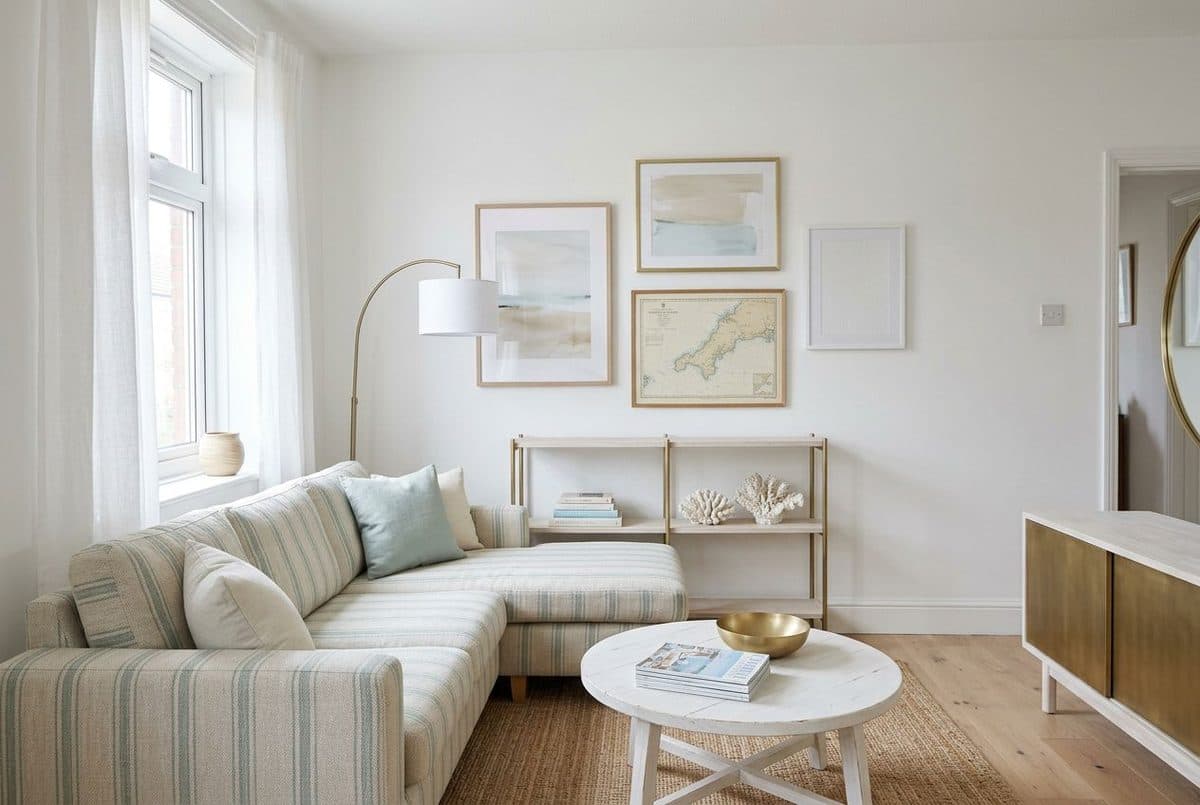
After
This is the unedited text of a real run of the app's chat prompt on an AI-generated example room (formatting marks removed, and the first answer shortened to 4 of its 6 bullets). The last image is the room after applying the Coastal Serenity style: note that the redesign changes furniture and decor, as any redesign does, while keeping the window, doorway and floor.
How it works
Open a room in the app and tap AI Interior Designer. The chat looks at that photo. You can start from a suggestion, such as "Give me interior design suggestions for this room" or "What colors would work best in this space?", or type your own question.
Replies are short bullet points about your room's layout, colors, lighting and furniture, followed by three follow-up suggestions you can tap. Your conversation is saved with the photo.
Ask it to generate a new style and it creates a named custom style with a description and an avoid list. Tap Create & Apply This Style and your room is redesigned in about 30 seconds, keeping its walls, windows and layout.
Getting good answers
"The room feels dark" or "the sofa looks lost" gets more useful advice than "make it nice". The chat is at its best on a specific question.
Each reply is based on your photo and your latest message. If you do not want plants or a certain color, say so in the message where you ask for a style, and it will be added to the style's avoid list.
The chat is an AI and can misread a photo, for example by guessing the wrong material or missing something small. Treat suggestions as ideas to check against your room, not as facts.
The three suggestions after each answer are quick ways to go deeper, such as asking for lamp ideas or what a paint change would do, without typing.
Apply the style it creates to your photo first. Seeing the palette in your room is a cheap way to find out if you like a direction before spending money.
For structural changes, tricky layouts or a whole-house project, a human designer can measure, plan and manage the work. Use the chat to arrive with clearer ideas.
Styles
Avoid
Questions
It is a chat in the Decoratly app that looks at a photo of your room and answers your questions with short, practical design advice. You can also ask it to create a custom style and apply that style to your room photo.
Yes. It looks at the photo you have open, so its answers are about your room, not a generic one. Like any AI, it can misread a photo, so check its suggestions.
No. It is an AI that gives ideas from a photo. It does not measure, plan structural changes or manage a project. It works well for exploring directions before you spend money or hire a professional.
Each reply is based on your photo and your latest message, so it does not carry earlier messages forward. If you want to avoid something, say so in the same message where you ask for a style. Your conversation is saved with the photo so you can read it again.
Yes. If you say "no plants" or "no black furniture" when you ask for a style, the style it creates has an avoid list with those items, and the redesign is told not to include them. Image models can still slip, so check the result.
When the chat creates a style, tapping Create & Apply This Style redesigns your photo using the style's description, its elements and its avoid list. Your room's walls, windows and layout are kept.
The AI interior designer is part of Pro, a one-time payment of $14.99 for 30 days with nothing renewing. You can try Decoratly first with 1 free style redesign and no signup.
Open a room photo and start chatting. Part of Pro, one-time payment.
Try it free →Written and maintained by Kamil Uhryn, founder of Decoratly. Last updated September 2026. About Decoratly