decoratly logo

AI virtual staging

AI virtual staging: furnish an empty room from a photo

Upload a photo of an empty room and get a furnished, listing-ready version in about 30 seconds. Pick the room type, style and budget level, with the walls, windows and floor left exactly as they are. Built for sellers, agents and landlords.

Virtual Staging is part of Pro, a one-time $14.99 for 30 days with nothing renewing. You can try a free redesign of your own photo first: 1 free design, no signup.

Example

An empty room, virtually staged

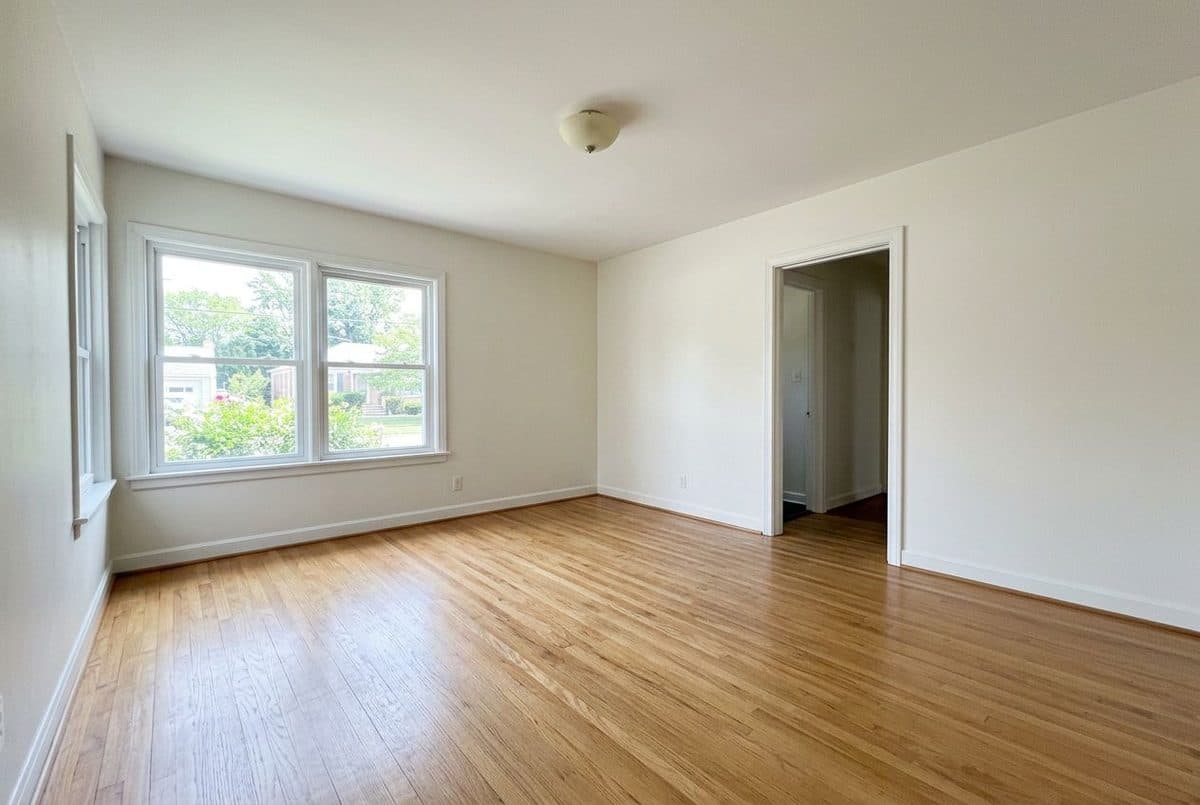
empty room before an AI redesign

Before

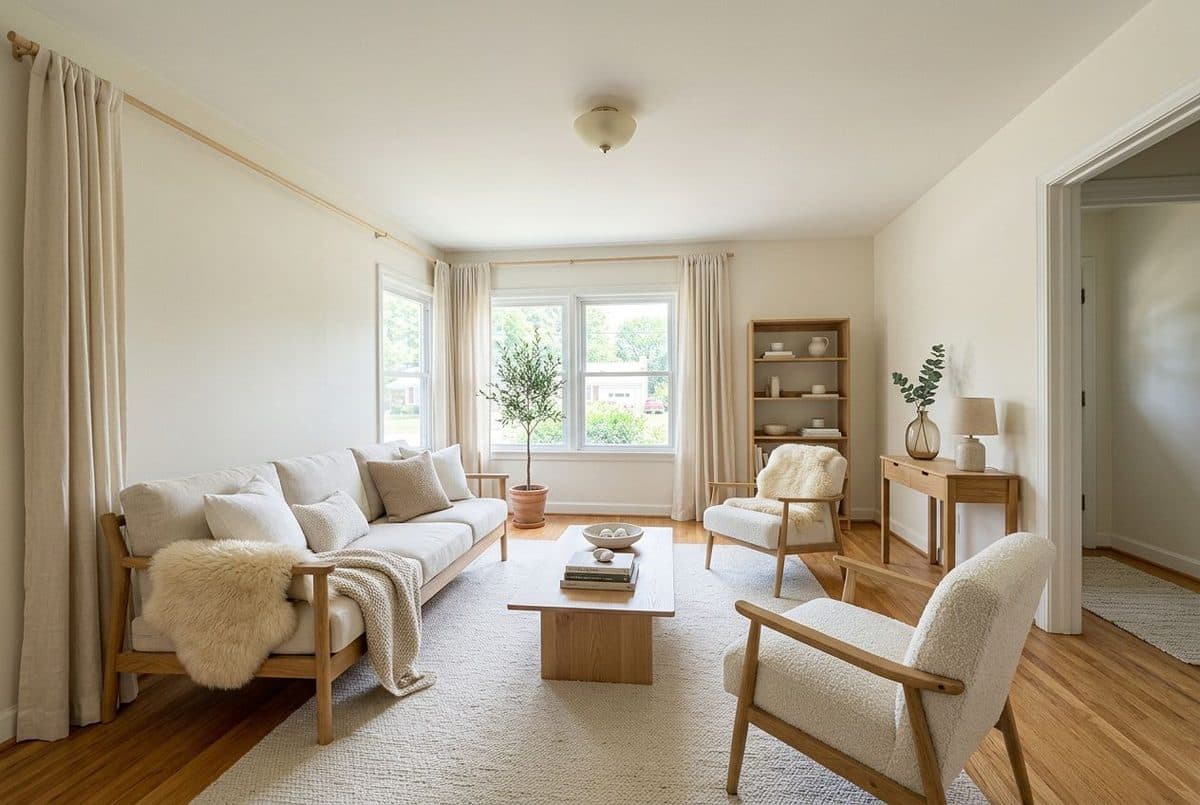
empty room after an AI redesign

After

An empty living room virtually staged in a Scandinavian style at the Mid-Range budget level. The walls, windows, doorway and floor are kept.

Example rooms are AI-generated. Each redesign was made with Decoratly.

How it works

Stage a room in three steps

  1. 1

    Photograph the empty room

    Shoot from a corner with a level camera so the walls, windows and floor are all visible. Turn the lights on, open the blinds and make sure the room is clean and clear.

  2. 2

    Choose the room type, style and budget

    Pick one of 8 room types (living room, bedroom, dining room, home office, kitchen, bathroom, nursery or studio), one of 8 staging styles, and a budget level: Budget-Friendly, Mid-Range or High-End.

  3. 3

    Compare and download

    You get a furnished version in about 30 seconds, with the existing architecture, walls, windows and flooring unchanged. Try another style or budget on the same photo and download the one that suits the property.

What works

What makes a staged photo work

Stage for the likely buyer

A neutral, broadly appealing style usually works best for listings. Match the budget level to the property, so a starter home is not staged like a penthouse.

Show what each room is for

Empty rooms are hard to read. A clear purpose, such as a dining table in the dining room or a desk in the office, helps buyers picture living there.

Get the scale right

Furniture that is too large makes a room look smaller, and pieces that are too small make it look empty. Choose a furniture arrangement that leaves clear walkways.

Keep the photo bright

Good natural light makes both real and staged photos look better. Shoot in daylight with the lights on, and avoid harsh shadows.

Do not over-decorate

A few accessories are enough. Buyers should be able to imagine their own belongings, so leave breathing space.

Use the empty photo too

Many listings show the staged photo next to the empty one, so buyers can see the real room. It is honest and it helps them trust the rest of the listing.

Styles

Staging styles that suit most listings

Not sure which fits you? Take the free style quiz.

Avoid

Virtual staging mistakes to avoid

Questions

AI virtual staging: FAQ

What is AI virtual staging?

Virtual staging adds furniture and decor to a photo of an empty room so buyers or renters can picture living there. With Decoratly you upload the photo, choose a room type, style and budget level, and get a furnished version in about 30 seconds.

Does virtual staging change the room itself?

No. It keeps the room's architecture, walls, windows and flooring unchanged and adds the furniture and decor on top.

Do I have to disclose that photos are virtually staged?

Rules vary by listing service and local real estate board, and many expect staged images to be disclosed. Check the rules that apply to you, and label staged photos clearly, ideally alongside the empty room.

How much does virtual staging cost with Decoratly?

Virtual Staging is part of Pro, which is a one-time payment of $14.99 for 30 days with 200 designs and unlimited rooms. Nothing renews. You can try a free redesign of your own photo first, with 1 free design and no signup.

How is it different from physical staging?

Physical staging means renting furniture and paying for delivery and setup, which typically costs far more per listing. Virtual staging is a set of edited photos, so it only changes how the property looks in pictures, not how it looks in person.

Stage your own empty room

Upload one photo. About 30 seconds. Part of Pro, one-time payment.

Try it free โ†’

Written and maintained by Kamil Uhryn, founder of Decoratly. Last updated September 2026. About Decoratly