decoratly logo

Remove furniture from a photo

Remove furniture from a photo and see the room empty

Upload a photo and take out the furniture, clutter, rugs or wall decor in about 30 seconds. Use the empty room to plan a new layout, redesign it, or stage it for a listing.

Remove Objects is part of Pro (a one-time $14.99 for 30 days, nothing renews). You can try a free style redesign first: 1 free design, no signup.

Example

Two rooms, emptied

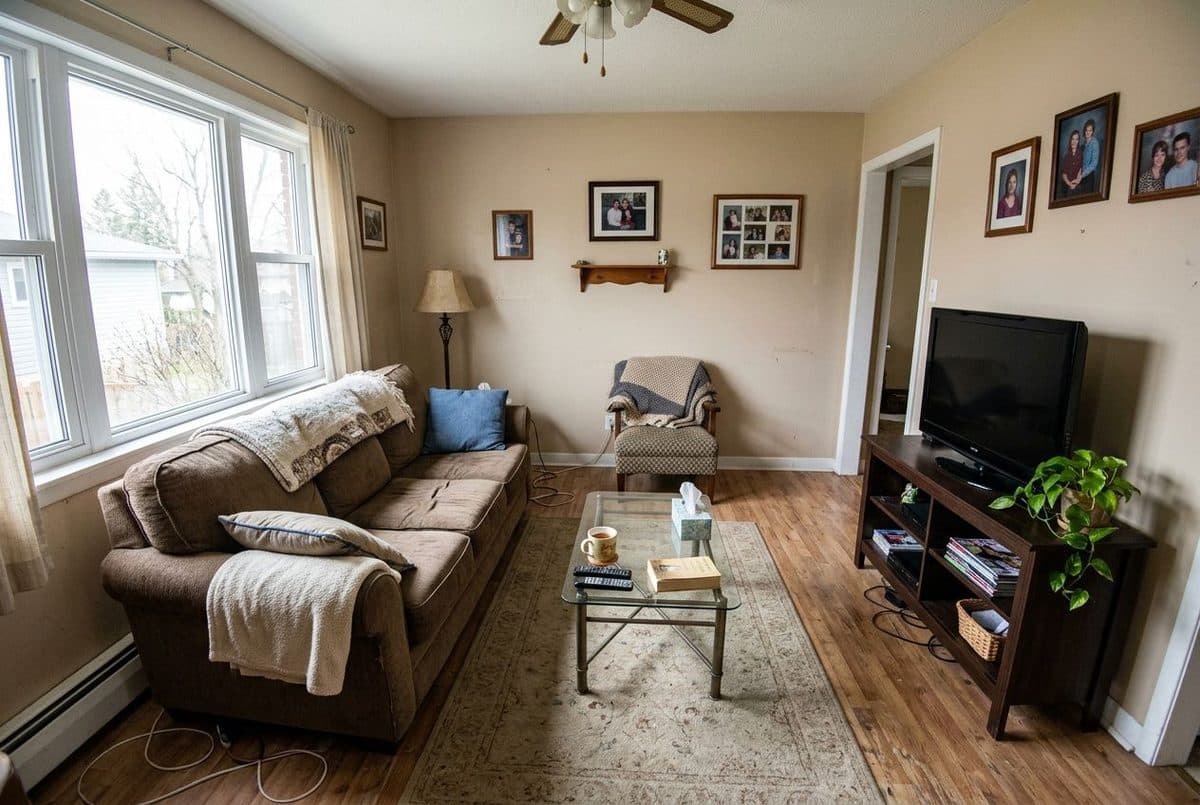
room before removing the furniture

Before

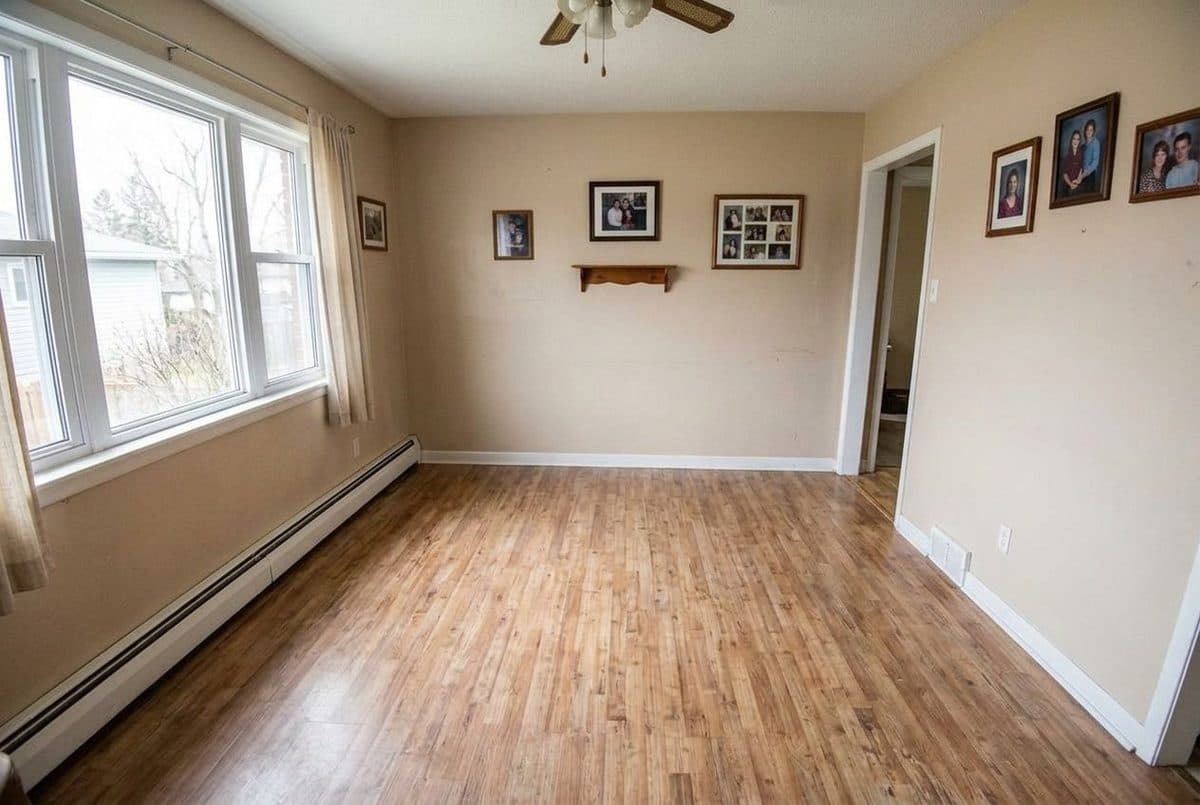
room after removing the furniture

After

A living room with the sofa, TV stand, rug, lamp and coffee table removed. The walls, window, doorway, ceiling fan and floor stay as they were.
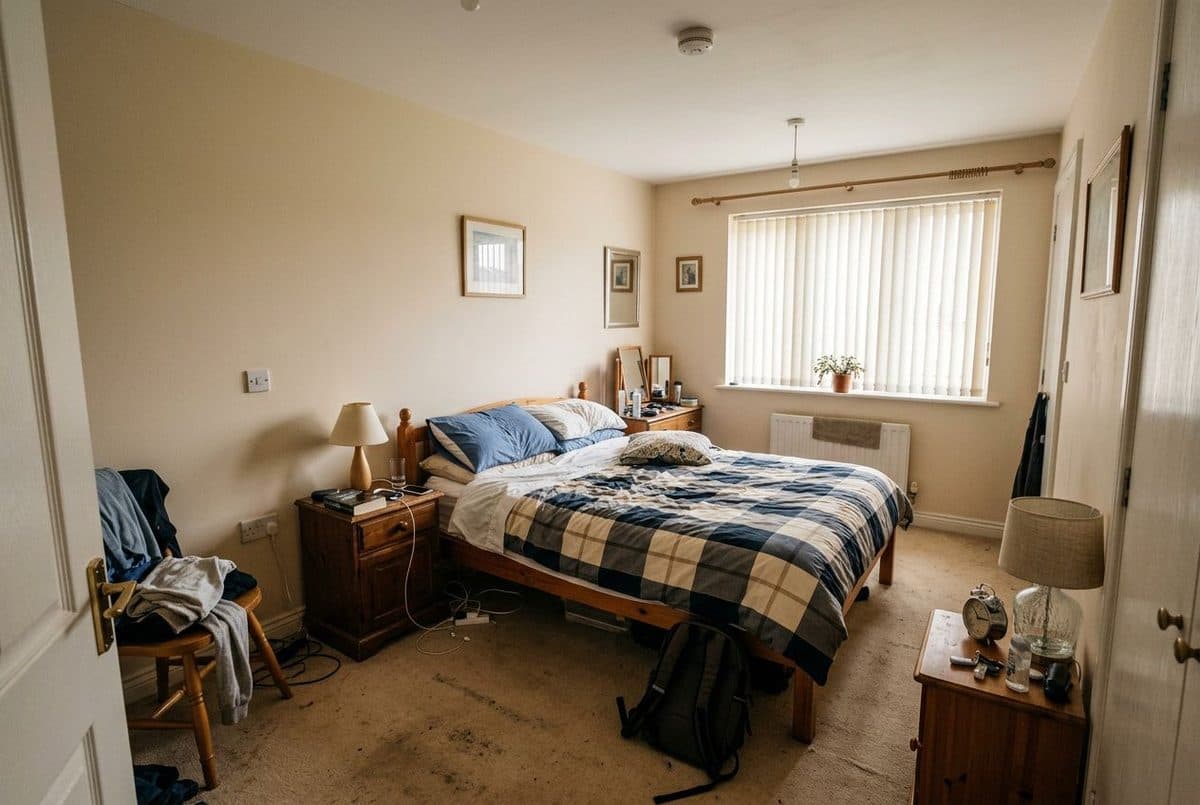
room before removing the furniture

Before

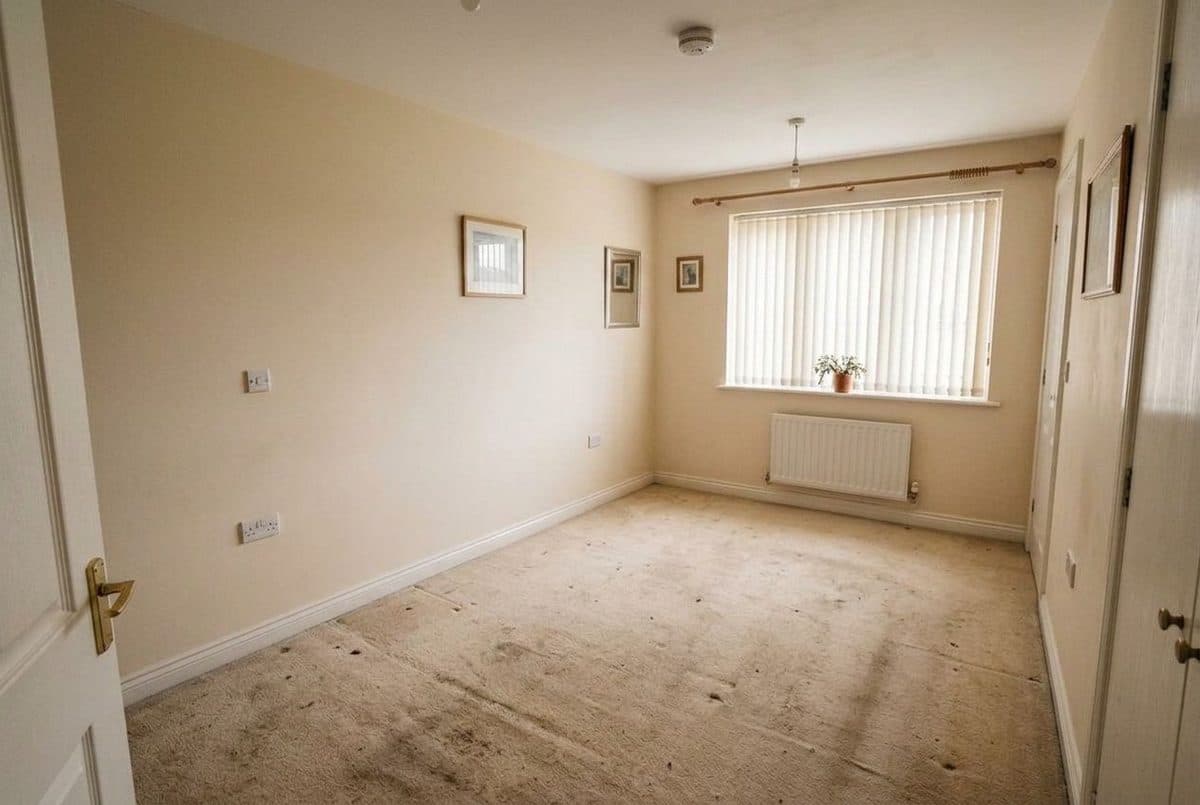
room after removing the furniture

After

A bedroom emptied of the bed, nightstands, chair, lamps and clutter, with the window, radiator, doors and carpet kept.

Example rooms are AI-generated. Each redesign was made with Decoratly.

How it works

Remove furniture in three steps

  1. 1

    Upload a photo of the room

    Use a well-lit photo where you can see the walls, floor and the things you want gone. Shooting from a corner shows the most of the room.

  2. 2

    Choose what to remove

    Tap one or more options: all furniture, clutter and unnecessary items, wall decorations, lighting fixtures, plants and accessories, or carpets and rugs. Or describe it yourself, for example "remove the armchair by the window".

  3. 3

    Review, then keep going

    You get the result in about 30 seconds, with the walls, windows, doors and floor kept. Download it, or use it as the starting point to redesign the room or stage it.

Getting a good result

How to get a clean, useful empty room

Empty the room to plan the layout

It is hard to imagine a new arrangement while the old furniture is in the way. An empty version of your room makes it easier to judge the space, the light and where things could go.

Remove first, then redesign

If you want a new look, empty the room and run a redesign on the result. Working from a clear room gives the redesign fewer old pieces to work around.

Remove first, then stage

For a listing, an empty room with virtual staging often reads better than a cluttered one. Use remove to clear the room, then stage it with a style that suits the property.

Be specific for partial removals

If you only want one thing gone, say so in the text box, for example "remove the TV stand". The more precisely you name it, the more of the rest of the room stays as it is.

Use a photo with clear floor and walls

The tool has to fill in what was behind each item. Clear views of the floor and wall around the furniture give it more to work from than a photo where everything overlaps.

Check the result at full size

AI fills the gaps by generating them, so floor patterns, skirting boards and wall edges can differ slightly from the real room. Zoom in before you rely on it for anything precise.

Styles

What you can remove with one tap

Avoid

Mistakes to avoid

Questions

Remove furniture from a photo: FAQ

Can I remove furniture from a photo?

Yes. Upload a photo of the room, choose Remove Objects and pick what to remove, or describe it in your own words. You get the result in about 30 seconds, with the walls, windows, doors and floor kept.

What can I remove?

There are six one-tap options: all furniture, clutter and unnecessary items, wall decorations, lighting fixtures, plants and accessories, and carpets and rugs. You can also type your own request, such as "remove the armchair".

Is what is behind the furniture real?

No. The AI generates the floor and wall behind a removed item, so it is a plausible guess, not what is really there. It is good for visualising a room, not for measuring or checking its condition.

Can I use it for property listings?

You can use it to show an empty version of a room or as a base for virtual staging. Because the image is edited, tell viewers that it is digitally altered or staged, and follow your local listing rules.

Can I add new furniture afterwards?

Yes. After removing the old furniture you can redesign the room in one of 75+ styles, or virtually stage it with a style and budget level.

Is it free?

Removing objects is part of Pro, a one-time payment of $14.99 for 30 days with nothing renewing. You can try Decoratly first with 1 free style redesign and no signup; free results are watermarked.

See your room with everything cleared

Upload one photo. About 30 seconds. Part of Pro, one-time payment.

Try it free โ†’

Written and maintained by Kamil Uhryn, founder of Decoratly. Last updated September 2026. About Decoratly