
Is Homestyler free? Yes, for 3D planning.
Its Basic plan gives you the 3D floor planner, unlimited 1K renders and 100,000+ free 3D models. Sharper renders and monthly AI credits cost extra, from $6.8 a month. And you build the room yourself. If you just want to see your real room in a new style, a photo is faster.
By Kamil Uhryn, founder of Decoratly (a competing app) · Updated October 22, 2026 · Homestyler facts checked September 29, 2026
Homestyler: the quick facts
- What it is
- A 3D home design platform: floor planner, 3D models, rendering
- Free plan
- Basic: 3D planner, unlimited 1K renders, 100,000+ free models
- Paid
- Pro+ from $6.8 a month, Master+ from $11.8 a month
- AI credits
- 180 a month on Pro+, 380 on Master+
- Apps
- Web, iOS and Android
From homestyler.com/pricing, read on September 29, 2026. Both paid prices were shown as 40% off. On the free plan, 4K renders are bought separately.
A serious 3D planner, with a real free plan.
Homestyler is a full 3D home design platform for floor plans, furnishing to scale and rendering. It is a different kind of tool from an AI photo redesign app, and for planning it is very capable.
What it does well
- A genuinely free plan: the full cloud 3D floor planner and unlimited 1K renders
- 100,000+ free 3D models and materials to furnish with
- Rooms built to scale, with floor plans, and construction drawings and bills of materials on paid plans
- AI tools on top: a design agent, an AI floor planner, image-to-3D, image-to-video and moodboards
- A web editor plus iOS and Android apps
Worth knowing
- You build the room first: walls, doors and windows, then every piece of furniture. That takes time and some practice
- Its core workflow models a room in 3D; it does not start from your photo, so your real walls, light and furniture are not in the result by default
- Higher-resolution renders, watermark removal and monthly AI credits come with the paid plans
- Paid plans are priced by the month and were shown as 40% off, so check the price they renew at
- Third-party guides also describe a photo-based AI redesign in Homestyler; it runs on AI credits
Is your question the layout, or the look?
Homestyler and Decoratly both help you picture a room, but they start at opposite ends. Homestyler starts from a floor plan you build. Decoratly starts from a photo you take.
Homestyler's way
Build the room in 3D
- 1Measure the room, then draw the floor plan or import oneWalls, doors, windows
- 2Furnish it from the 3D model libraryDrag and place
- 3Set materials, lighting and camera anglesFine-tune
- 4Render the views you want1K free, 4K paid
Best when you are planning a layout, a renovation or a new build, and the measurements matter.
Decoratly's way
Start from a photo
- 1Take one photo of the room on your phoneAbout 10 seconds
- 2Upload it and pick a styleNo account
- 3Get your actual room, redesignedAbout 30 seconds
- 4Change the paint, furniture, lighting or layoutWith the pass
Best when the room already exists and you want to see it in a new style, color or furniture before you buy anything.
Layout question? Build it in 3D. Look question? Start from a photo.
Homestyler vs Decoratly, line by line.
Homestyler facts from its own site, read on September 29, 2026. Decoratly facts from our app.
How you start
- Homestyler
- Draw or import a floor plan, then furnish it in 3D
- Decoratly
- Upload one photo of your room
Free plan
- Homestyler
- 3D planner, unlimited 1K renders, 100,000+ models
- Decoratly
- 1 design, no signup, no card
Paid
- Homestyler
- Pro+ from $6.8 a month, Master+ from $11.8, Team $19.9 a seat
- Decoratly
- $14.99 once for 30 days, 200 designs
Renews?
- Homestyler
- Priced by the month
- Decoratly
- Never renews
AI
- Homestyler
- Design agent, AI floor planner, image-to-3D and -video, moodboards
- Decoratly
- Photo redesign in 75+ styles, AI designer chat
Editing
- Homestyler
- Full 3D control of every object
- Decoratly
- Paint, add or remove furniture, rearrange, lighting, recolor
To scale?
- Homestyler
- Yes: floor plans, and drawings on paid plans
- Decoratly
- No: a visual idea, not a plan
Image size
- Homestyler
- 1K free; 2K and 4K on paid plans
- Decoratly
- Up to 1280px free (watermarked), 2048px with the pass
Apps
- Homestyler
- Web, iOS and Android
- Decoratly
- Any browser, nothing to install
Pick by the job, not the brand.
Choose Homestyler if…
- You are planning a layout, a renovation or a new build and need real dimensions
- You want floor plans or drawings to hand to a contractor
- You enjoy designing in 3D and want a huge furniture library to place
- You want a free tool to use for months, and don't mind the learning time
Choose Decoratly if…
- The room already exists and you want to see it in a new style, color or furniture
- You would rather take one photo than build a model
- You want a free result first, with no account: 1 design, no signup, no card
- You want one payment, not a monthly plan: $14.99 for 30 days, with a 30-day money-back guarantee
No modeling. Just your room, restyled.
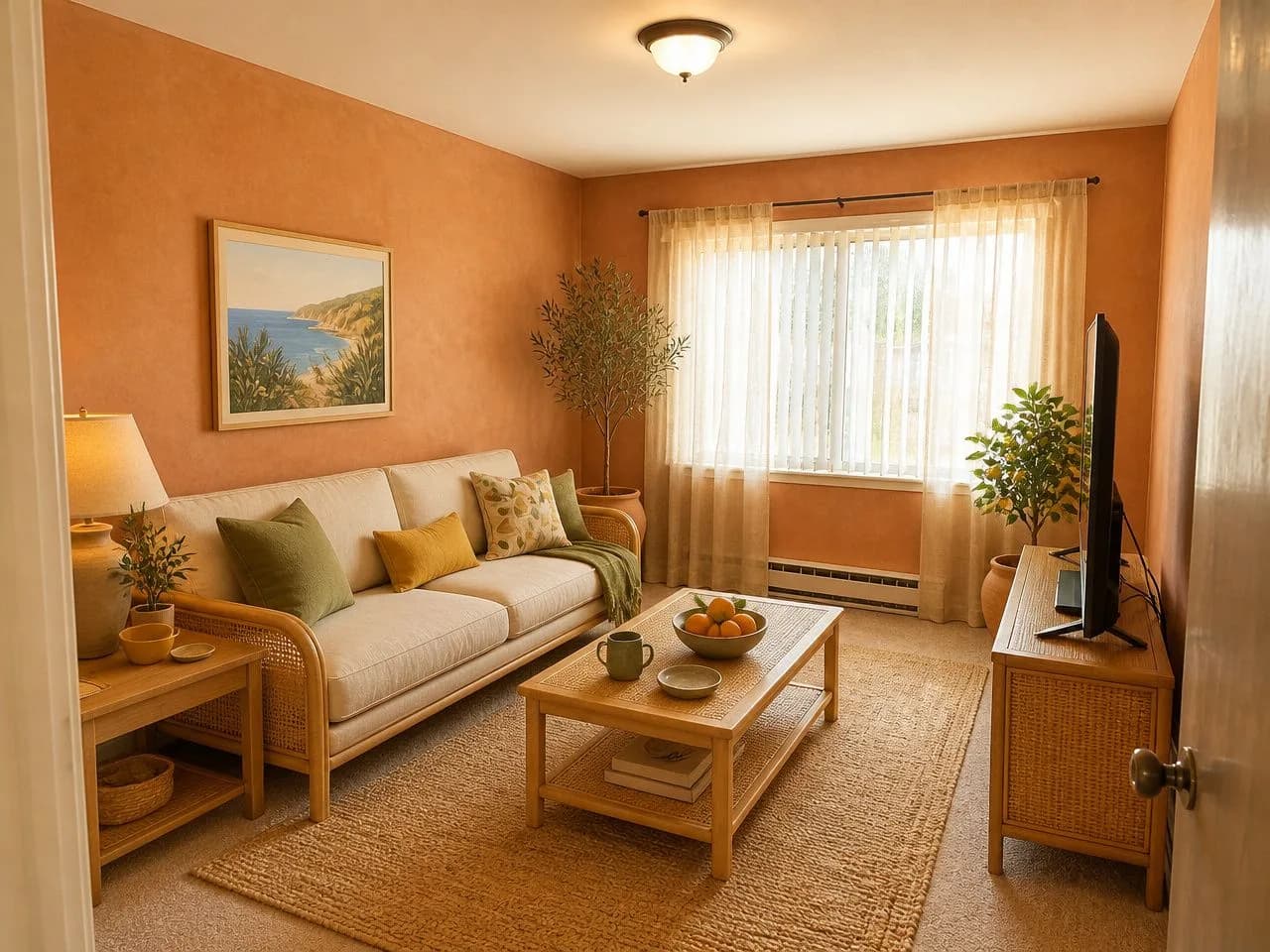
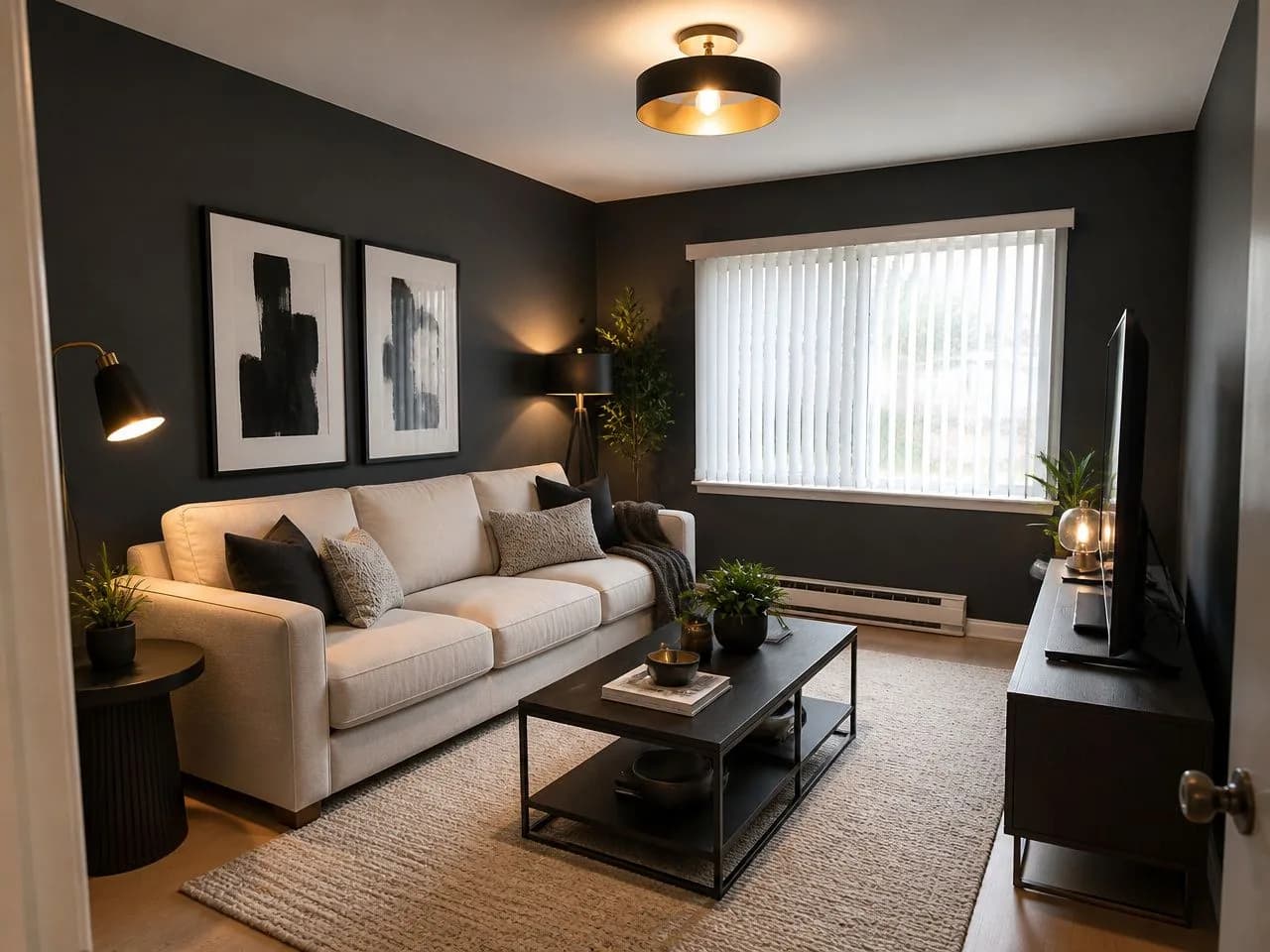
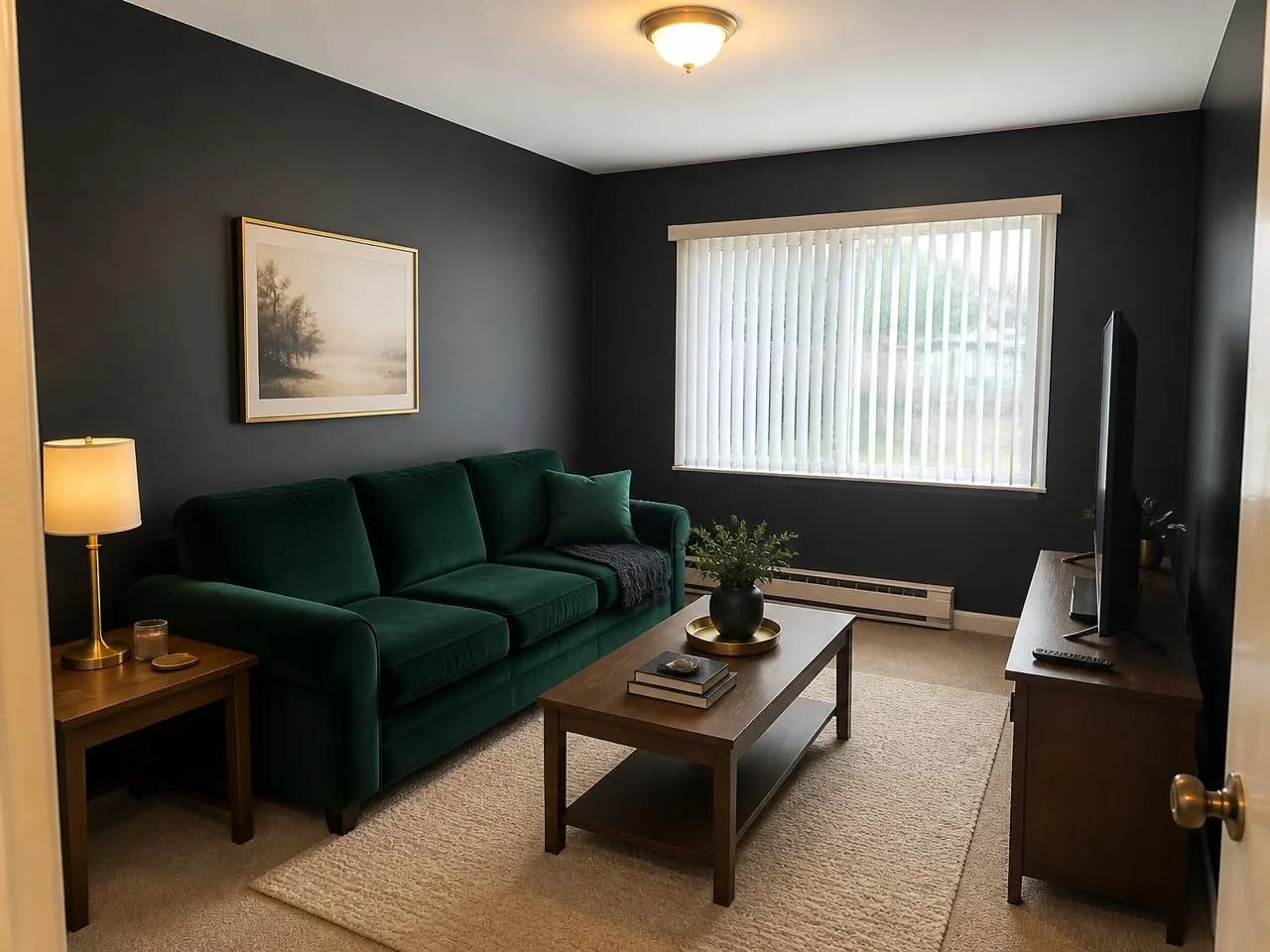
One ordinary living room photo, redesigned once in each free style. Your free design can use any of them.
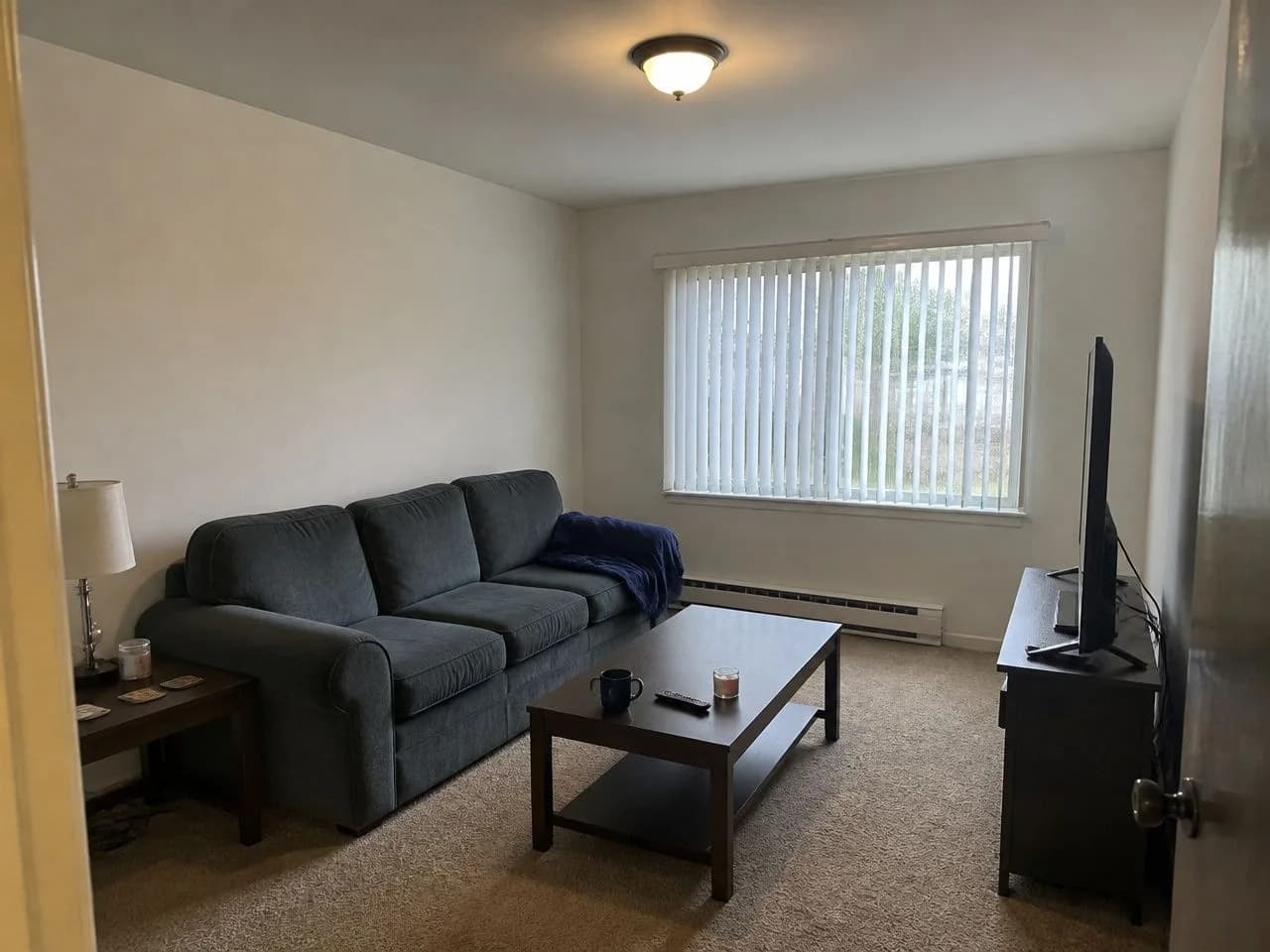 📷 The original photo
Start from one phone photo
A gray sofa, beige carpet, vertical blinds: the kind of room most of us live in. Below is that exact photo in each free style, with the window, walls and camera angle unchanged. Nothing was measured or modeled. (The example photos were generated to look like ordinary phone photos; the redesigns use the app's own free styles.)
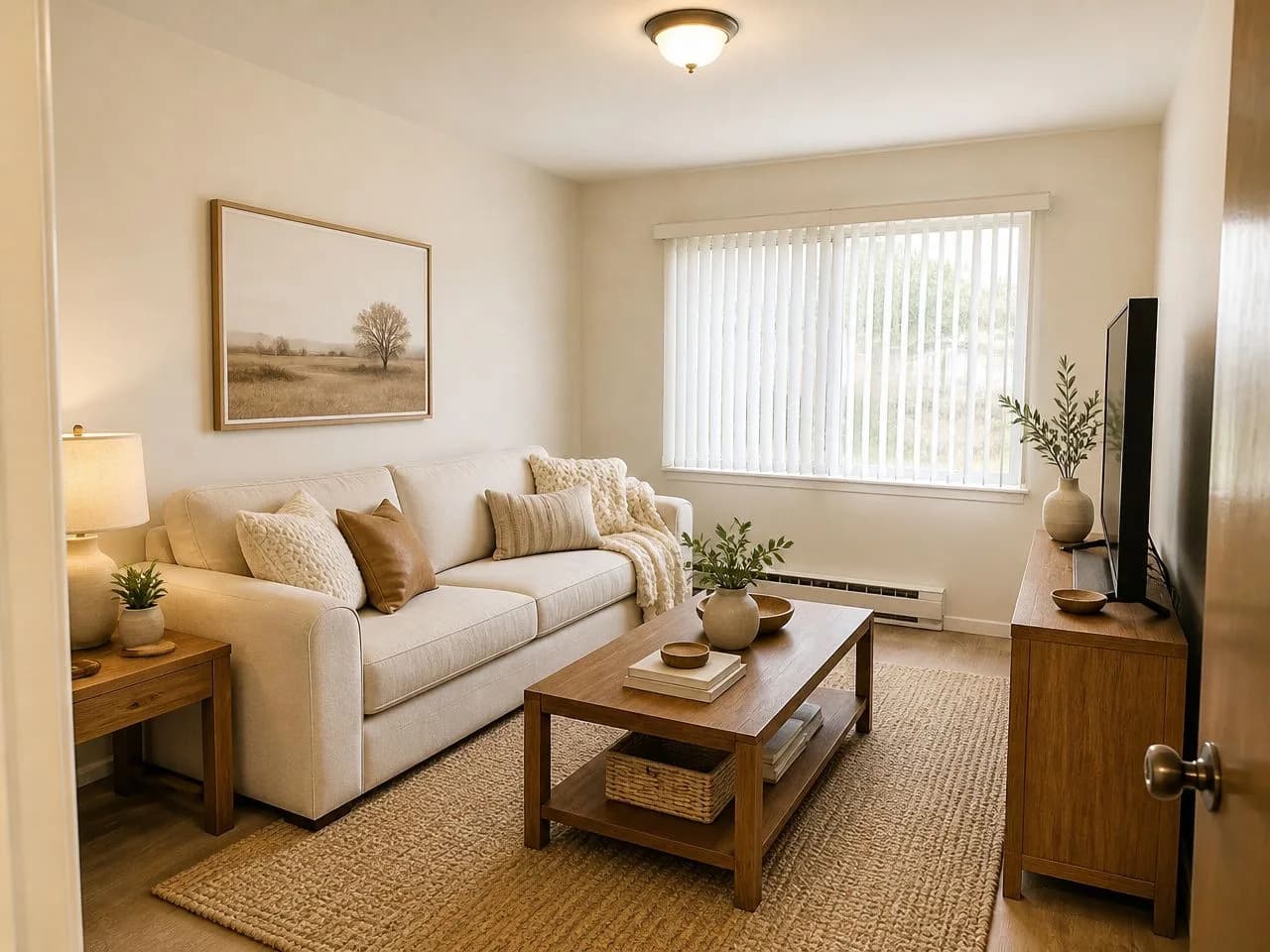 🎁 Free
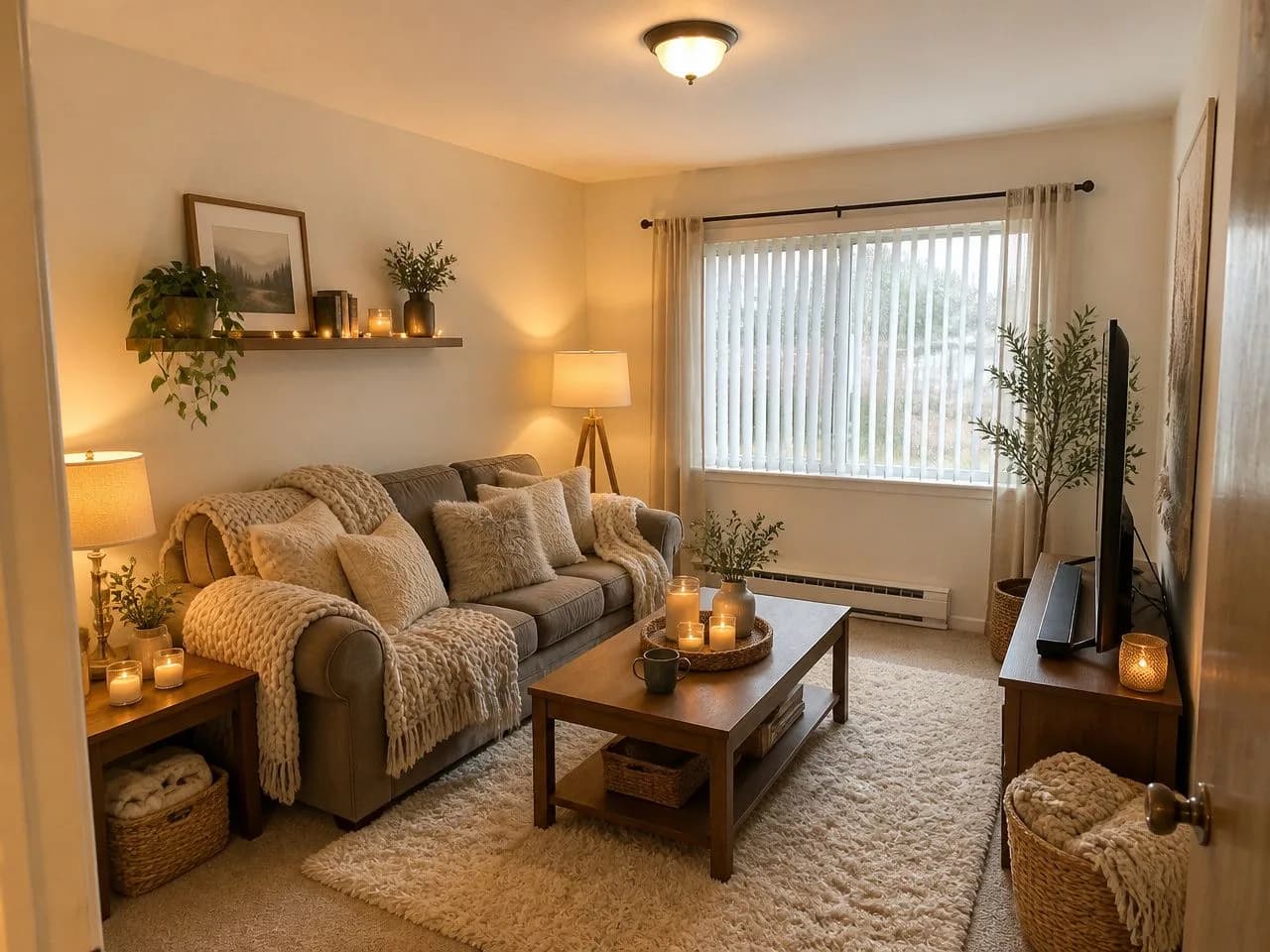 🎁 Free
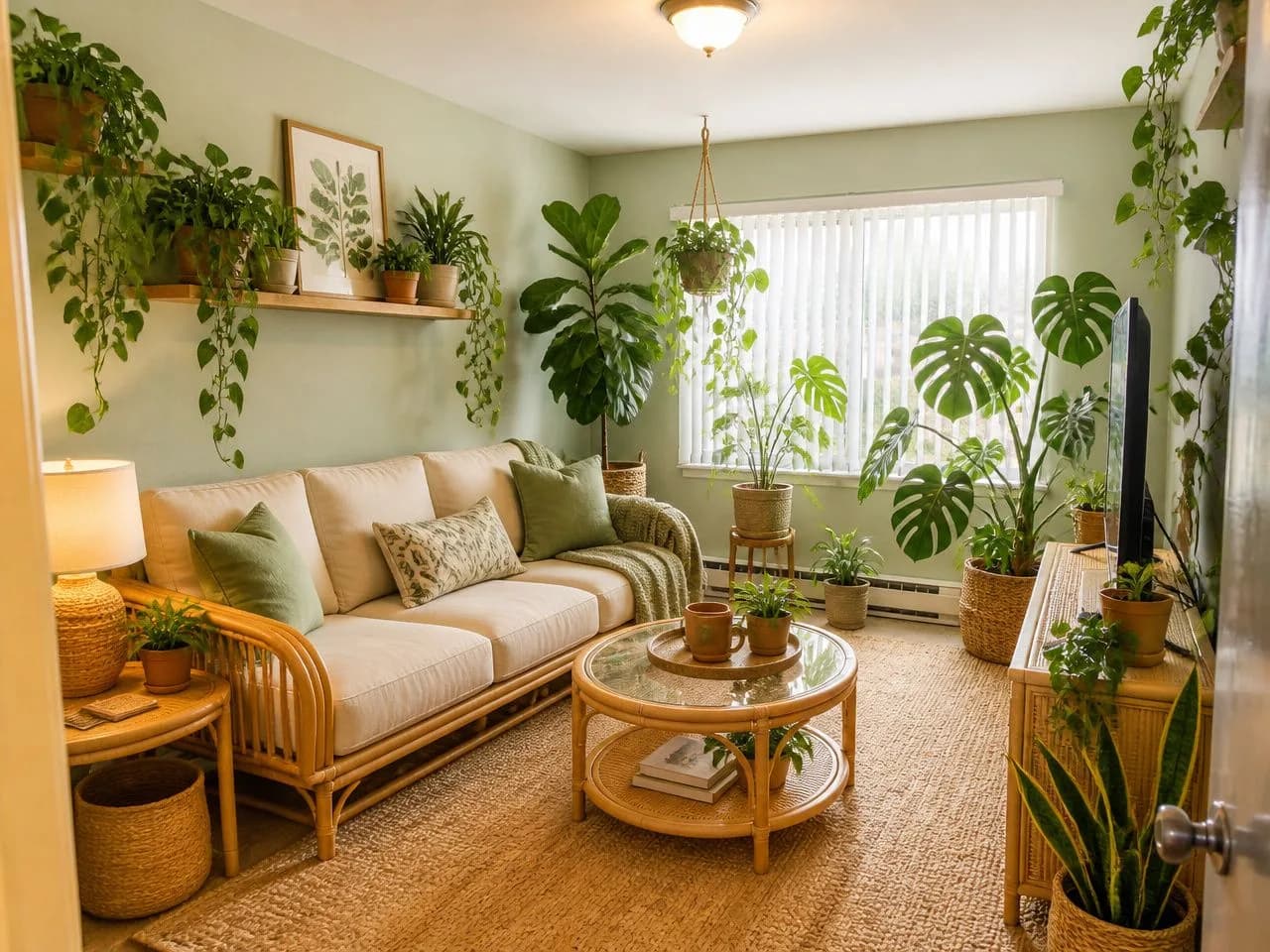 🎁 Free
 🎁 Free
 🎁 Free
 🎁 Free
Want more choice? See all 75+ styles
See it on your own room, free.
Upload a photo and get 1 free design in one of six free styles, with no account. Nothing to measure or build: your walls, windows and layout stay, and the style changes.
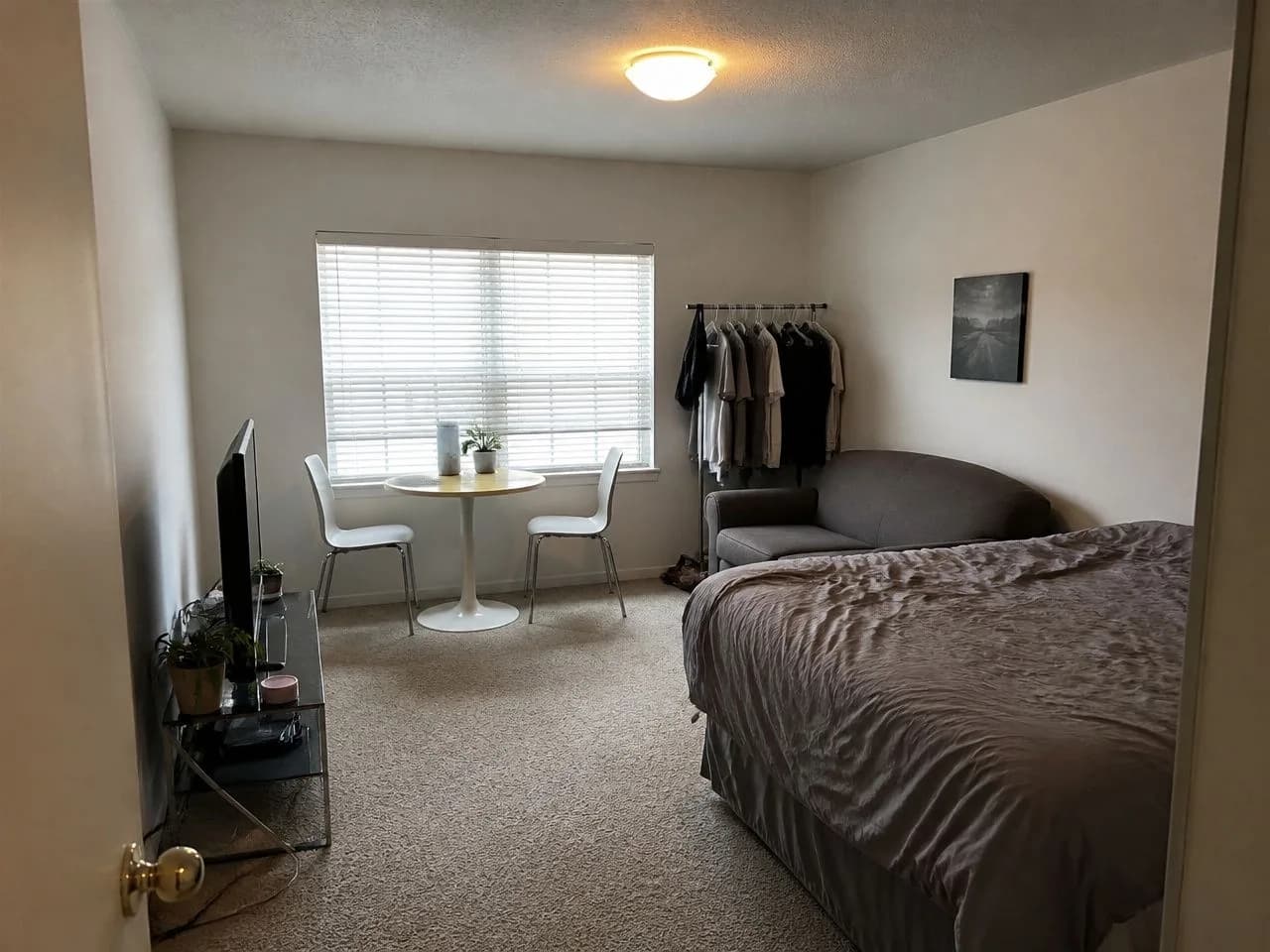 📷 Before
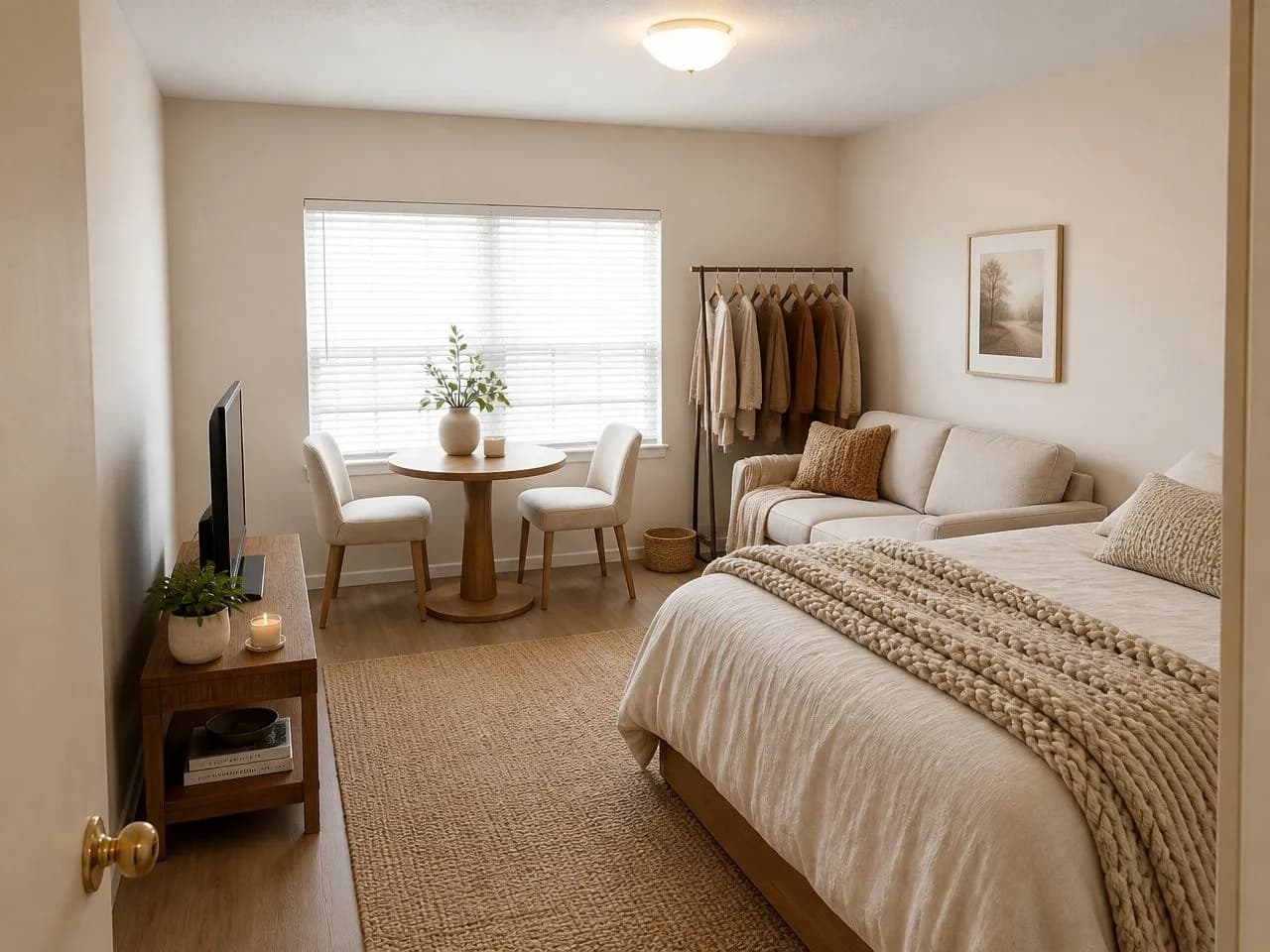 ✨ Warm Minimalist (free)
The free design is available in the US, Canada, the UK and several European countries. More with a $14.99, 30-day pass, paid once.
More Homestyler alternatives, by what they cost.
From each company's own site. The full comparison has eight tools and the source for every number.
Planner 5D
Free: Free to start; limits vary
Paid: Not listed on the pages we checked
Another 3D planner: draw or upload a floor plan, then furnish it in 3D. The closest like-for-like swap.
Reimagine Home
Free: 5 free designs, no card
Paid: $14 to $99 a month
Photo-based, strong on virtual staging, exteriors and listings.
RoomsGPT
Free: 3 designs a day as a guest, watermark and ads
Paid: $4.99 to $149 a month
Photo-based, the most free tries, on a subscription.
Homestyler questions, answered straight.
Is Homestyler free?
Yes, for 3D planning. When we checked (September 29, 2026), Homestyler's free Basic plan included the cloud 3D floor planner, unlimited 1K rendering and 100,000+ free 3D models and materials. 4K renders are bought separately, and the paid plans add higher-resolution renders, watermark removal and monthly AI credits.
How much does Homestyler cost?
Homestyler listed Pro+ from $6.8 a month and Master+ from $11.8 a month, both shown with a 40% discount, Team from $19.9 per seat per month, and custom Enterprise pricing (checked September 29, 2026). Pro+ included 180 AI credits a month and Master+ 380. Check its pricing page for the price the plan renews at.
Does Homestyler have AI?
Yes. Its home page lists a conversational design agent, an AI floor planner, image-to-3D, image-to-video and moodboards, and third-party guides describe a photo-based AI redesign too. The AI tools run on AI credits, which come with the paid plans: 180 a month on Pro+ and 380 on Master+.
Is Homestyler good for beginners?
It is free to learn and has a very large model library, but you do build the room yourself: walls, doors and windows, then each piece of furniture. If you are planning a layout, that effort pays off. If you only want to see a room you already have in a new style, a photo-based tool such as Decoratly gets you there in about 30 seconds.
Is there a Homestyler app?
Yes. Homestyler lists iOS and Android apps as well as its web editor. Decoratly has no app to install: it runs in the browser on your phone or computer.
What is the difference between Homestyler and Decoratly?
Homestyler is a 3D planner: you build the room and place furniture to scale. Decoratly starts from a photo of your real room and generates a redesign of it. Use Homestyler when the layout or the measurements are the question, and Decoratly when the look is.
What is the best Homestyler alternative?
It depends on the job. For another 3D planner, Planner 5D. To see your existing room in a new style from a photo, Decoratly: 1 free design with no signup, then $14.99 once for 30 days. For the most free photo redesigns, RoomsGPT (3 a day). For real estate staging and exteriors, Reimagine Home.
Can I use Homestyler and Decoratly together?
Yes. Plan the layout and the measurements in a 3D planner, then compare styles and colors on a photo of the room you actually have. One answers where things go, the other what it will look like.
Is Decoratly affiliated with Homestyler?
No. Decoratly is a separate AI interior design app. This page was written by Decoratly's founder from Homestyler's public website.
About this page
Written by Kamil Uhryn, who builds and runs Decoratly, a competing AI interior design app. Decoratly is not affiliated with Homestyler. Facts about Homestyler come from its own website, read on September 29, 2026; we did not buy its plans, so we make no claims about its image quality. Prices change, so check its site before you buy.
Last checked September 29, 2026.