decoratly logo
AI Design GuideBy Kamil Uhryn, Founder of DecoratlyUpdated June 202612 min read
KU

Kamil Uhryn โ€” Founder, Decoratly

Built Decoratly from scratch in 2024 and has personally tested every major AI room design tool on the market as part of ongoing product research. This comparison reflects real testing on real room photos, not spec sheets.

Best AI room design in 2026 โ€” we tested 8 tools to find what actually works

Not all AI room design tools produce the same results. We tested 8 of them on real room photos โ€” the same rooms, the same photos, uploaded to each tool. One stood out clearly. Here's what we found, how they compare, and how to try the best one free.

Our verdict

Decoratly is the best AI room design tool in 2026 โ€” the only one that delivers photorealistic results from your actual room photo, not a generated replacement, with full creative control and a genuine free tier.

โœ“ Works on your actual photoโœ“ Results in ~30sโœ“ 2 rooms freeโœ“ No credit card
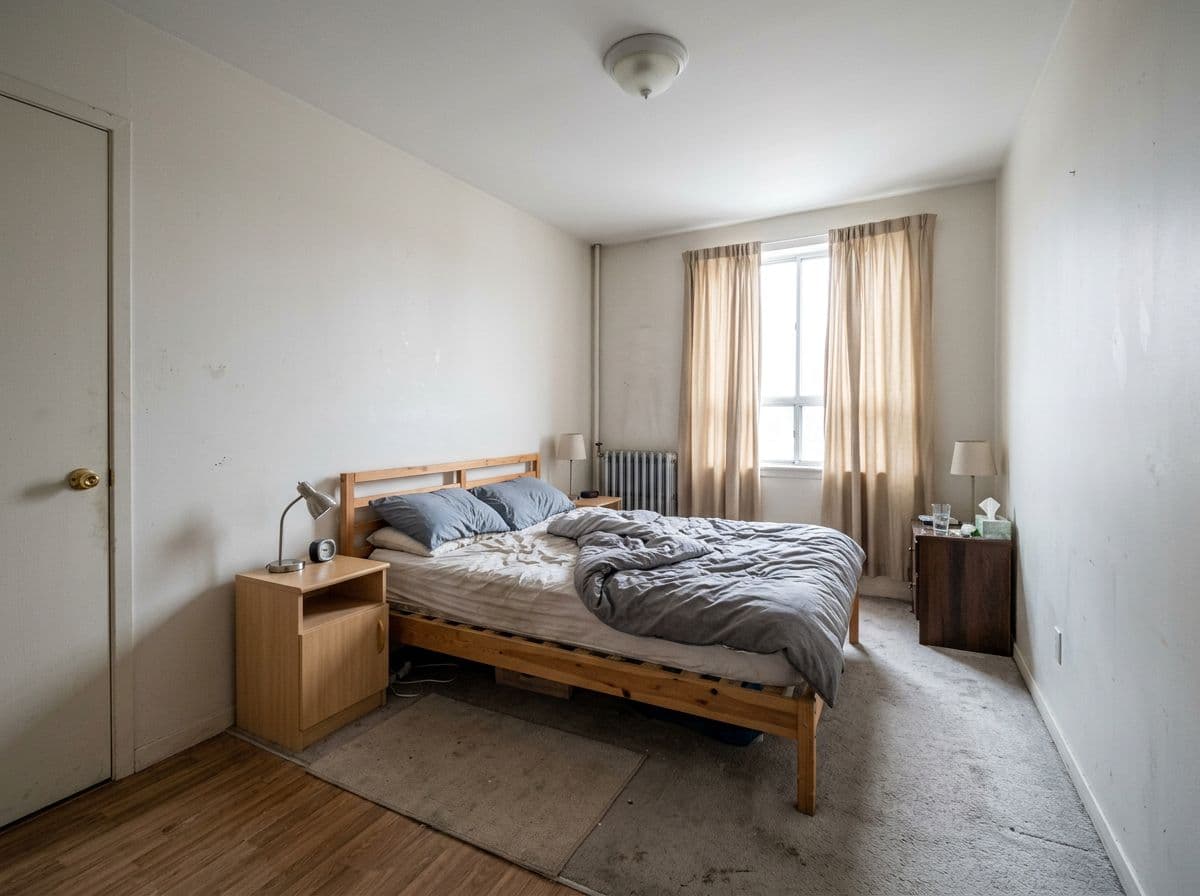
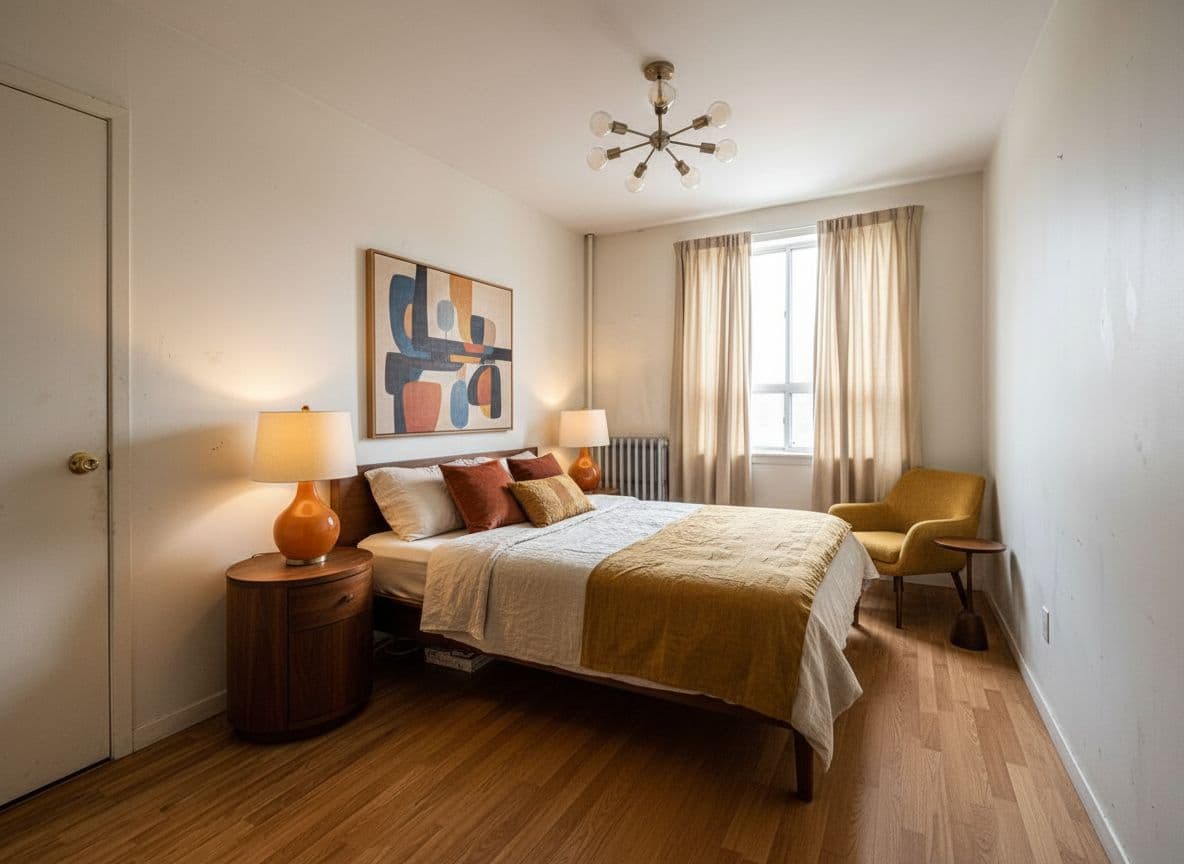
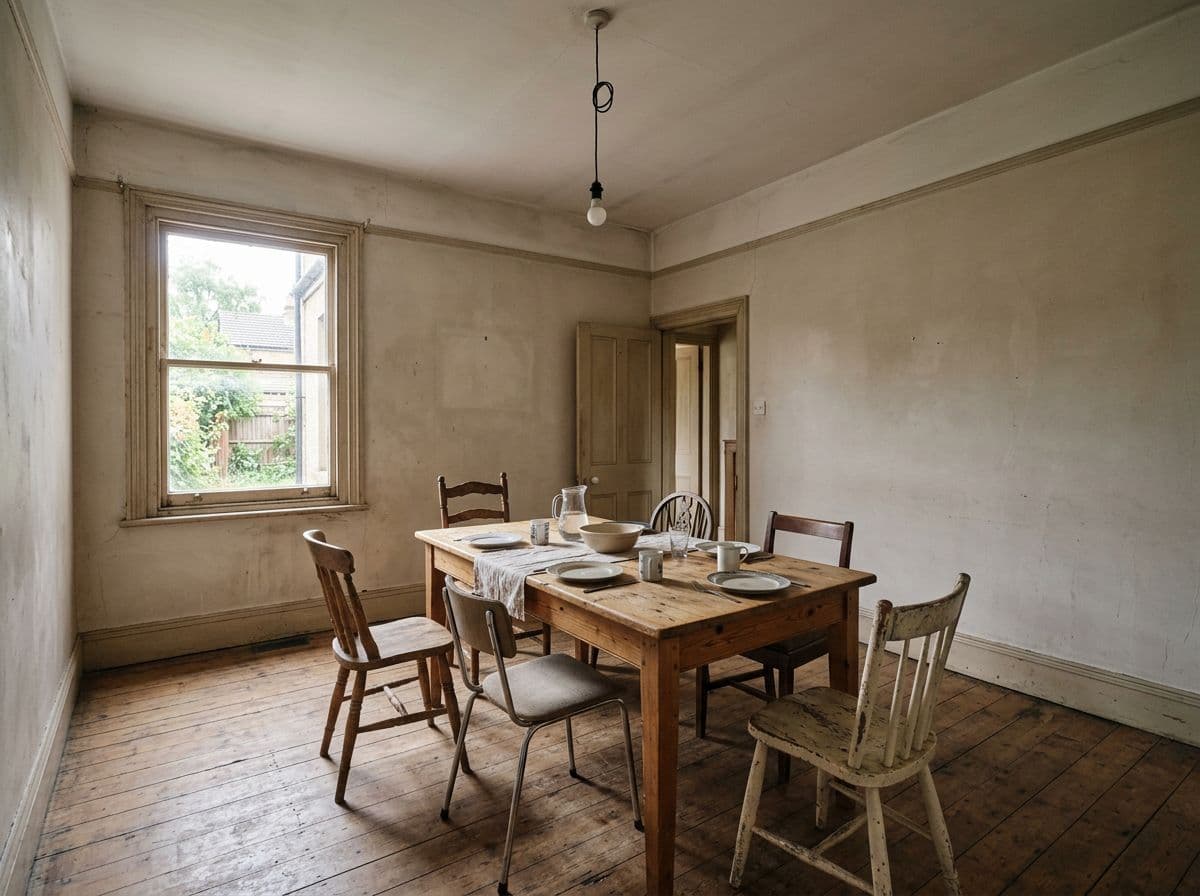
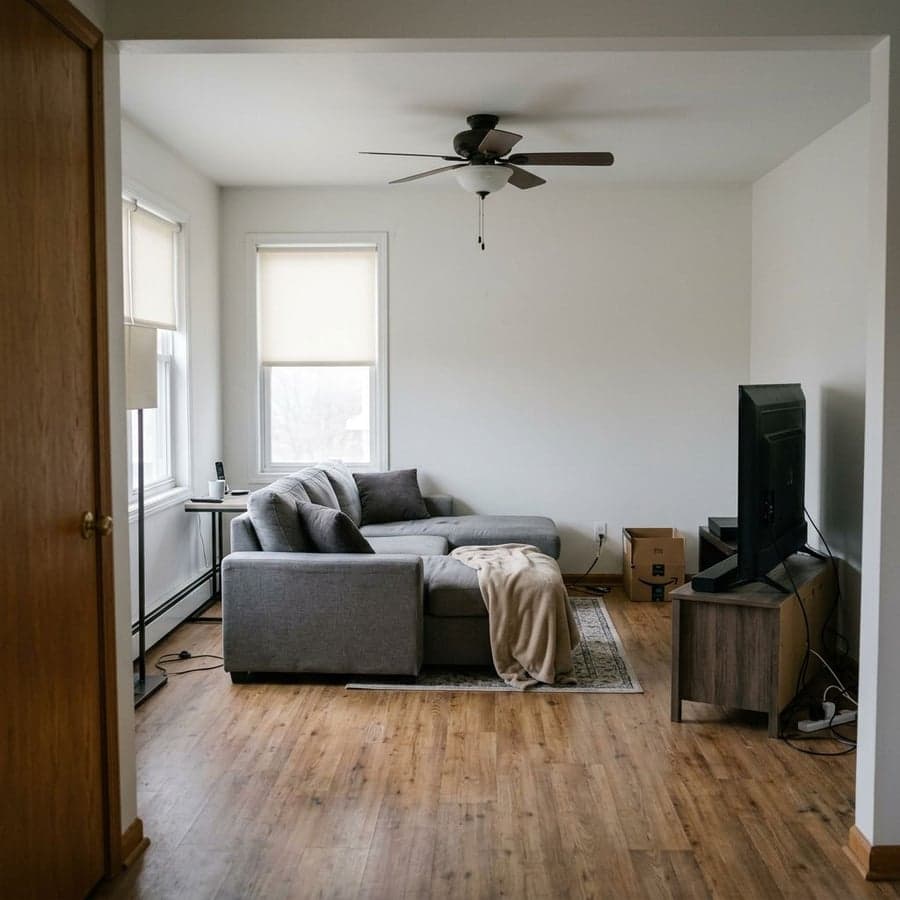
3 rooms, 3 outcomes~30s each
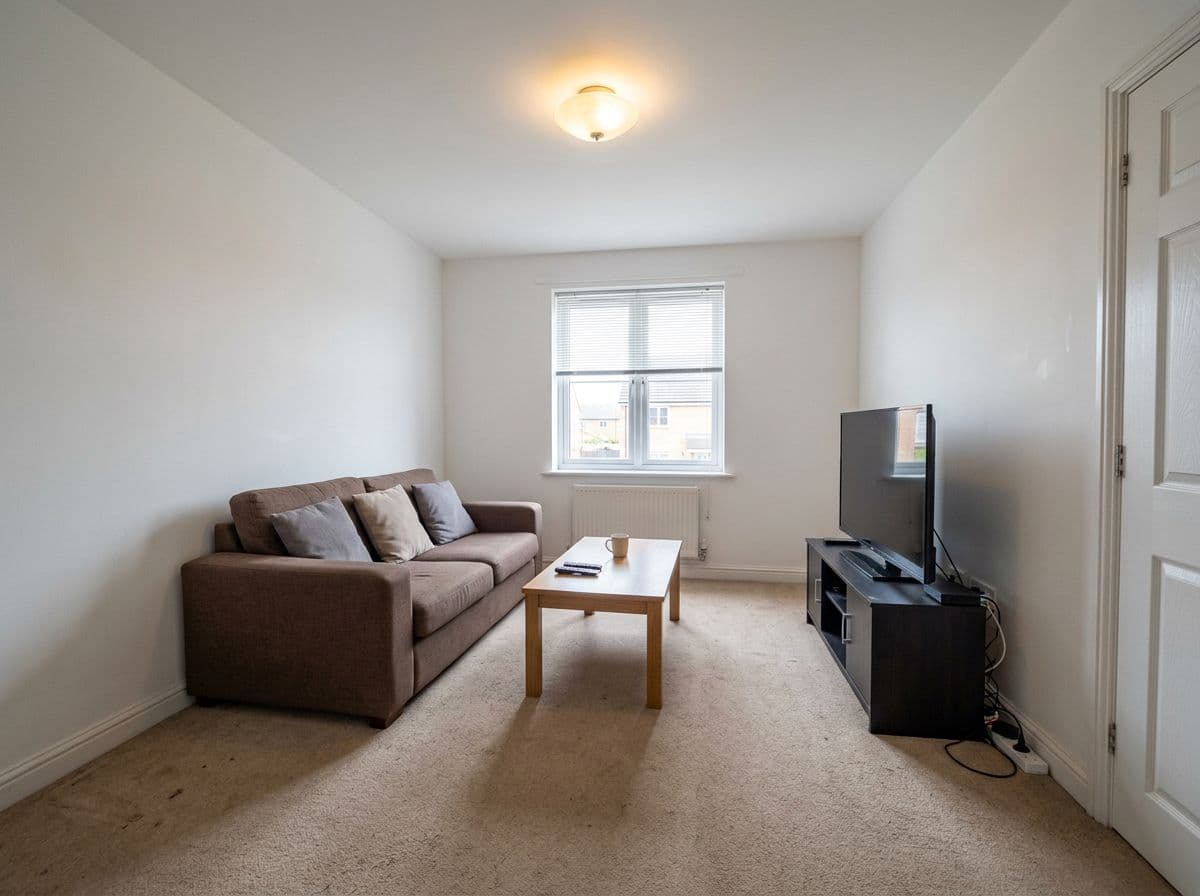
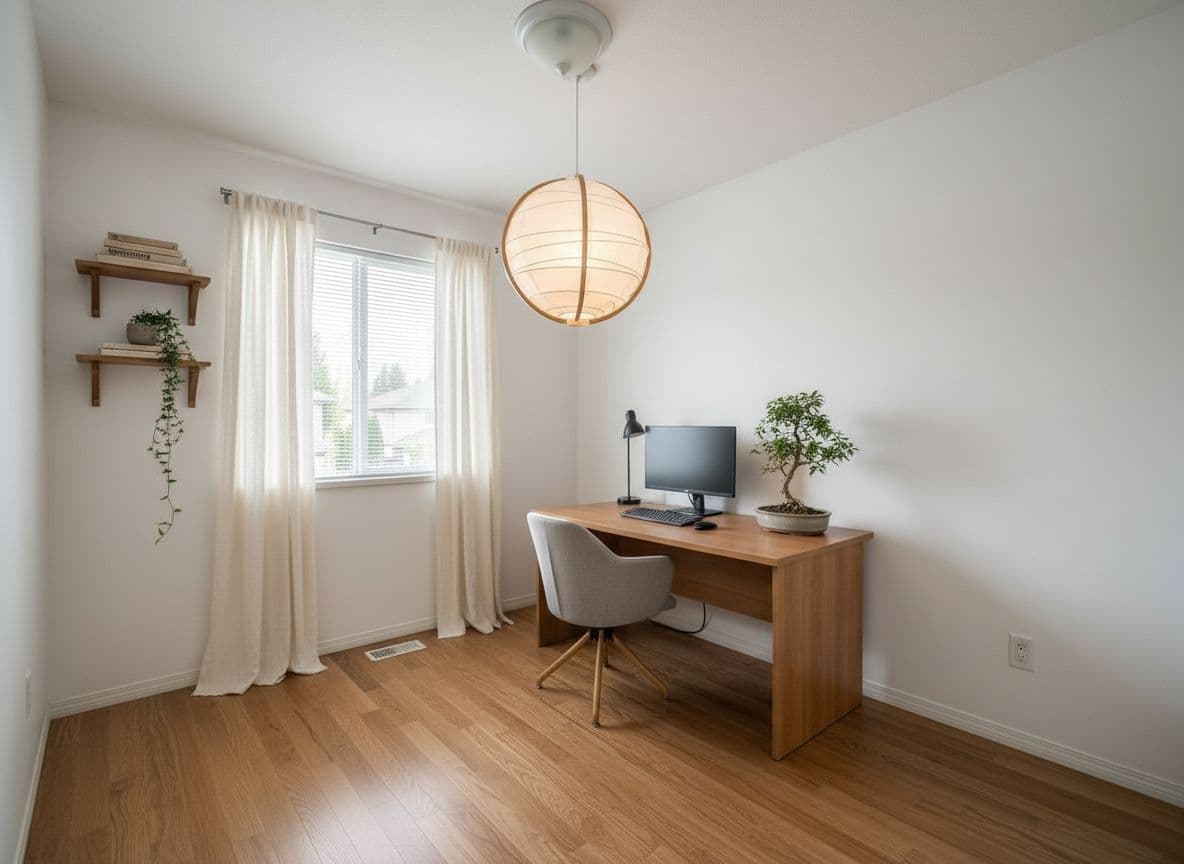
Bedroom before AI room design
โ†’
Bedroom redesigned with AI in Mid-Century Modern style

Bedroom

Mid-Century Modern

Dining Room before AI room design
โ†’
Dining Room redesigned with AI in Contemporary Warm style

Dining Room

Contemporary Warm

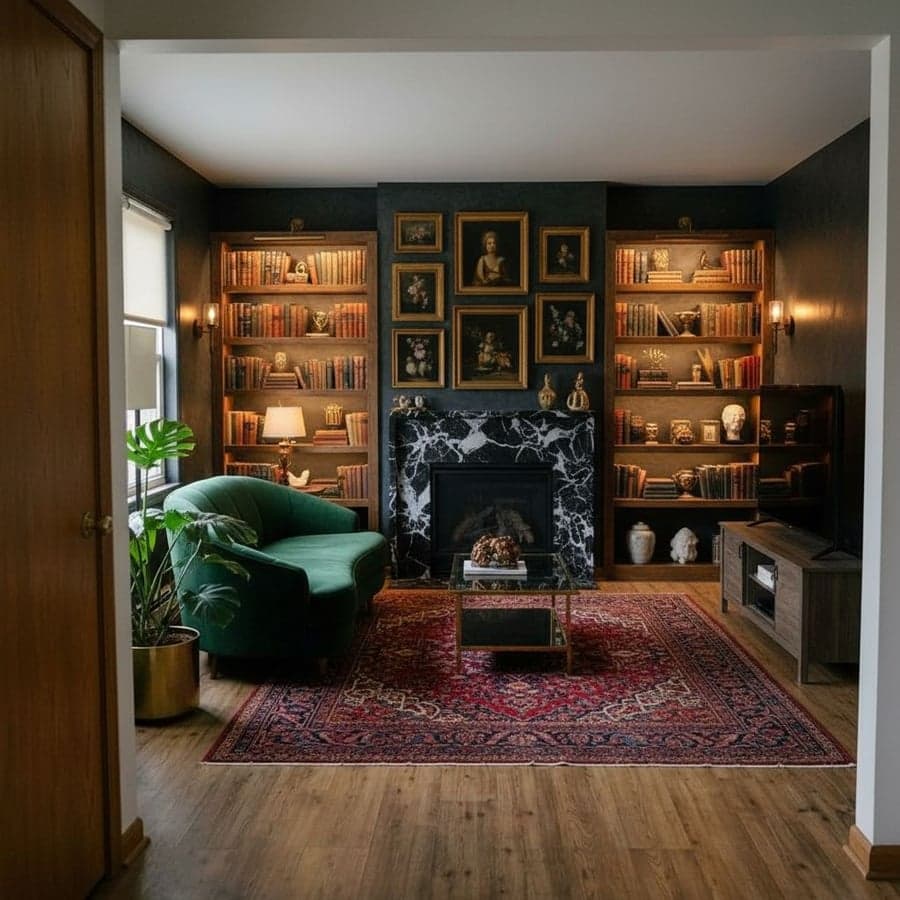
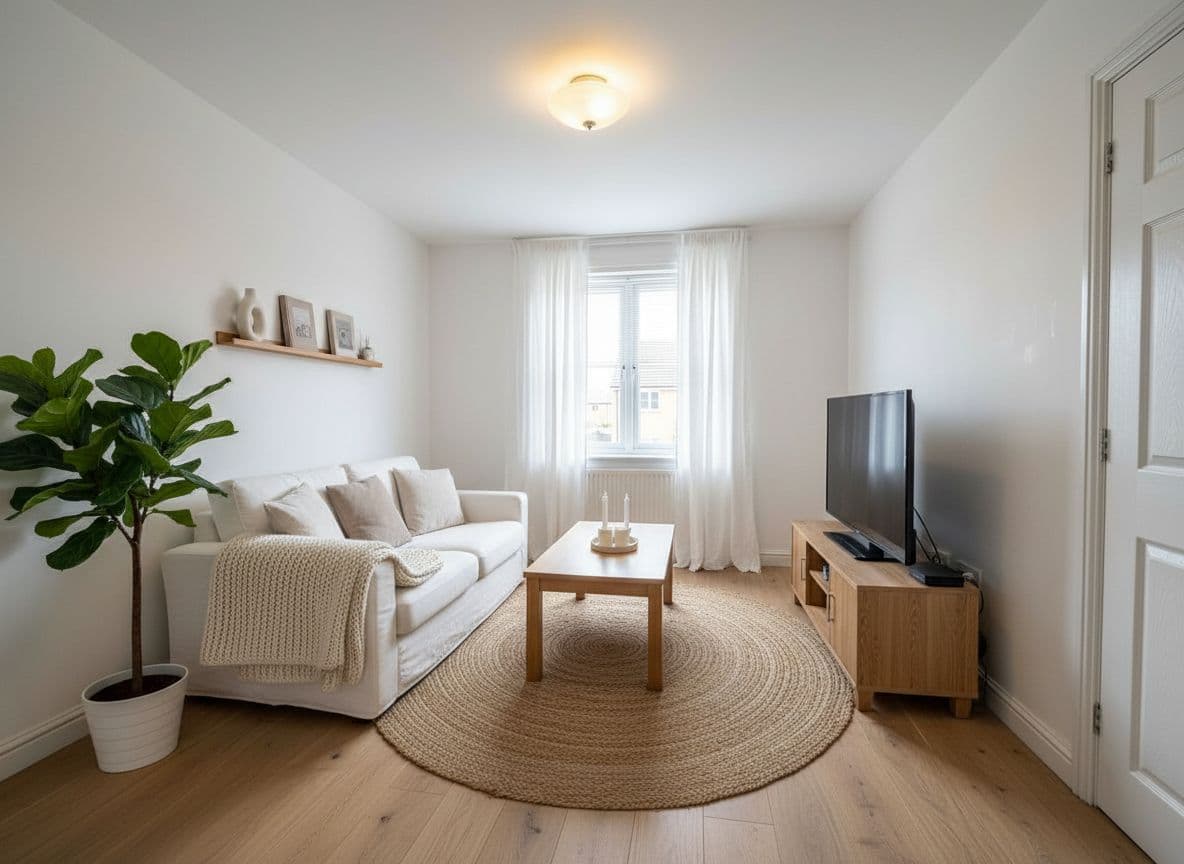
Living Room before AI room design
โ†’
Living Room redesigned with AI in Dark Luxe style

Living Room

Dark Luxe

Same approach works on any room you upload
๐ŸŽจ
30+ styles
+ describe your own
โญ
4.8 ยท 12k+ reviews
from verified users

Our verdict after testing 8 tools

What actually makes AI room design good โ€” and which tool does it best

As the founder of Decoratly, I've spent two years running AI room design tools side by side โ€” uploading the same room photos to each, comparing the renders, and tracking where each tool breaks down. For this guide I ran eight tools through the same six rooms: a cluttered bedroom, a dated kitchen, a living room with awkward proportions, a small bathroom, a home office, and a studio apartment. Same photos, same styles requested, results judged blind before scoring.

I evaluated each tool on five criteria: does it redesign your actual room or generate a generic replacement, how fast does it render, how much creative control it gives you, whether you can make targeted edits after the fact, and whether the pricing is honest. Decoratly was the only tool that performed well across all five โ€” which isn't something I say lightly about my own product. The gap on photo realism and edit control is genuinely significant.

8
Tools tested
6
Room types
40+
Renders compared
4.8 / 5
User rating

Tool comparison

How the top AI room design tools compare

Tested on the same room photos. The differences that matter most are shown first.

ToolWorks from your photo?SpeedStylesEdit toolsFree tierPrice
DecoratlyBest overallYes โ€” redesigns your room~30 sec30+ presets + custom prompts + Style BuilderFull toolkit2 full-res rooms, no watermarkFree ยท from $3.99
RoomGPTYes~60 sec~12 presets onlyNoneVery limited~$8โ€“15/mo
Interior AIYes~45 sec~14 presetsBasicNone~$19/mo
MidjourneyNo โ€” generates a new room~30 secUnlimited (prompts)NoneNone$10โ€“60/mo
DALL-E 3No โ€” generates a new room~20 secUnlimited (prompts)Limited inpaintingLimited via ChatGPT$20/mo (ChatGPT Plus)
DecoratlyBest overall

The only tool that combines photorealism, speed, a full edit toolkit, and genuine style depth. Runs from your actual room photo โ€” not a generated replacement. Our clear recommendation.

RoomGPT

Works from your photo but the style library is limited, there are no edit tools, and the render quality is noticeably lower. Fine for quick exploration; not for serious planning.

Interior AI

Decent photo-based rendering but requires a subscription with no free tier. Limited customization beyond basic presets.

Midjourney

Exceptional image quality but it doesn't redesign your actual room โ€” it generates a new room based on your prompt. Requires prompt expertise to get useful results. Not a dedicated AI room design tool.

DALL-E 3

Useful as a general image generator but not designed for room redesign. Results rarely look like your actual space. Better for inspiration than planning.

Evaluation criteria

5 things that separate good AI room design from bad

Most AI room design tools look similar from a marketing screenshot. These are the criteria that reveal the actual difference in practice โ€” what we used in our testing.

๐Ÿ“ธ

It works from your photo โ€” not a stock room

The single biggest quality gap between AI room design tools: does the AI redesign your actual room, or replace it with a generic stock interior? Genuine photorealism means your real walls, windows, proportions, and lighting stay intact. The result looks like a photo of your room after renovation.

โšก

Results in under a minute

Design decisions shouldn't require waiting. The best AI tools return a full photorealistic render in about 30 seconds โ€” fast enough to explore multiple directions in a single session. If a tool takes several minutes per render, it's impractical for real use.

๐ŸŽจ

Genuine style depth โ€” presets, prompts, and custom

Preset styles are a starting point, not a ceiling. The best tools let you describe what you want in plain English, build custom looks element by element, and explore directions the presets don't cover. 30+ well-designed styles plus the ability to go beyond them is the right baseline.

โœ๏ธ

Control over individual details

Full-room redesigns are useful for exploration. But once you've found a direction, you want surgical control: repaint just the walls, swap one piece of furniture, remove that old shelf, add a plant. The best AI room design tools include targeted editing tools alongside full redesigns.

๐Ÿ’ฐ

Honest, flexible pricing with a real free tier

A real free tier means 2+ rooms with full-resolution, watermark-free results โ€” not a blurred preview. Paid access should be flexible: a one-time unlock for when you need it, not a subscription that traps you into monthly billing for a tool you might use once or twice a year.

4.8 / 5
โ˜…โ˜…โ˜…โ˜…โ˜…
from 12,000+ verified user ratings
2M+
rooms redesigned with Decoratly
~30s
average time from upload to result

Other tools reviewed

The other AI room design tools we tested

We're not dismissing these tools โ€” each has genuine strengths. But for most people trying to design a real room, here's an honest look at where each falls short.

RoomGPT

What it does well

  • โœ“ Works from your actual photo
  • โœ“ Simple one-step interface
  • โœ“ Free to try

Where it falls short

  • โœ— ~12 preset styles only โ€” no custom prompts
  • โœ— No edit tools for specific changes
  • โœ— Noticeably lower render quality than Decoratly
  • โœ— Free tier very restricted

Our take: A reasonable starting point for quick exploration. If you want more than basic presets or any ability to edit specific details, you'll hit its limits quickly.

Interior AI

What it does well

  • โœ“ Decent photo-based renders
  • โœ“ Clean interface

Where it falls short

  • โœ— No free tier at all
  • โœ— Subscription-only pricing (~$19/mo)
  • โœ— Limited to ~14 preset styles
  • โœ— No custom prompts or Style Builder equivalent

Our take: Photo-based and decent quality, but the subscription-only model and lack of customization make it hard to justify over Decoratly's more flexible option.

Midjourney

What it does well

  • โœ“ Exceptional raw image quality
  • โœ“ Unlimited creative directions via prompts
  • โœ“ Active community for prompt ideas

Where it falls short

  • โœ— Does not work from your actual room photo โ€” generates a new room instead
  • โœ— Requires significant prompt expertise to get useful results
  • โœ— No interior design-specific features
  • โœ— No edit tools
  • โœ— No free tier

Our take: Midjourney is a powerful image generator, not an AI room design tool. Use it for inspiration moodboards. For redesigning your actual room, it's the wrong tool entirely.

How Decoratly works

Three steps, about 30 seconds

No software to install, no design experience needed, no subscription required to try.

01

Upload a photo of your room

Take a photo with your phone or use any existing image. Any room works โ€” furnished or empty, good lighting or not. The AI reads geometry, proportions, and lighting from the photo automatically. No descriptions needed.

Tip: Phone camera photos work perfectly โ€” no special equipment required.

02

Choose a style or describe your own

Pick from 30+ preset styles, type a description in plain English โ€” 'warm and cozy with dark wood', 'bright Scandinavian', 'moody industrial loft' โ€” or use the Style Builder to design a look element by element. You can also paste an inspiration image and the AI clones its style.

Tip: Start with a preset, then refine it โ€” faster than describing from scratch.

03

See your redesigned room

The AI renders a photorealistic version of your actual room in about 30 seconds. Download the full-resolution, watermark-free image immediately. Switch between Makeover and Enhance modes, edit specific details, or shop the products you see in the render.

Tip: Try 3โ€“4 styles in the same session โ€” comparison is where the value is.

Design My Room Free โ†’

2 rooms free ยท No credit card ยท Results in ~30 seconds

Two modes

Makeover vs Enhance โ€” pick the right mode

Most people use both: explore directions with Makeover, then refine a specific one with Enhance.

Makeover Mode

Total transformation

The AI has creative freedom to change anything โ€” furniture, flooring, wall treatments, and even structural elements like doors and windows. Use it when you want to see a genuinely different direction for your space, without constraints.

Best for: Exploration, inspiration, seeing what's possible

Enhance Mode

Precise & realistic

The AI works more conservatively, preserving your room's structure and making precise changes: repaint the walls, swap the sofa, remove the old shelving unit, adjust the lighting. Results look more immediately achievable.

Best for: Refinement, planning a specific change, contractor briefs

Room by room

What good AI room design looks like in each space

Different rooms have different design challenges. Here's what AI room design is particularly useful for in each.

๐Ÿ›‹๏ธ

Living rooms

Lighting and furniture scale are everything. A good AI render shows how a sofa actually fits in your room's proportions โ€” not a generic 'nice living room' that could be anyone's.

Photo tip: Shoot from a corner at eye level โ€” it gives the AI the full depth of the room.

๐Ÿ›๏ธ

Bedrooms

Headboard height, bedding texture, and wall color interact in ways that are hard to visualize from a paint chip. AI renders these relationships in your actual room lighting.

Photo tip: Include the window in the shot โ€” bed placement relative to natural light matters.

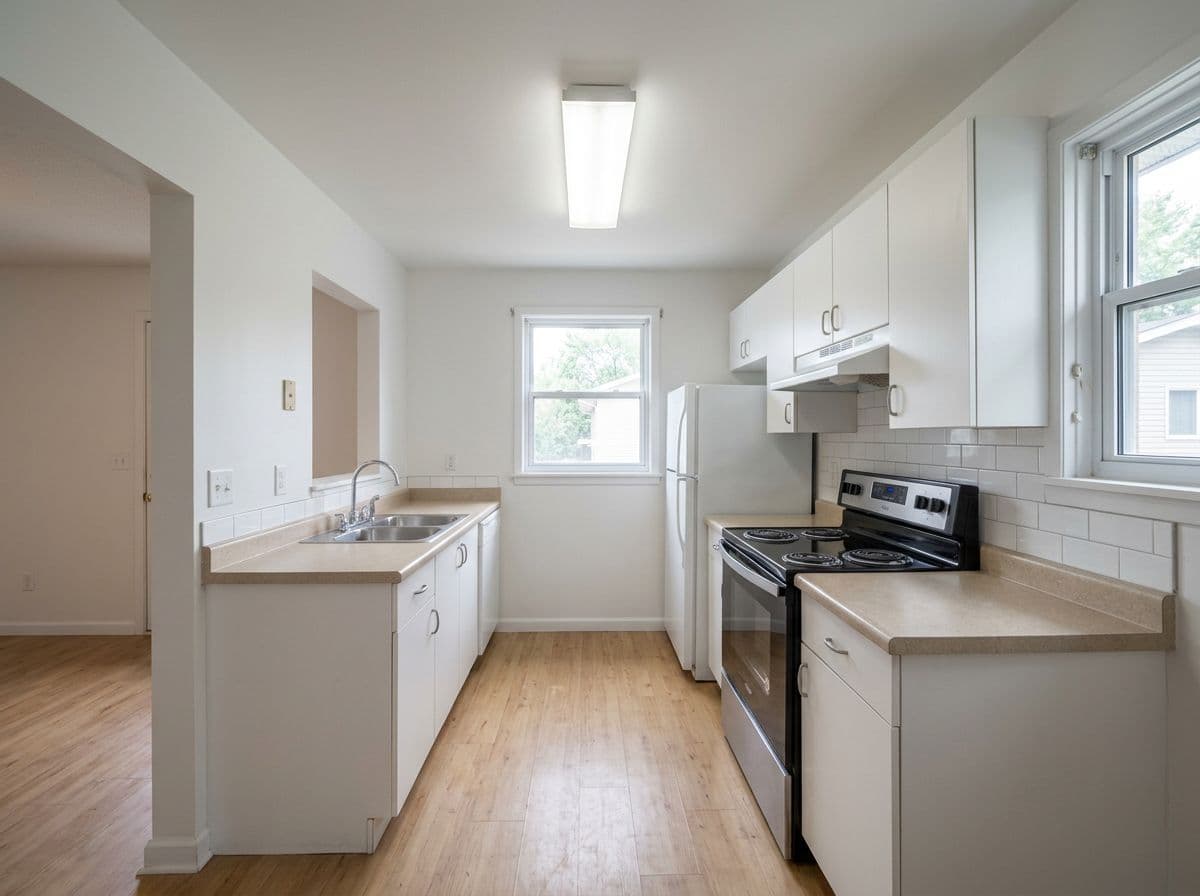
๐Ÿณ

Kitchens

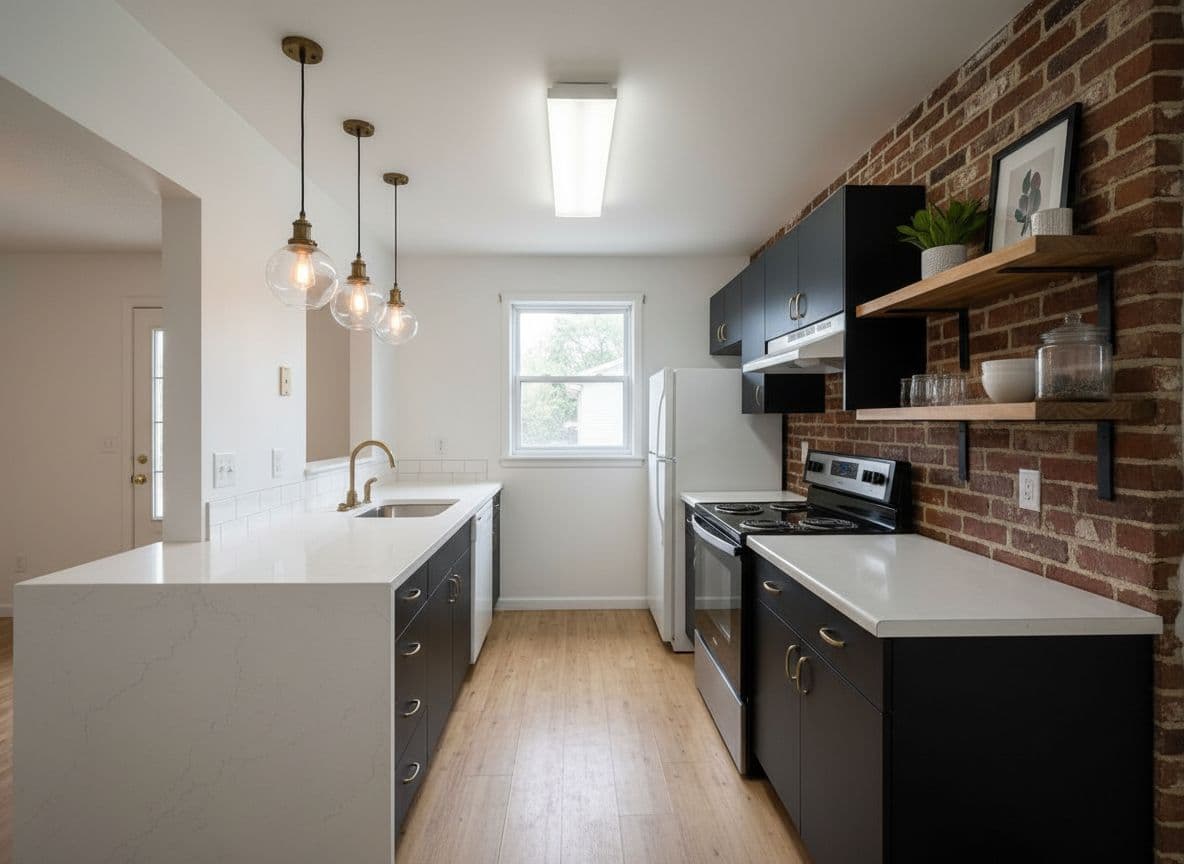
Cabinet color, countertop material, and backsplash finish can be tested in minutes โ€” changes that would cost thousands to get wrong. One of the highest-value use cases for AI room design.

Photo tip: Shoot from the doorway to capture the full cabinet run.

๐Ÿ›

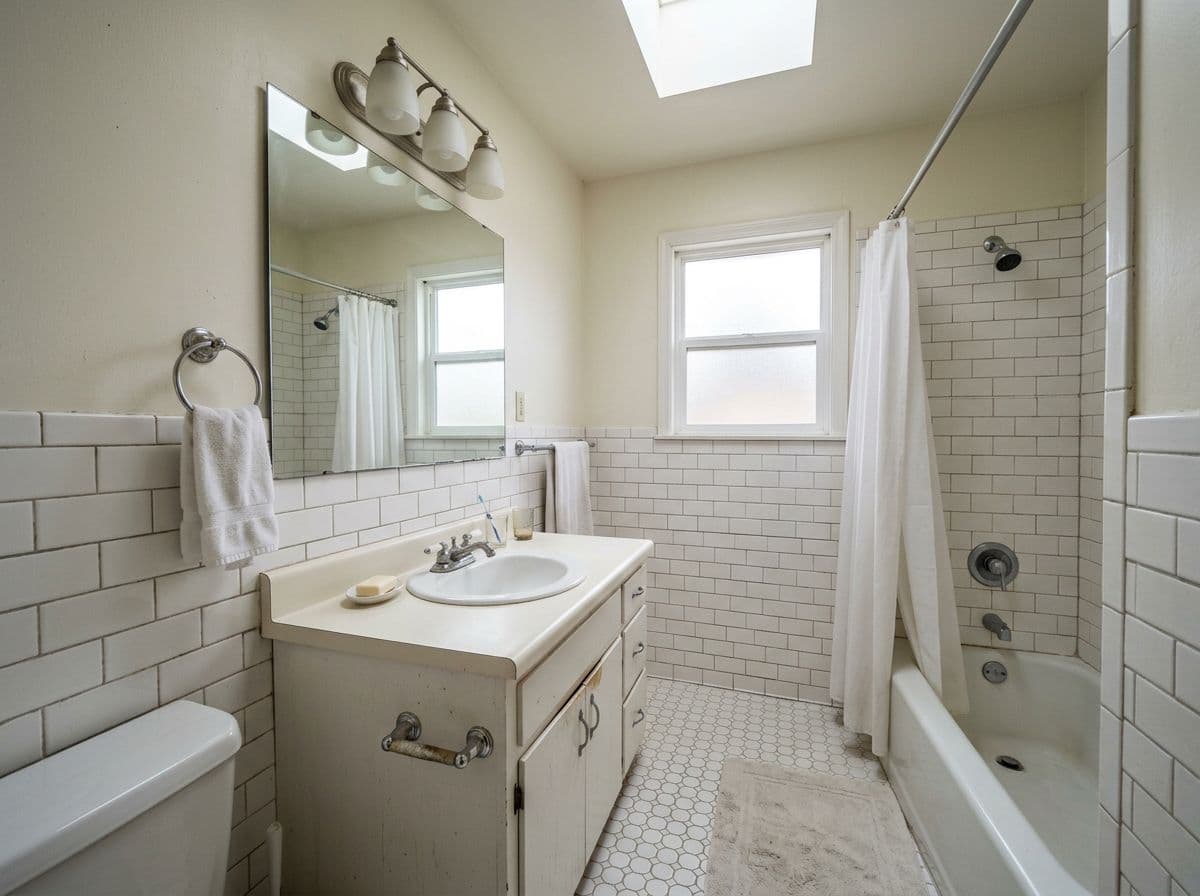
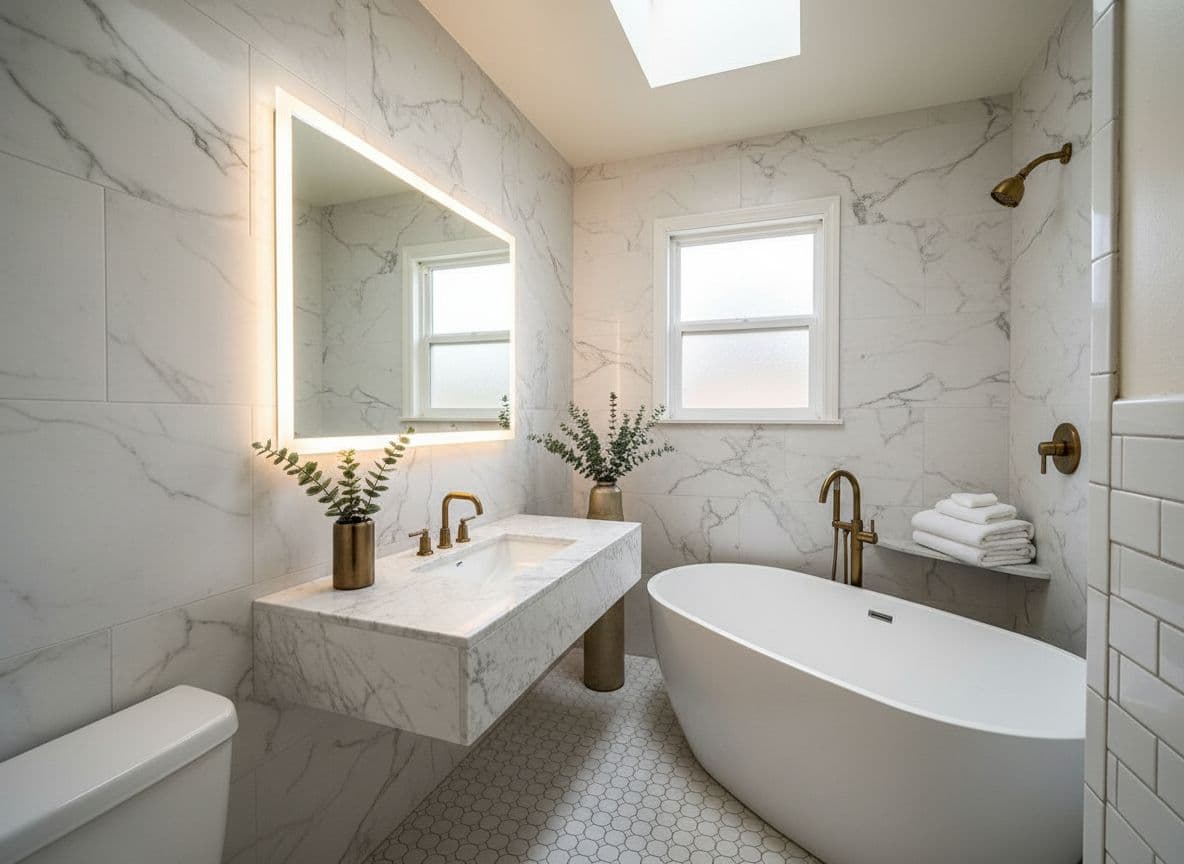
Bathrooms

Tile patterns and fixture finishes have to work together. Seeing them rendered in your actual bathroom โ€” with your specific light source โ€” is far more accurate than a showroom sample.

Photo tip: Good bathroom photos need the vanity and at least one wall in frame.

๐Ÿ’ป

Home offices

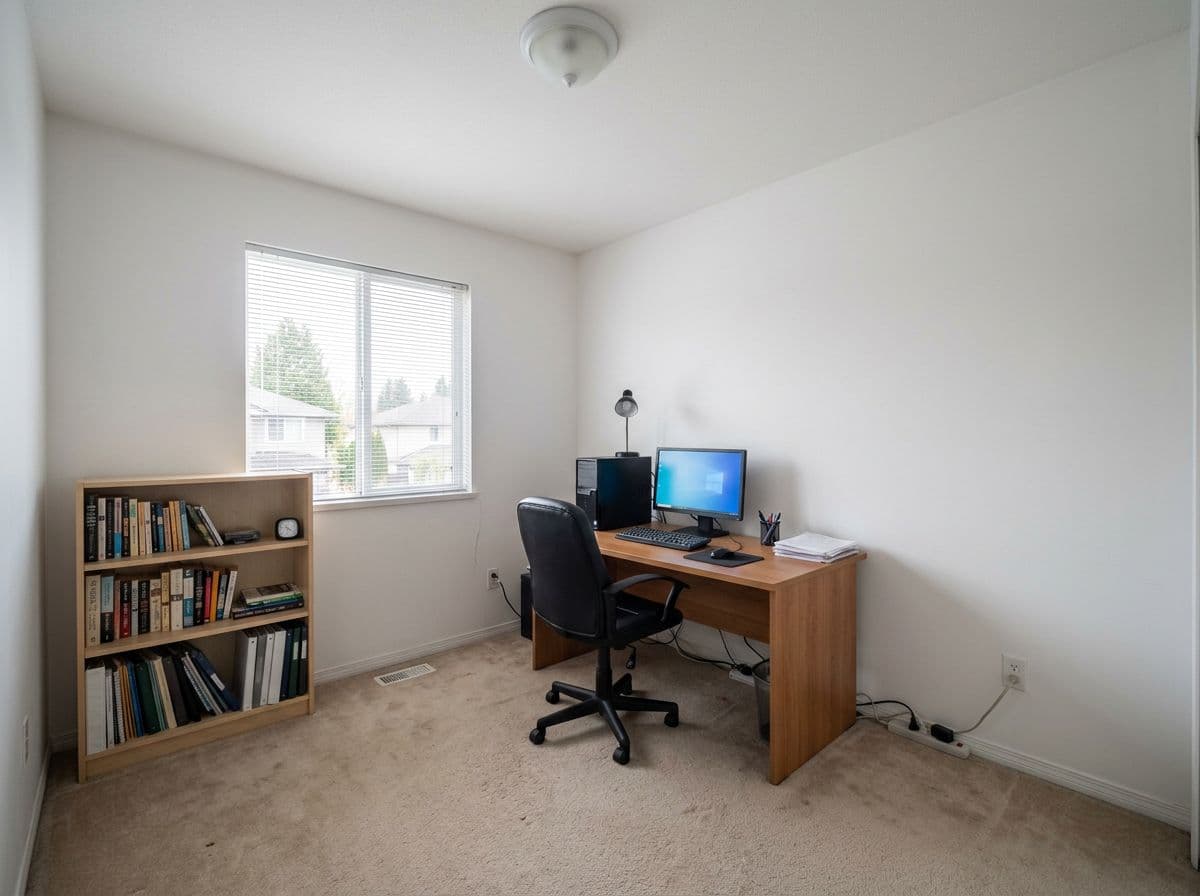
Desk layout, shelving, and paint color for focus are hard to get right by feel. AI renders let you test a calmer palette or a full wall of shelving before committing.

Photo tip: Show the full desk wall if possible โ€” it's usually the focal point.

๐Ÿข

Studios & small spaces

Small rooms punish bad decisions โ€” a wrong rug or sofa can make a space feel smaller. AI room design lets you test proportions virtually before buying anything.

Photo tip: Shoot from the highest point you can โ€” it makes the floor plan readable.

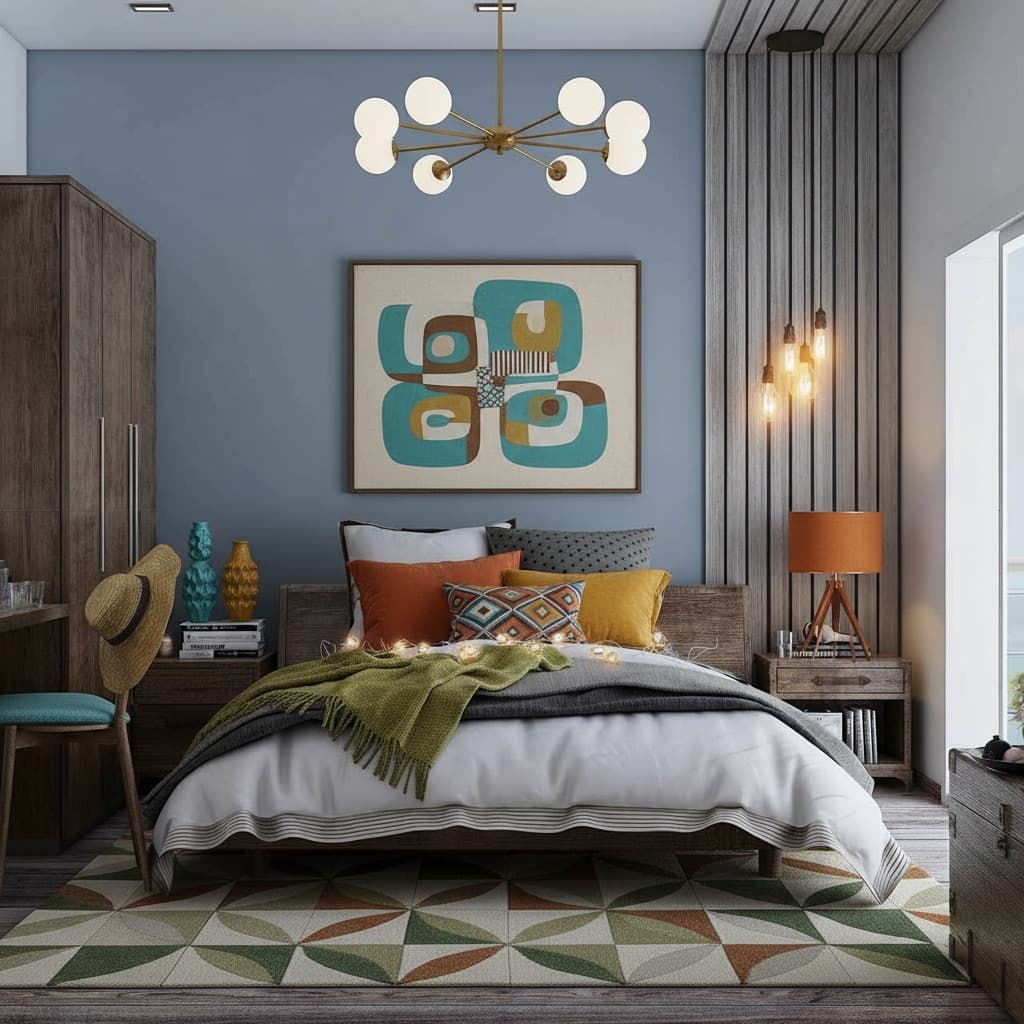
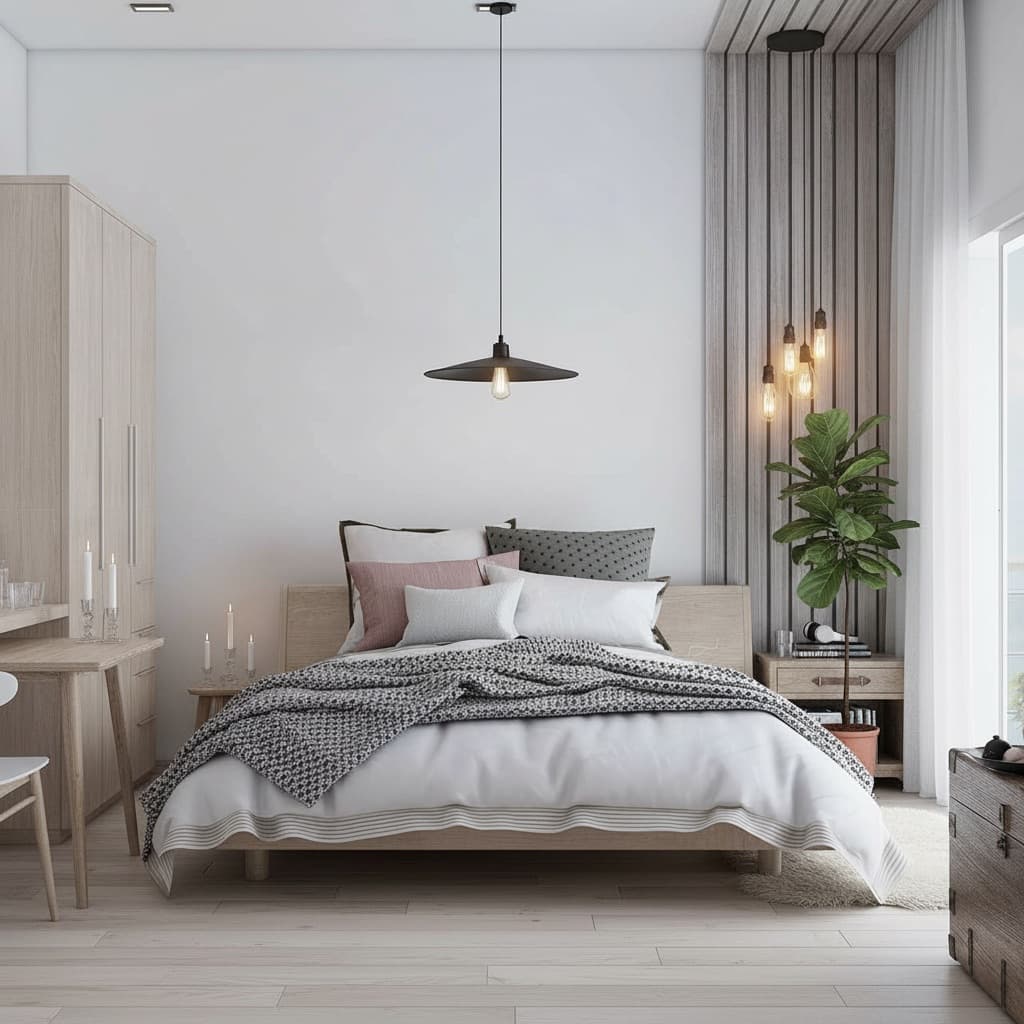
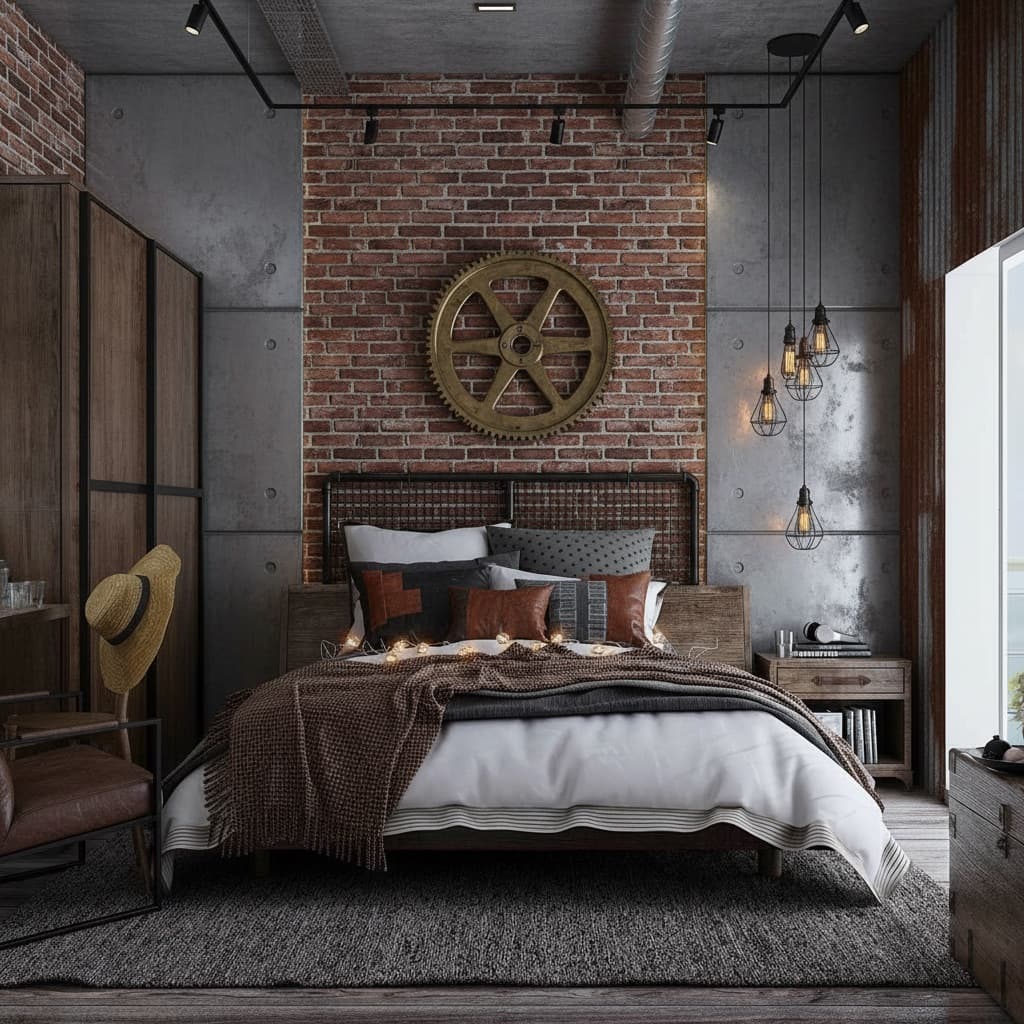
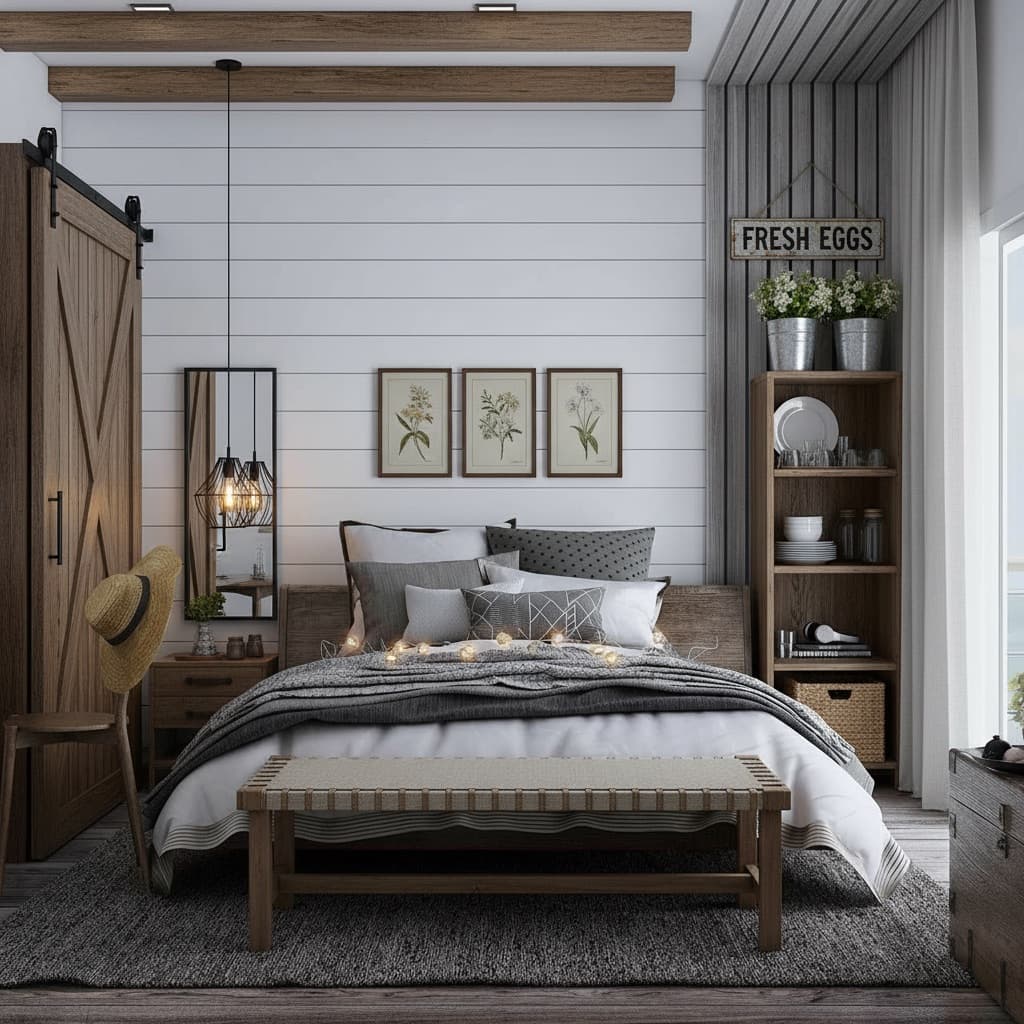
30+ styles

Every major design direction โ€” plus the ability to go beyond them

Presets cover the most common directions quickly. But you can also describe a style in plain English, build one from scratch with the Style Builder, or clone a look from an inspiration photo.

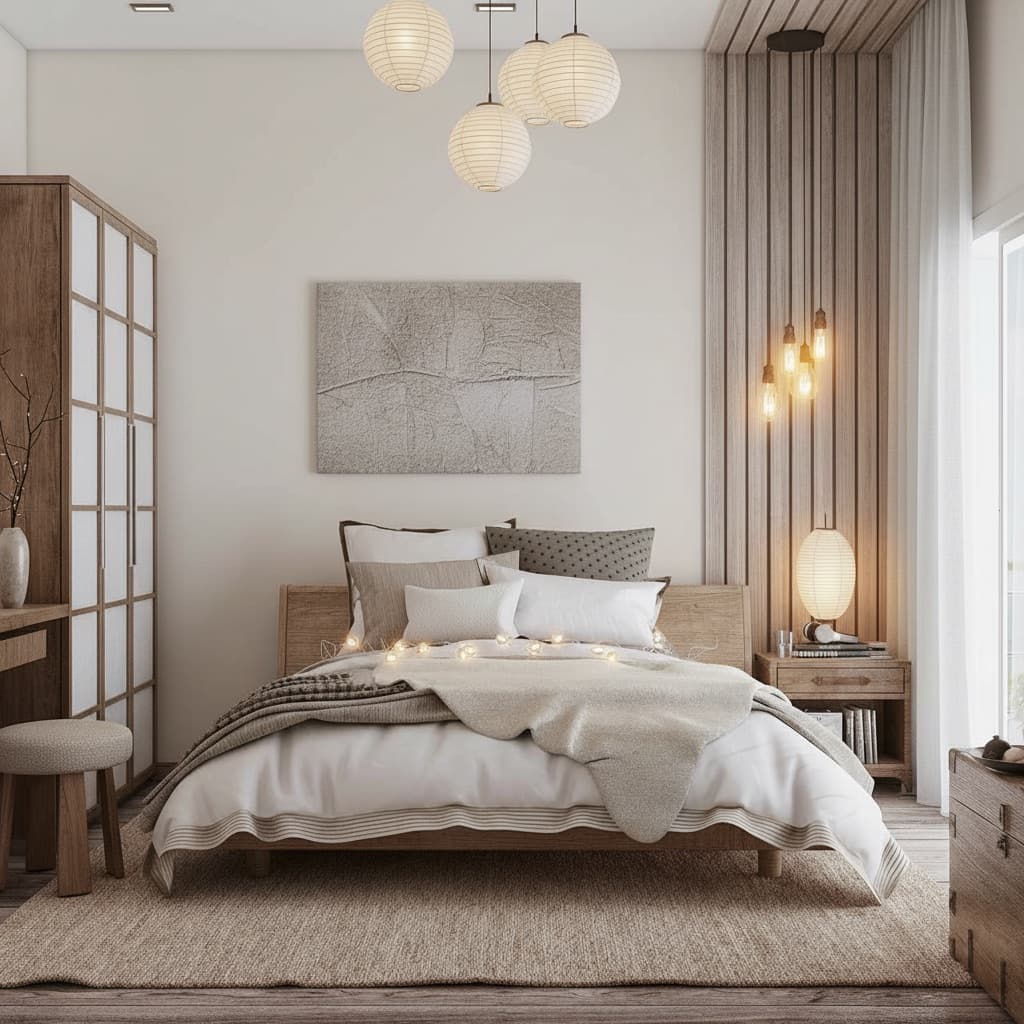
Japandi AI room design style

Japandi

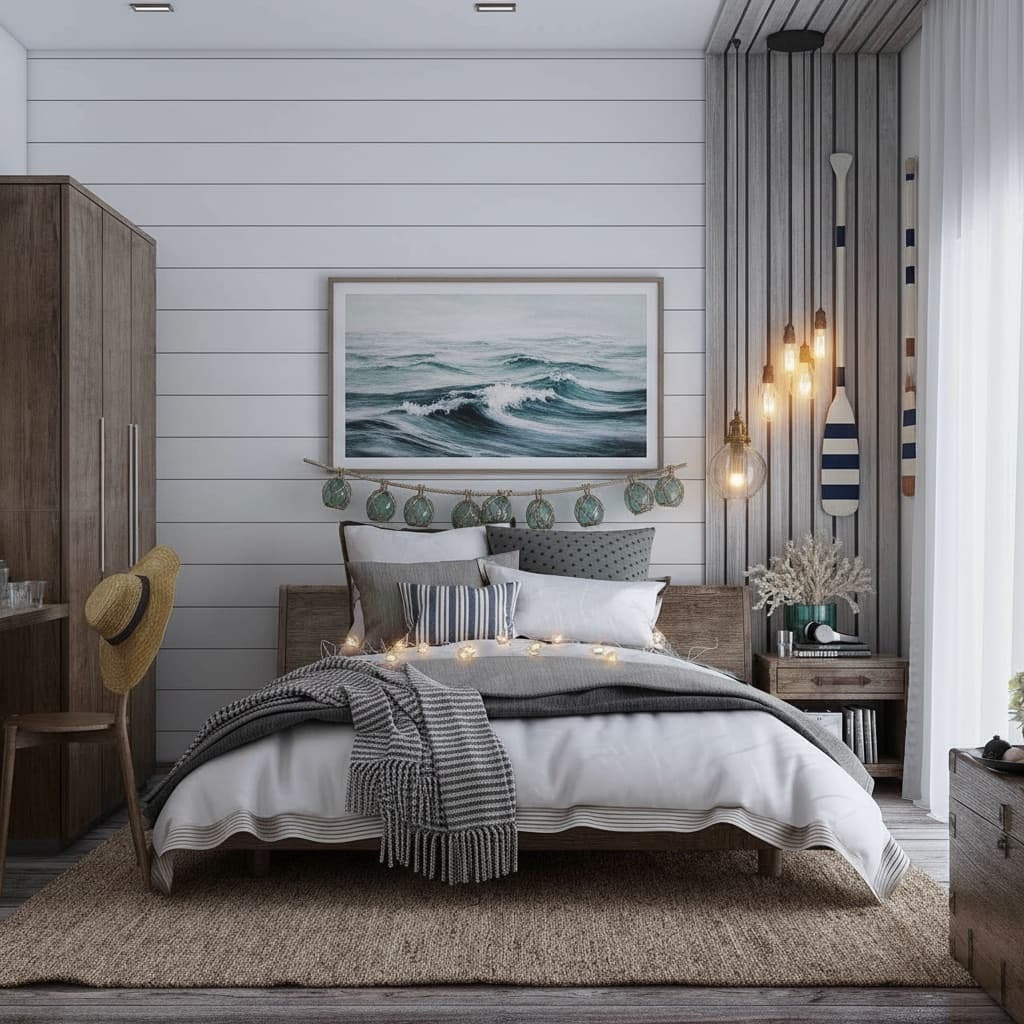
Coastal AI room design style

Coastal

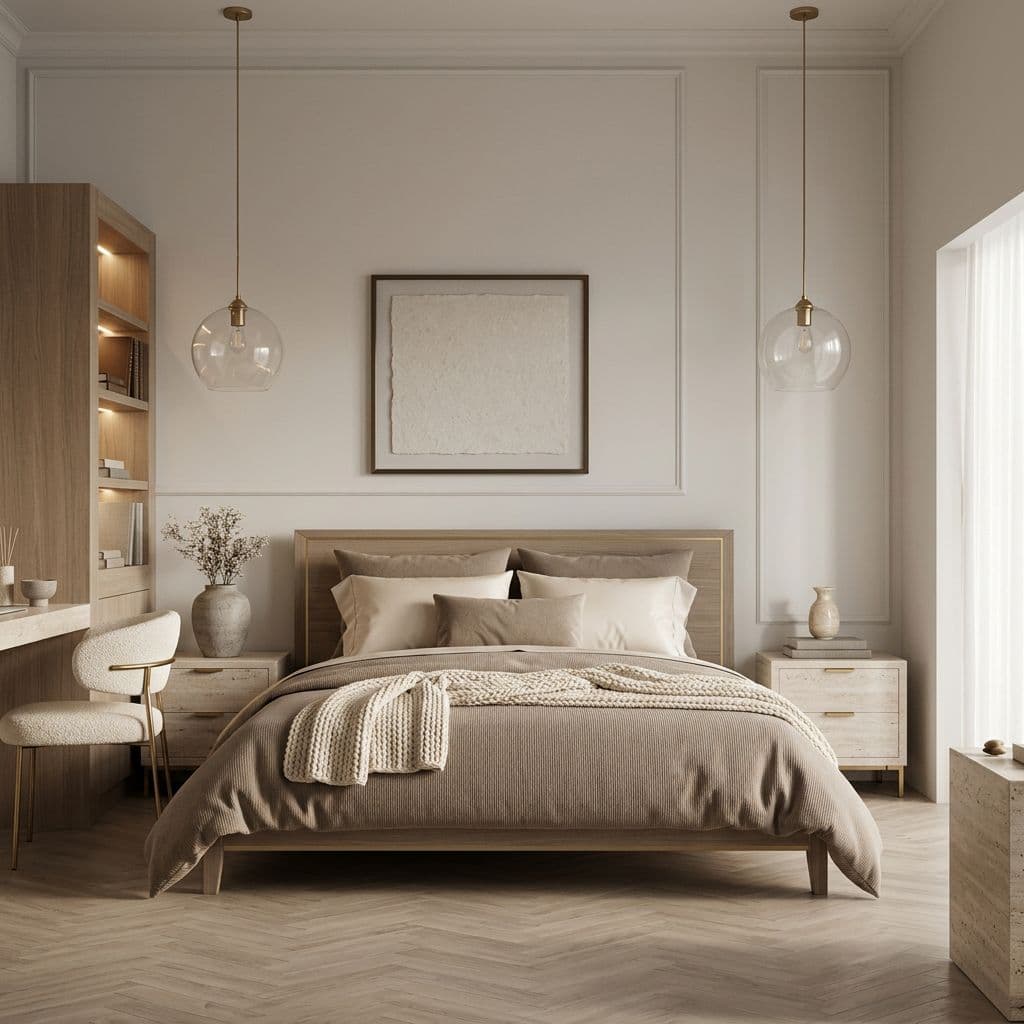
Quiet Luxury AI room design style

Quiet Luxury

Mid-Century Modern AI room design style

Mid-Century Modern

Scandinavian AI room design style

Scandinavian

Industrial AI room design style

Industrial

Farmhouse AI room design style

Farmhouse

Cottagecore AI room design style

Cottagecore

Japandi ยท Coastal ยท Quiet Luxury ยท Mid-Century Modern ยท Scandinavian ยท Industrial ยท Farmhouse ยท Cottagecore ยท Bohemian ยท Dark Academia ยท Art Deco ยท Minimalist ยท and 20+ more

Who it's for

AI room design is useful in different ways for different people

The underlying capability โ€” see your real room in a new style in seconds โ€” solves a different problem depending on where you are.

๐Ÿ”‘

Renters

Can't repaint or renovate? AI room design lets you test looks that work within your constraints โ€” furniture, textiles, rugs, lighting โ€” without touching a single wall.

๐Ÿ 

Homeowners planning renovations

Spend 30 seconds to see a kitchen with new cabinet colors or a bedroom with different flooring before spending weeks on the real thing. Fewer regrets, better decisions.

๐Ÿ’‘

Couples with different tastes

It's much easier to agree on a direction when you can both see it rendered in your actual room โ€” not argue about abstract ideas from a Pinterest board.

๐Ÿก

Home sellers

Virtual staging costs a fraction of physical staging and can be done room by room in under an hour. Show buyers the potential of a space without moving a piece of furniture.

๐ŸŽ“

First-time decorators

No design experience required. Pick a style that appeals to you, see it rendered in your room, and adjust from there. The AI handles the complexity โ€” you make the choices.

Pricing

Start free. Upgrade if you need more.

No subscription required. Pay once for 24 hours, or go monthly. 30-day money-back guarantee on both.

Free
$0
No credit card
  • โœ“2 room uploads
  • โœ“2 AI renders
  • โœ“1 edit
  • โœ“Full access to all 30+ styles
  • โœ“AI chat designer
  • โœ“Google Shopping integration
Start free

Full details on the free plan โ†’

Most popular
Monthly
$14.99
Per month ยท cancel anytime
  • โœ“Everything in 24-hour Pro
  • โœ“30 days of unlimited access
  • โœ“Best for multi-room projects
  • โœ“Coordinate palettes across rooms
  • โœ“Time to iterate and refine
  • โœ“Cancel anytime
Go monthly
24-Hour Pro
$3.99
One-time ยท 24 hours
  • โœ“Unlimited rooms & renders
  • โœ“All 30+ styles + Style Builder
  • โœ“Full Edit toolkit
  • โœ“AI chat designer
  • โœ“Clone Design + Batch processing
  • โœ“4K export
Unlock 24-hour Pro
๐Ÿ›ก 30-day money-backโŒ No annual contracts๐Ÿ’ณ No card to start๐Ÿ”„ Cancel anytime

FAQ

Common questions about AI room design

What is the best AI room design tool?

Based on testing multiple tools on real room photos, Decoratly is the best AI room design tool in 2026. It works from your actual photo (not a generated stock room), returns photorealistic results in about 30 seconds, and includes 30+ styles, a full edit toolkit, and a genuine free tier โ€” no credit card required.

What is AI room design?

AI room design means uploading a photo of your actual room and getting a photorealistic redesign back in seconds โ€” not a generic template or moodboard, but your specific walls, windows, and floor layout with a new style applied. The AI reads the room's geometry and lighting from your photo, then renders a new version of that exact space.

What makes a good AI room design tool?

Three things separate great from mediocre: realism (does it work from your actual photo, or just replace it with a stock room?), speed (results in under a minute, not hours), and creative control (can you pick a style, describe your own, and refine specific details?). The best tools do all three.

How realistic are AI room designs?

It depends heavily on the tool. The best AI room design tools work from your actual photo and preserve your room's real proportions, window positions, and lighting โ€” so the result looks like a photo of your room after renovation. Lower-quality tools replace your photo with a generic stock interior that doesn't reflect your actual space.

Can AI design any type of room?

Yes. Any indoor room works: living rooms, bedrooms, kitchens, bathrooms, home offices, dining rooms, studio apartments, hallways, kids' rooms, and more. The AI adapts to the specific geometry it reads from your photo, so results are always specific to your actual space.

How long does AI room design take?

About 30 seconds from upload to finished render with Decoratly. Upload takes a few seconds depending on your connection; the AI then processes the photo, reads the room's geometry and lighting, applies the chosen style, and returns a photorealistic result.

Can I describe my own style instead of using presets?

Yes. Alongside 30+ presets, you can type a description in plain English โ€” 'warm and cozy with dark wood accents', 'bright Scandinavian with linen textures', 'moody industrial loft' โ€” and the AI renders it on your actual room. The Style Builder goes further, letting you design a look element by element.

What's the difference between Makeover and Enhance mode?

Makeover Mode gives the AI creative freedom to transform everything โ€” furniture, flooring, even structural elements like doors and windows. Enhance Mode is more conservative: it preserves your room's structure and makes precise changes like repainting walls, swapping furniture, removing objects, or adjusting lighting. Most people explore with Makeover, then use Enhance to refine.

Can I edit specific things in my room with AI?

Yes. Beyond full-room redesigns, Decoratly includes targeted edit tools: Paint Walls (100+ colors rendered in your actual lighting), Add Furniture from a reference photo, Remove Objects, Add Objects and plants, Recolor specific pieces, and Adjust Lighting. Each works directly on your uploaded room photo.

Is AI room design free to try?

Yes. Decoratly's free plan includes 2 full room redesigns โ€” photorealistic, watermark-free, full resolution, no credit card required. If you want unlimited rooms and renders, Pro is a one-time unlock: $3.99 for 24 hours or $14.99 for a month.

Does AI room design work for renters?

Yes, and it's ideal for renters. AI room design is purely visual โ€” it shows you what your space would look like, so you can test furniture layouts, colors, and styles before buying anything, without touching a wall. For renters who can't renovate, it's one of the most useful tools available.

Can I find real furniture from an AI room design?

Yes. Decoratly has a built-in Google Shopping integration โ€” tap any piece of furniture or decor in your render and it finds visually similar real products at multiple price points, with direct links to retailers. The renders are AI-generated; the products you shop are real.

How much does Decoratly cost?

Starting is free โ€” 2 rooms, 2 renders, 1 edit, watermark-free, no credit card. Pro is a one-time unlock: $3.99 for 24 hours or $14.99 for a month, with a 30-day money-back guarantee on both. Both include unlimited rooms, unlimited renders, the full edit toolkit, and 4K export.

From the founder

"I built Decoratly because I had the same problem most people do: I couldn't visualize a room redesign until it was already done. The early version rendered in 3 minutes and the quality was rough. Two years later it's 30 seconds and photorealistic enough that we've had users bring the renders to contractors as briefing documents. That's the bar I aimed for โ€” useful enough to actually change a decision."
Kamil Uhryn ยท Founder, Decoratly

Try it free

See your room redesigned in 30 seconds

Upload a photo, pick a style, and see what your actual room looks like with a different design. 2 rooms free โ€” no credit card, no sign-up friction.

2 rooms free ยท Watermark-free downloads ยท Results in ~30 seconds