
Home decor AI app: snap, style, done.
Take a photo of your room, pick a style, and see the same room redecorated in about 30 seconds: new colors, furniture, rugs and lighting. It runs in your phone's browser, so there's nothing to install.
Your first design is free in one of six free styles, with no signup and no card (available in the US, Canada, the UK and several European countries). All 75+ styles and the edit tools come with the $14.99, 30-day pass.
By Kamil Uhryn, founder of Decoratly · Updated October 2026
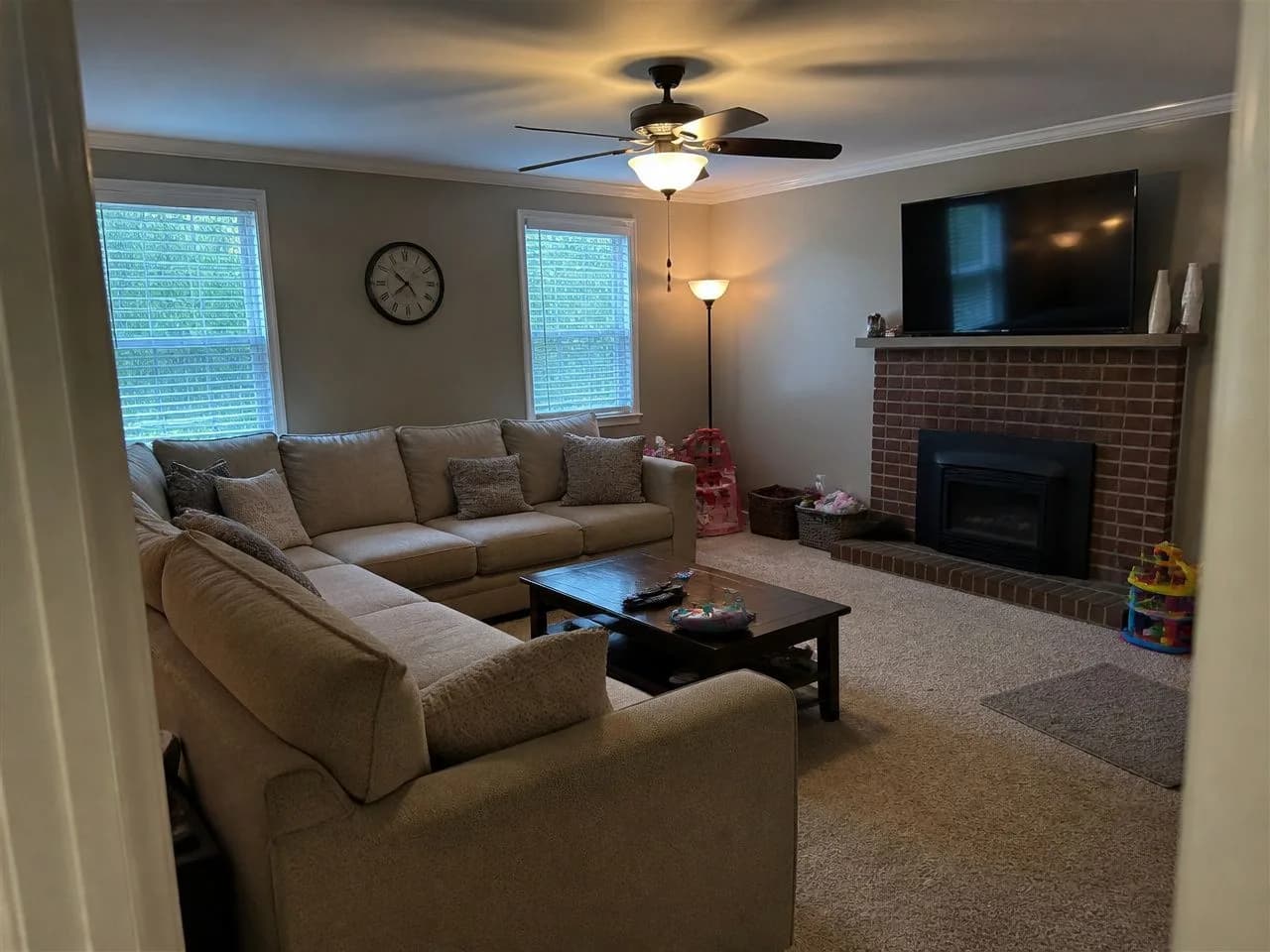 📷 Your photo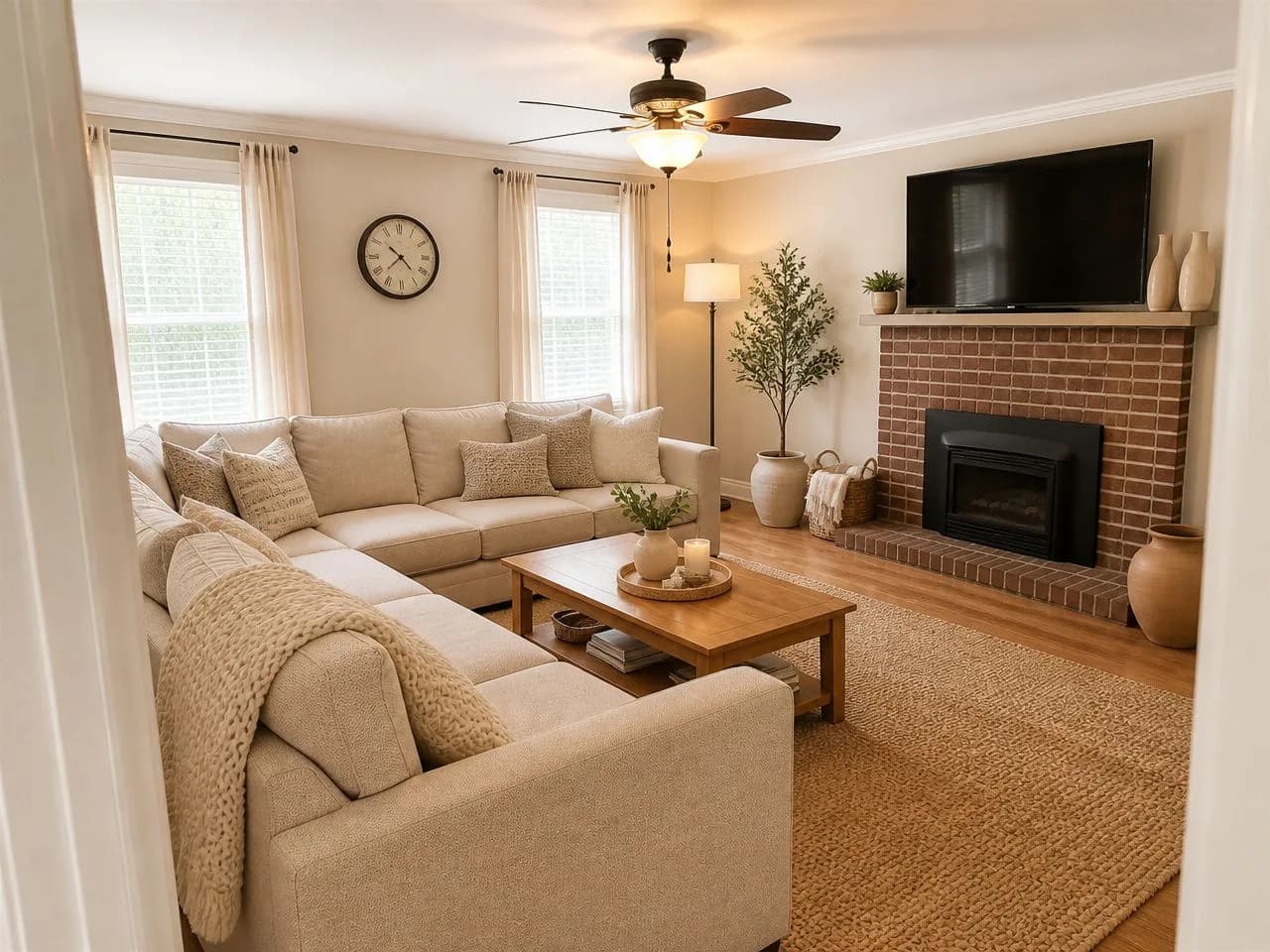
Three taps, about a minute.
No account, no download, nothing to measure. A phone photo is enough.
- 1⏱ About 10 seconds
Snap your room
Open the app in your phone's browser and take a photo from a corner, with the lights on. Or upload one you already have.
- 2⏱ No account
Pick a style
Choose one of the six free styles, or any of the 75+ with the pass. You decide what may change: furniture, layout, wall color, flooring.
- 3⏱ About 30 seconds
See it redecorated
The same room comes back with new colors, furniture, rugs and lighting. Your walls, windows and layout stay, so you can judge it honestly.
More than a pretty picture: decide, then decorate.
Restyling a room is the start. These are the tools for real decor decisions, marked free or pass so you know before you tap.
Restyle the whole room
See your room in a new style. Your first design is free; compare as many styles as you like with the pass.
Paint the walls
Try a wall color in your own room's light before you buy a sample pot.
Try a piece of furniture
Add a sofa, chair or rug you're considering and see it in your room.
Remove clutter or objects
Take out furniture or mess to see the room clear, or plan a new layout.
Fix the lighting
Warmer light, brighter light, softer shadows: see what the room could feel like at night.
Describe your own look
Write what you want in plain words, like “sage walls, rattan, more plants”, and the app applies it.
Ask the AI designer
Chat about your room and get short, practical suggestions you can render straight away.
Shop the look
Find similar pieces from your redesign through Google Shopping and Amazon searches. Decoratly doesn't sell furniture.
One phone photo, a whole new room.
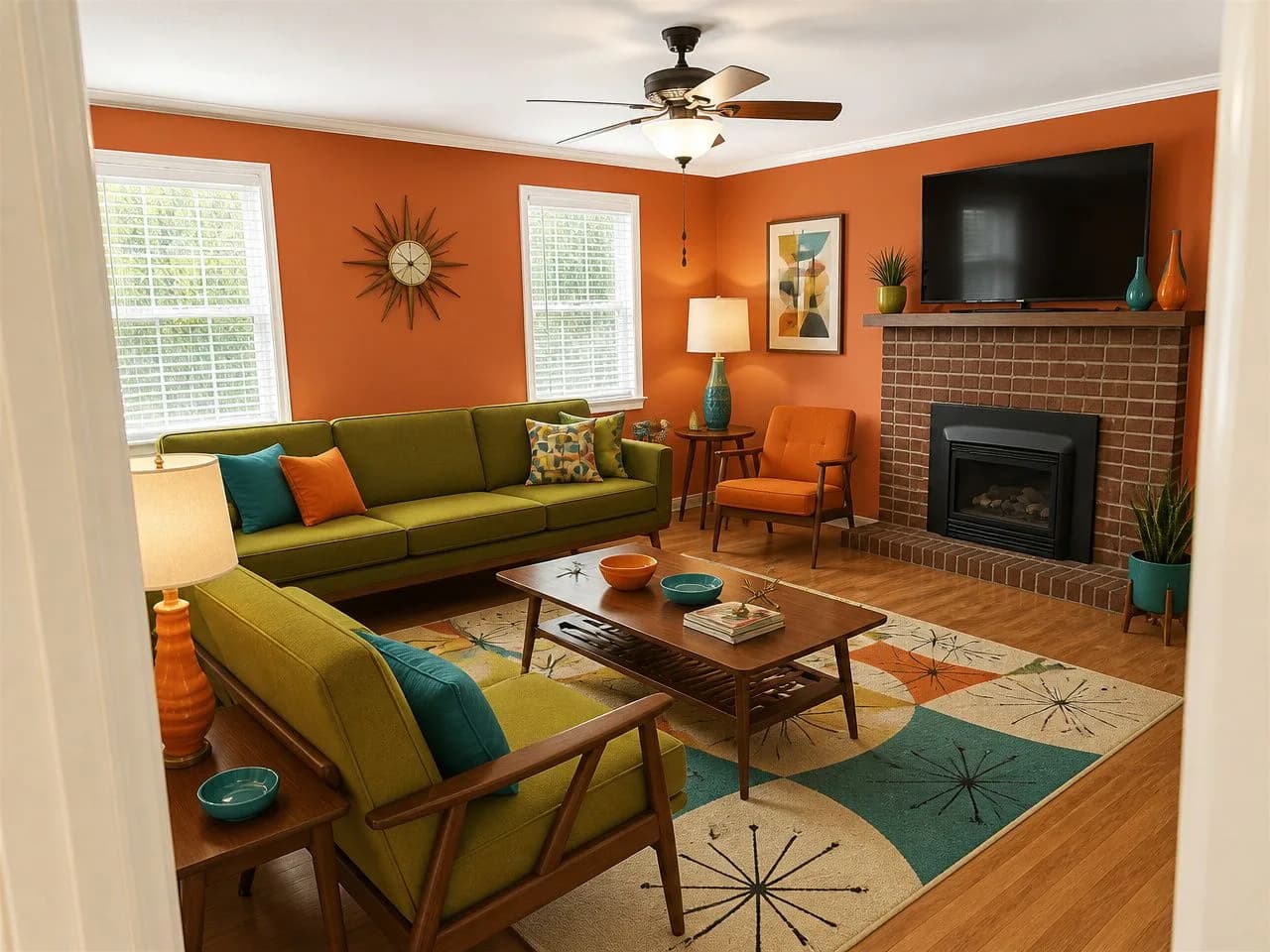
An ordinary family living room, redesigned by the app in four of its styles, two of them free. The fireplace, windows and walls stay; everything else is open to change.
📷 The photo🎁 Free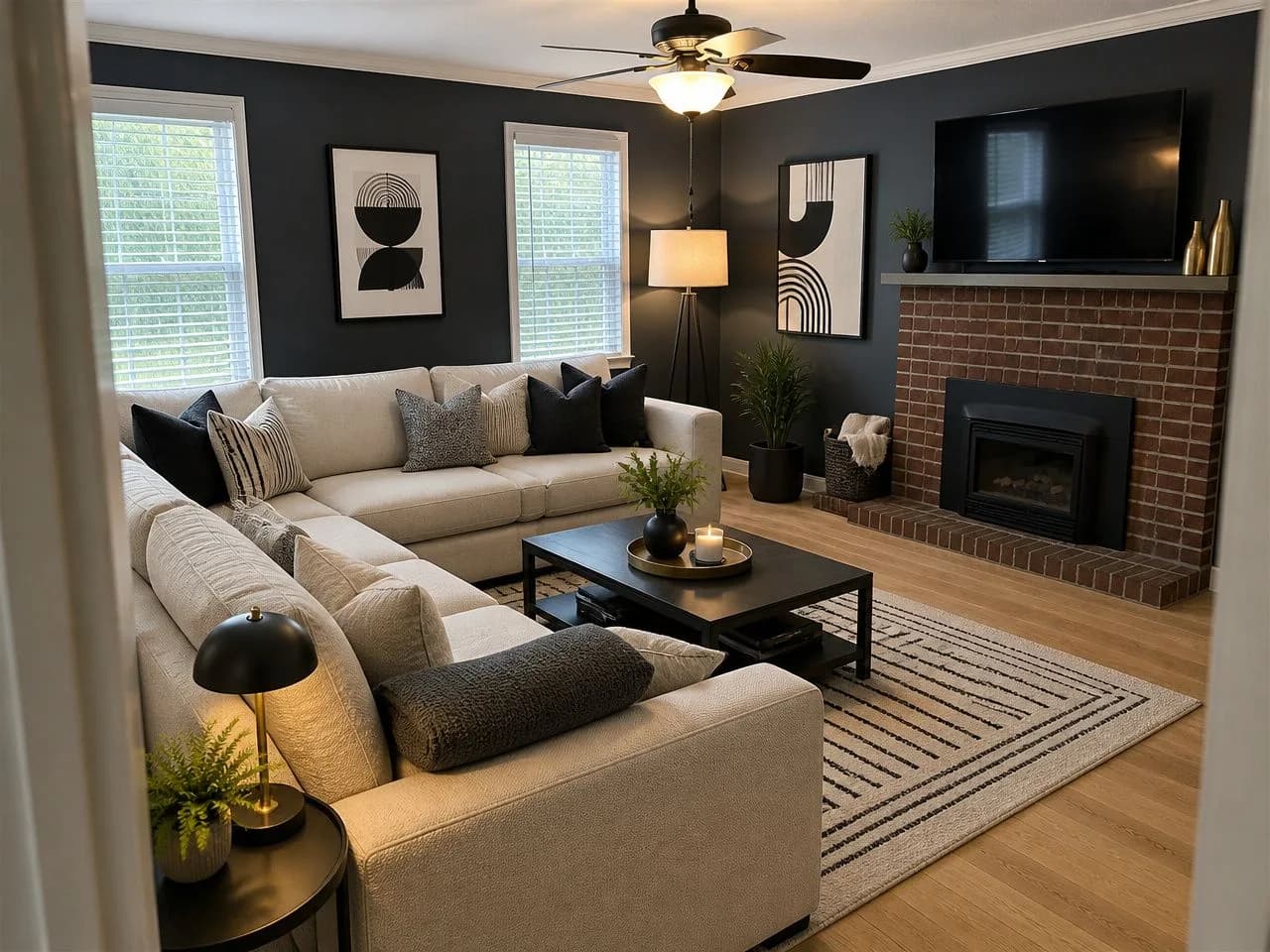 🎁 Free
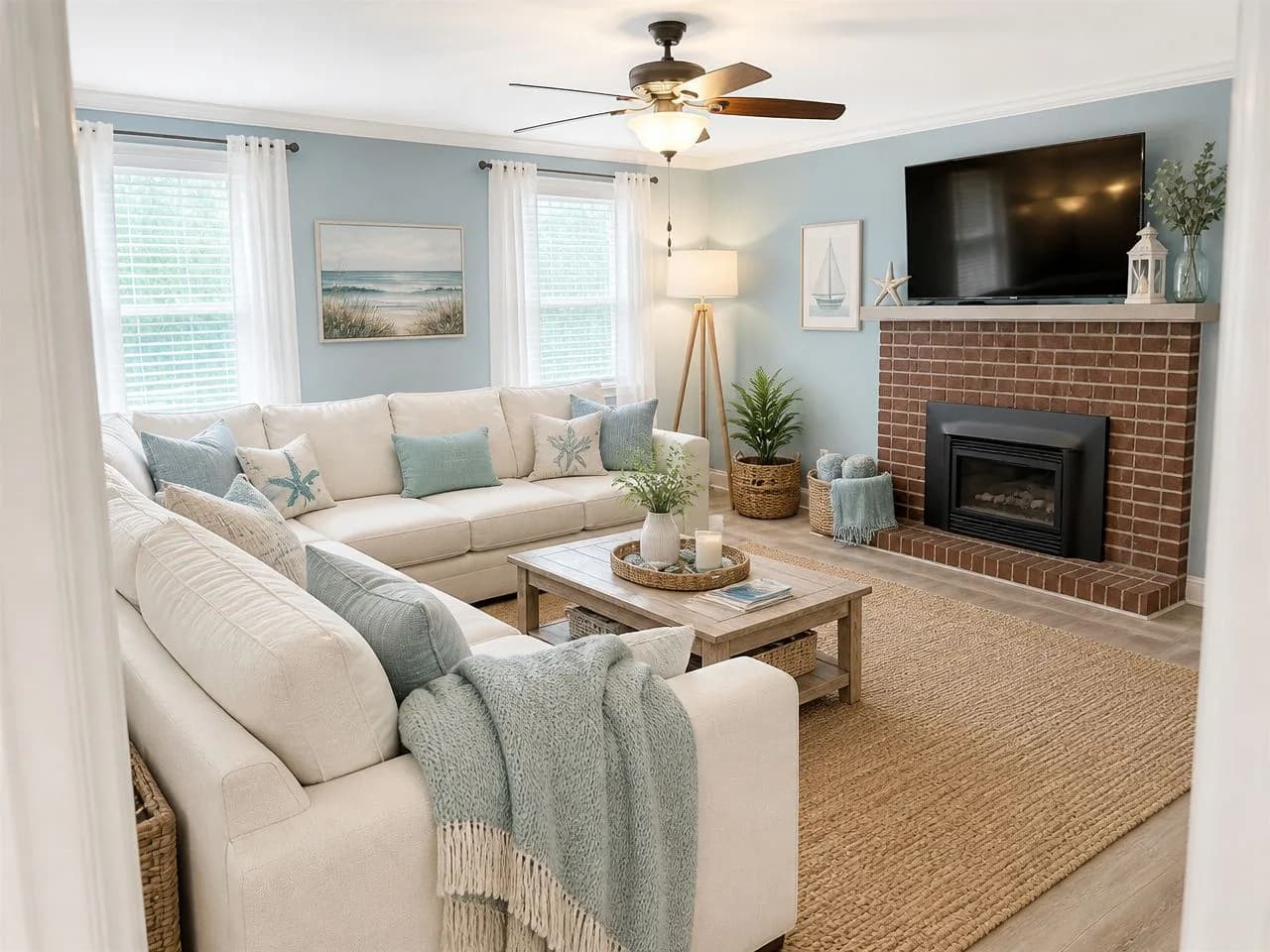 ✨ Pass
 ✨ Pass
Free results in the app carry a small watermark, left off here. Every render is a little different, and you can run a design again.
Three kinds of decorating app. Pick by the job.
Search for a home decor app and you'll find tools that do very different things. Choosing the right kind matters more than the brand.
Photo redesign (AI)
Redesigns a photo of your real room in a new style, colors and furniture.
Good for: Deciding on a look before you spend. This is Decoratly.
3D room planner
You build the room and place catalog furniture to scale.
Good for: Layouts and exact measurements.
Shopping and inspiration
Boards, photos and products to buy.
Good for: Finding pieces once you know the look.
Comparing specific apps? Each page uses prices and free tiers from that company's own site:
Six things to check in any app, answered for ours.
Ask these of every home decor app you try. Here are Decoratly's answers, so you can compare.
An app without the download. Honestly.
Decoratly is a web app. If you specifically need an App Store app you'll want a different tool; for deciding how a room should look, your phone's browser is enough.
No download
There's no iPhone or Android app to install. Decoratly runs in Safari, Chrome or any browser, on your phone or computer.
Phone camera built in
On a phone, tapping upload opens your camera or your photos, just like an app.
On your home screen
Want an icon? Use your browser's share menu and choose “Add to Home Screen”, as with any website.
Free to try. $14.99 once if you love it.
No subscription to cancel. Here's exactly what each gives you.
Designs
- Free
- 1
- Pass
- 200 over 30 days
Styles
- Free
- 6 free styles
- Pass
- All 75+, or describe your own
Download
- Free
- Up to 1280px, small watermark
- Pass
- Up to 2048px, no watermark
Edit tools (paint, add or remove furniture, rearrange)
- Free
- Not included
- Pass
- Included
AI designer chat
- Free
- Not included
- Pass
- Included
Account or card
- Free
- Neither
- Pass
- One payment, nothing renews
Refund
- Free
- Nothing to refund
- Pass
- 30-day money-back guarantee
The free design is offered in the US, Canada, the UK and several European countries. The pass is one payment and never renews.
App questions, answered straight.
Is there a free home decor AI app?
Yes. Decoratly lets you redesign one room from your own photo for free: one design in one of six free styles, with no signup and no card. Free results are web resolution with a small watermark. All 75+ styles and the edit tools come with a $14.99 pass, paid once for 30 days.
Can I decorate my room with AI from a photo?
Yes. Take a photo of the room, pick a style, and about 30 seconds later you see the same room redecorated with new colors, furniture, rugs and lighting. Your walls, windows and layout are kept.
Is there an iPhone or Android app?
No. Decoratly is a web app that runs in your phone's browser, so there's nothing to install. Uploading opens your camera or photos like an app does, and you can add it to your home screen from the browser's share menu.
What is the best home decor AI app?
It depends on the job. To redecorate a room you already have, pick a photo-based AI app that keeps your layout and tells you its free limit up front. For measured layouts, use a 3D planner. Our comparison covers the main options with prices and free tiers.
Can the app try paint colors and furniture in my room?
Yes, with the pass. The edit tools paint the walls, add a piece of furniture, remove clutter or change the lighting on your own photo, one change at a time.
Can it rearrange my furniture?
A style redesign can move furniture as part of the new look, and with the pass you can ask for a new layout of the pieces you own. It's a picture, so measure before you move anything heavy.
Does it sell furniture?
No. Shop the Look links to Google Shopping and Amazon searches for similar items. Decoratly is not a retailer.
Will it change my walls and windows?
No. The room's architecture stays: walls, windows, doors and proportions. You choose whether furniture, layout, wall color or flooring may change.
Is it accurate enough to buy from?
Use it to choose a look, then measure your room and each piece before you buy. It's a visualization, not a floor plan.
Your room, redecorated. In 30 seconds.
One photo, one free design, no account and no download.
Who makes this
Decoratly is built and run by Kamil Uhryn and has been live since November 2023, with 25,000+ rooms redesigned. Every room picture on this page was made by the app from an ordinary photo, with the same model and style prompts you get.
What it can't do
- It shows how a room could look. It is not a floor plan or a measured drawing, so measure before you buy.
- It works from one photo. Anything the photo doesn't show is inferred, not known.
- There's no App Store or Play Store app; it runs in the browser.
Last updated October 2026.