
Interior design rendering: see it before you build it
A rendering is a realistic picture of a room before it is built or redecorated. You can hire a studio (about $900 to $1,800 an image, days of waiting), model it yourself in 3D, or render the room you already have from a photo in about 30 seconds.
By Kamil Uhryn, founder of Decoratly · Updated October 2026
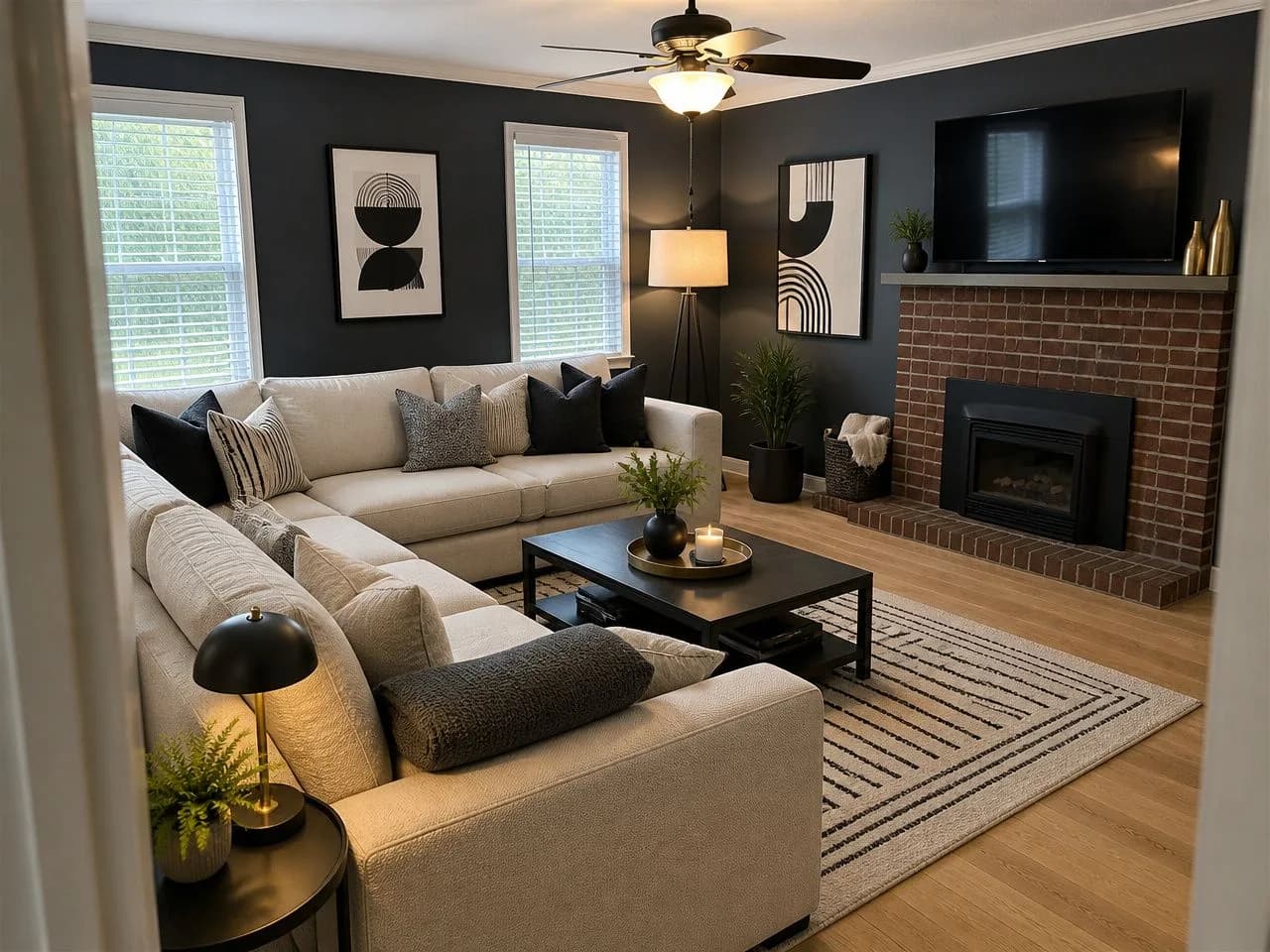
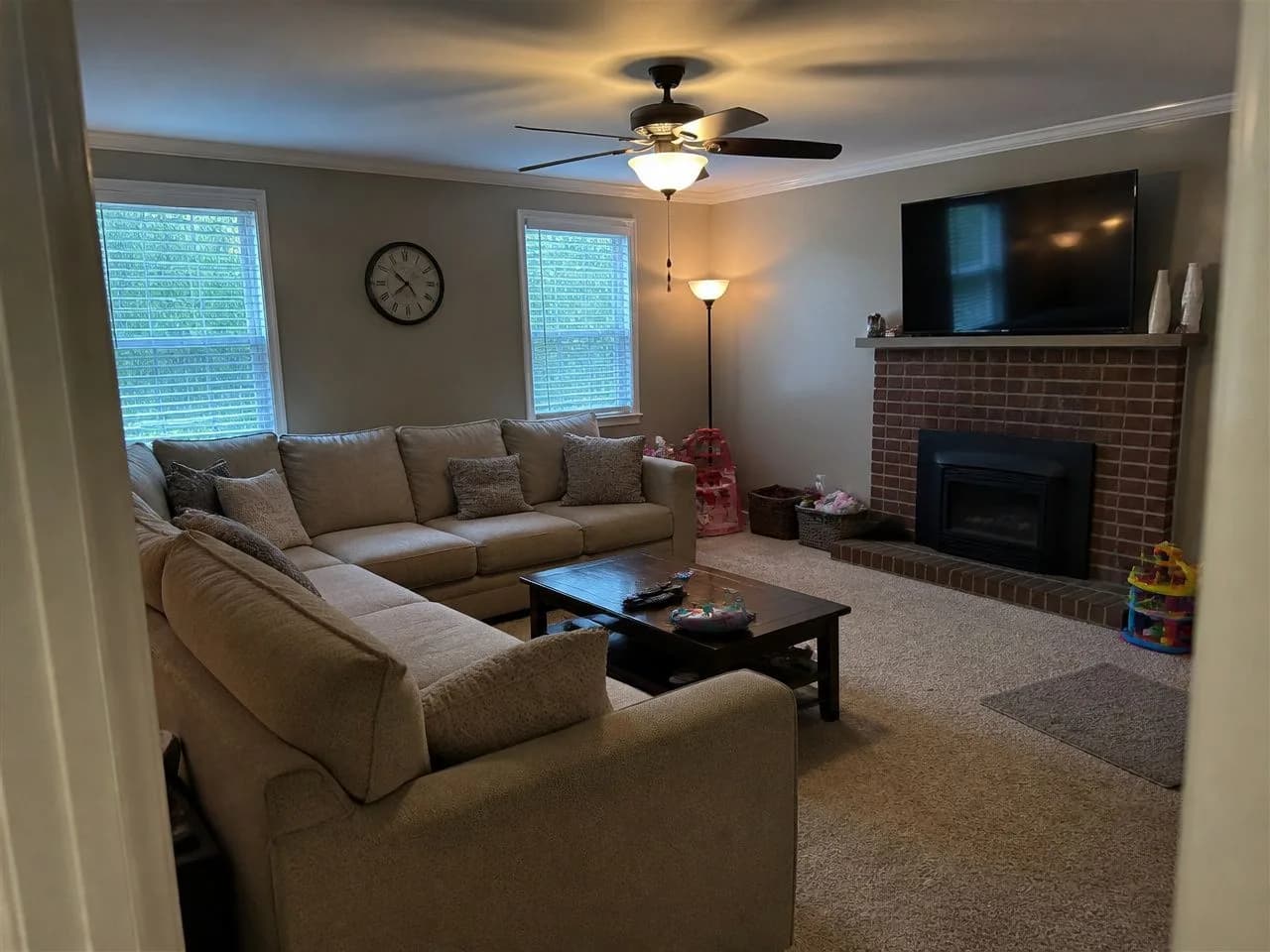
Drag to compare. Rendered by Decoratly from the photo on the left in about 30 seconds.
Studio, DIY 3D or AI: pick by the job.
Each one is the right answer for someone. The question is what you start from and what you need the picture for.
Hire a rendering studio
- Cost
- About $900–$1,800 per image
- Interior stills, per CAD Crowd's 2025 guide; freelancers can be cheaper, revisions add cost
- Time
- Days, plus revision rounds
- You need
- Floor plans, elevations, material and furniture lists, reference photos
- Best for
- New builds, full renovations, client presentations, selling off-plan
Model it yourself in 3D
- Cost
- Free to a few hundred dollars for software
- Free planners exist; professional tools cost more and take time to learn
- Time
- Hours to days per room, longer while you learn
- You need
- Measurements, patience and the software
- Best for
- Designers and hobbyists who want exact layouts and full control
AI render from a photo of your room
- Cost
- Free to try, then $9.99 once for 30 days
- Decoratly: 1 free design, then 200 designs in 30 days, no subscription
- Time
- About 30 seconds per design
- You need
- A photo of the room as it is today
- Best for
- Choosing a look for a room you already have, before you buy anything
Starts from
- Studio
- Plans and drawings
- DIY 3D
- Your measurements
- AI photo
- A photo of the real room
Cost per image
- Studio
- About $900–$1,800
- DIY 3D
- Your time
- AI photo
- Cents, after the free one
Turnaround
- Studio
- Days
- DIY 3D
- Hours to days
- AI photo
- About 30 seconds
To scale
- Studio
- Yes, if the plans are
- DIY 3D
- Yes
- AI photo
- No, a visual idea
Revisions
- Studio
- Paid rounds
- DIY 3D
- Unlimited, but slow
- AI photo
- Instant: new style, wall color, furniture
Rooms that don't exist yet
- Studio
- Yes
- DIY 3D
- Yes
- AI photo
- No, it needs a photo
Studio price: interior stills, from CAD Crowd's 2025 rendering price guide. Quotes vary by quality, deadline and revision rounds.
Two very different machines behind the picture.
A 3D render is calculated from a model of the room. An AI render is drawn from a photo of it. That one difference explains the cost, the speed and the limits.
A 3D render
Built, then calculated
- 1
Model
Walls, windows, doors and every piece of furniture are built in 3D at real size.
- 2
Materials
Each surface gets a material: oak floor, linen sofa, matte paint, brushed brass.
- 3
Light
Sun, sky and lamps are placed, and the engine simulates how light bounces.
- 4
Render
The computer calculates the final image, often for minutes to hours per view.
An AI render from a photo
Photographed, then redrawn
- 1
Photo
A phone photo of the room as it is: walls, windows, floor and layout.
- 2
Style
You pick a look, or describe your own, and what is allowed to change.
- 3
Generate
The AI redraws the same room in that style, keeping its architecture.
- 4
Refine
Change the wall color, swap a sofa, rearrange or relight, one edit at a time.
№ 03
Hiring a rendering service? Send this.
Most of a studio's price goes into back-and-forth. A complete brief gets you a right first draft and fewer paid revision rounds. Hire one when the room does not exist yet, when a contractor or client needs exact images, or when you are selling a project before it is built.
Got the room already? Render a few directions yourself first, then hand the studio the one you like as the reference image. It is the cheapest way to make the paid render land.
The brief checklist
- A floor plan with dimensions, and elevations for walls with built-ins
- Ceiling height, window and door positions, and the direction of daylight
- A material list: flooring, paint colors with codes, tiles, countertops, metals
- The furniture you are keeping, with sizes, and links to pieces you plan to buy
- Three to five reference images of the mood you want
- Which views you need (camera angles) and how many revision rounds are included
Five habits for a render you can trust.
The AI can only redraw what it can see. A better photo and a little patience make the difference between a toy and a decision.
Shoot in daylight
Turn the lights on too, and avoid direct sun in the frame. Even light gives the most believable render.
Stand in a corner
Hold the phone at chest height, level, and get as much of the room in as you can, including the floor.
Clear the clutter
Bags, laundry and cables confuse the AI. Two minutes of tidying gives a much cleaner result.
Try three styles
Never judge a direction from one image. Compare a few, then refine the one you like.
Edit, don't restart
Change one thing at a time with the edit tools: paint, furniture, layout, lighting.
What an AI render is not
Not to scale
An AI render does not know your measurements. Measure before you buy furniture.
Not construction drawings
It shows how a room could look, not where a contractor puts a wall, an outlet or a pipe.
Existing rooms only
It starts from a photo, so it cannot render a room that is still a floor plan or a sketch.
Can make small mistakes
A table leg that disappears, a blurred detail. Zoom in, and regenerate if something looks off.
Rendering vs mood board, floor plan and walkthrough.
Designers use them together. Each answers a different question.
Mood board
A collage of colors, textures and products. Captures a feeling, but it is not your room.
Rendering
A realistic picture of the finished room: style, color, light. Best for agreeing on the look.
3D walkthrough
A model you can move through. Great for big projects, costly to produce.
Your first render is on us.
Upload a photo of the room and get a realistic render in about 30 seconds, with your walls, windows and layout kept. No signup, no card.
Free
1 render in 6 free styles, small watermark, up to 1280px. Available in the US, Canada, the UK and several European countries.
$9.99 once, 30 days
200 renders, 75+ styles, edit tools (paint, add or remove furniture, rearrange, lighting), up to 2048px, no watermark.
Never a subscription
One payment that never renews, with a 30-day money-back guarantee.
Rendering questions, answered.
What is an interior design rendering?
A realistic image of a room design, showing materials, colors, furniture and light the way they would look in real life. It lets you agree on a design before anything is built, painted or bought.
How much does an interior rendering cost?
From a professional studio, roughly $900 to $1,800 per interior image according to CAD Crowd's 2025 price guide; freelancers can be cheaper and extra revisions cost more. Doing it yourself in 3D software costs time more than money. An AI render of your own room from a photo costs nothing to try with Decoratly, then $9.99 once for 30 days and 200 designs.
How long does a rendering take?
A studio usually needs several days per set of images, plus time for revisions. Modeling a room yourself takes hours to days. An AI render from a photo takes about 30 seconds.
Can I get a free interior design rendering?
Yes, of a room you already have. Decoratly renders 1 design from your photo for free, with no signup and no card, in one of 6 free styles. Free results carry a small watermark and are up to 1280px. The free design is available in the US, Canada, the UK and several European countries.
What is the difference between 3D rendering and AI rendering?
3D rendering builds the room as a digital model and calculates the image from it: precise and to scale, but slow and costly. AI rendering from a photo redraws your real room in a new style in seconds: fast and cheap, but a visual idea rather than a measured drawing.
Can AI render a room from a floor plan or a sketch?
Some tools can, but Decoratly cannot: it works from a photo of a room that already exists. For a room that is still on paper, a 3D planner or a rendering studio is the right tool.
Should I hire a rendering service or use AI?
Hire a studio when you need exact, presentation-ready images of something that does not exist yet: a new build, a full renovation, a client pitch. Use AI when you have the room and want to decide on a style, a color or a layout before you spend money. Many people do both: AI to choose the direction, a studio for the final drawings.
About this guide
Written by Kamil Uhryn, who builds Decoratly, an AI interior design app. We make the AI option on this page and are not a rendering studio, so we point to an outside price guide for studio costs. The renders in the viewer are real Decoratly results from ordinary phone photos. Updated October 2026.