
Is Roomstyler free? To design, yes.
Roomstyler is a free 3D room planner from the makers of Floorplanner, with 120,000+ items to furnish with. You draw the room and place every piece yourself, and higher-quality renders cost credits. If you just want to see your real room in a new style, a photo is faster.
By Kamil Uhryn, founder of Decoratly (a competing app) · Checked October 22, 2026
Roomstyler: the quick facts
- What it is
- A free 3D room planner and design community
- Made by
- Floorplanner, on the same editor
- Free
- 3D design with 120,000+ items, photoreal renders
- Paid
- Credits for higher-quality renders (HD, 4K)
- Floor plans
- Free users can upload 2 a year
From roomstyler.com, read on October 22, 2026. Credit prices are not listed in one place, so we don't quote them. Some reviews say free renders are lower resolution with a watermark; check before you rely on that.
A long-running 3D planner, free to design in.
Roomstyler has been around for years as a free way to plan and furnish a room in 3D, with a public gallery of rooms other people made. It is a different kind of tool from an AI photo redesign app.
What it does well
- Free to design in: draw a room and furnish it in 3D in your browser
- 120,000+ items to place, many of them real furniture products
- Photorealistic renders of the room you built
- The same editor as Floorplanner, a well-known floor plan tool
- A community gallery of rooms to browse for ideas
Worth knowing
- You build the room yourself: walls, doors and windows, then each piece of furniture. That takes time
- It does not start from a photo, so your real walls, light and furniture are not in the result
- Higher-quality renders use credits, and their prices are not listed in one place
- Free floor plan uploads are limited to 2 a year
- Reviewers note that branded items can't be resized
- Apps called “RoomStyler AI” or “Room Styler” are different companies, not Roomstyler
Planning where things go, or how it looks?
Roomstyler and Decoratly both help you picture a room, but they start at opposite ends. Roomstyler starts from a room you draw. Decoratly starts from a photo you take.
Roomstyler's way
Build the room in 3D
- 1Draw the room, or start from a basic shapeWalls, doors, windows
- 2Furnish it from 120,000+ catalog itemsDrag and place
- 3Choose wall colors, floors and lightingFine-tune
- 4Render a photoreal view of itHD and 4K use credits
Best when you are planning a layout or a move and want real products placed to scale.
Decoratly's way
Start from a photo
- 1Take one photo of the room on your phoneAbout 10 seconds
- 2Upload it and pick a styleNo account
- 3Get your actual room, redesignedAbout 30 seconds
- 4Change the paint, furniture, lighting or layoutWith the pass
Best when the room already exists and you want to see it in a new style, color or furniture before you buy anything.
Planning where things go? Build it in 3D. Choosing how it looks? Start from a photo.
Roomstyler vs Decoratly, line by line.
Roomstyler facts from its own site, read on October 22, 2026. Decoratly facts from our app.
How you start
- Roomstyler
- Draw the room, then furnish it in 3D
- Decoratly
- Upload one photo of your room
Free
- Roomstyler
- 3D design, 120,000+ items, renders
- Decoratly
- 1 design, no signup, no card
Paid
- Roomstyler
- Credits for HD and 4K renders
- Decoratly
- $9.99 once for 30 days, 200 designs
Renews?
- Roomstyler
- Credits are bought as you need them
- Decoratly
- Never renews
Starts from your photo?
- Roomstyler
- No
- Decoratly
- Yes
Furniture
- Roomstyler
- Catalog items you place yourself
- Decoratly
- Generated to match the style you pick
Editing
- Roomstyler
- Full control of every object
- Decoratly
- Paint, add or remove furniture, rearrange, lighting, recolor
To scale?
- Roomstyler
- Yes, drawn to your measurements
- Decoratly
- No: a visual idea, not a plan
Floor plans
- Roomstyler
- Draw them; 2 free uploads a year
- Decoratly
- Not offered
Pick by the job, not the brand.
Choose Roomstyler if…
- You are planning a layout or a move and need the room drawn to scale
- You want to place real, shoppable furniture in a 3D room
- You enjoy building rooms yourself and browsing other people's
- You want a free tool for a long project, and don't mind paying credits for the best renders
Choose Decoratly if…
- The room already exists and you want to see it in a new style, color or furniture
- You would rather take one photo than draw and furnish a model
- You want a free result first, with no account: 1 design, no signup, no card
- You want one clear price: $9.99 once for 30 days, with a 30-day money-back guarantee
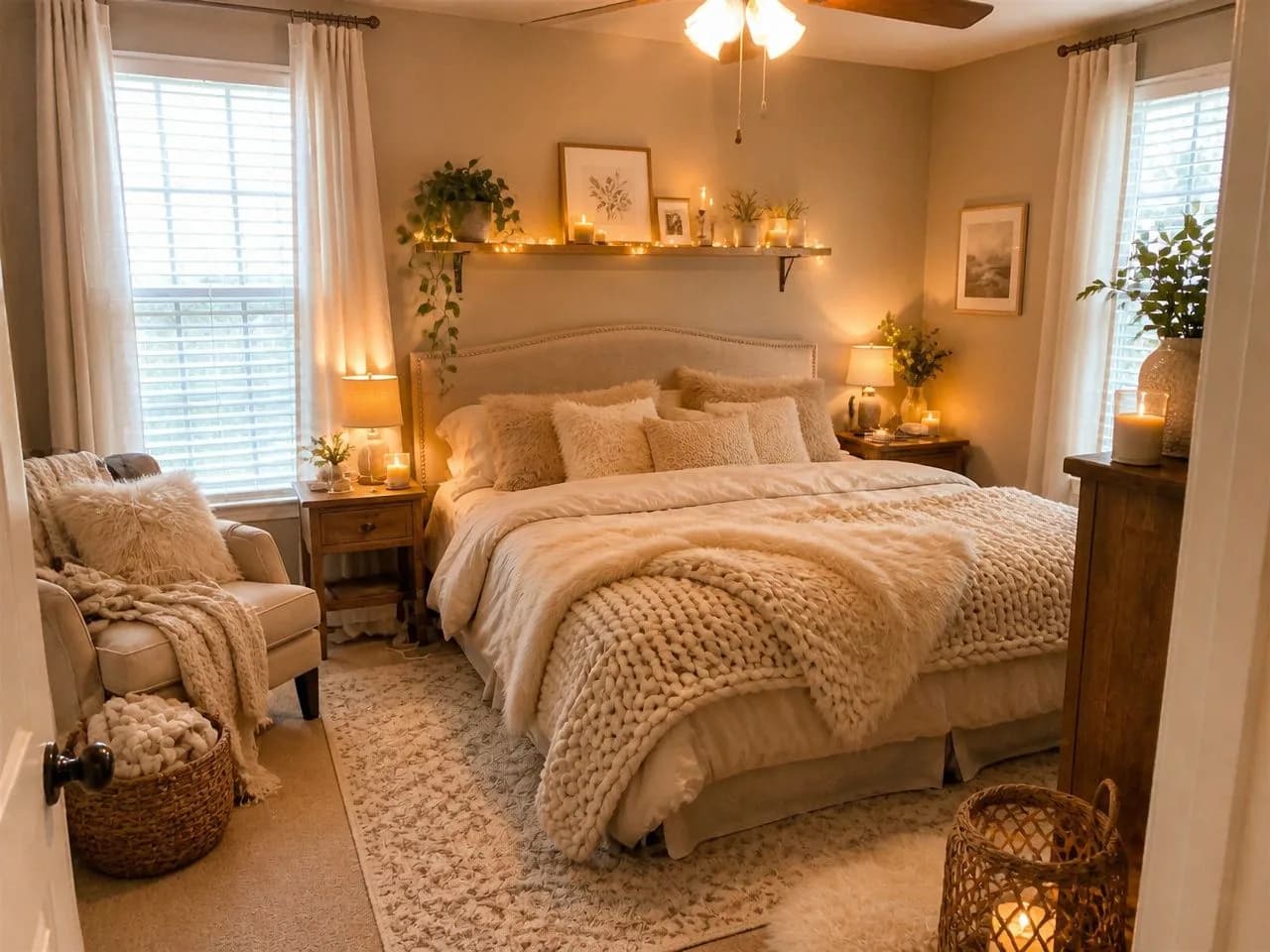
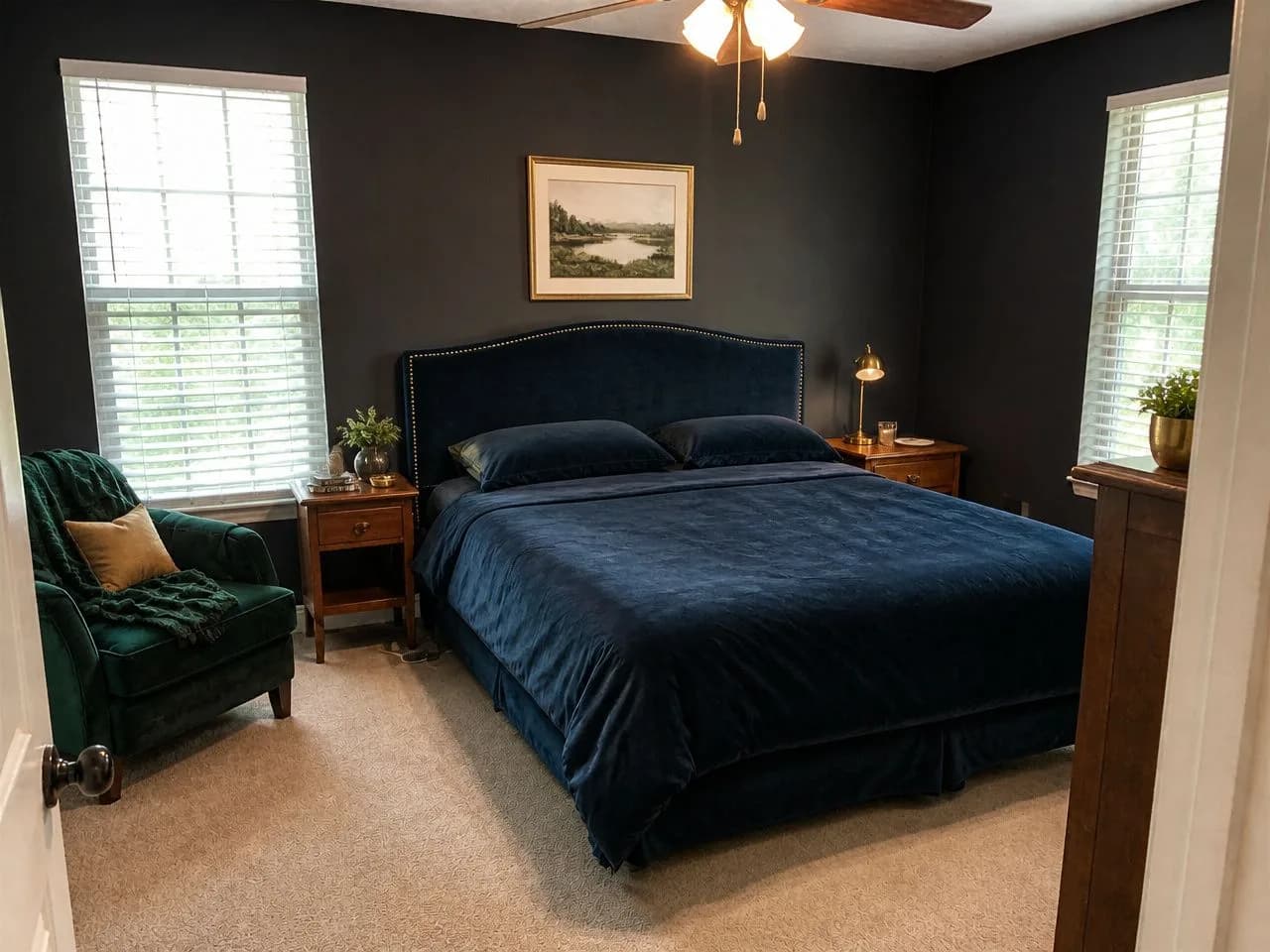
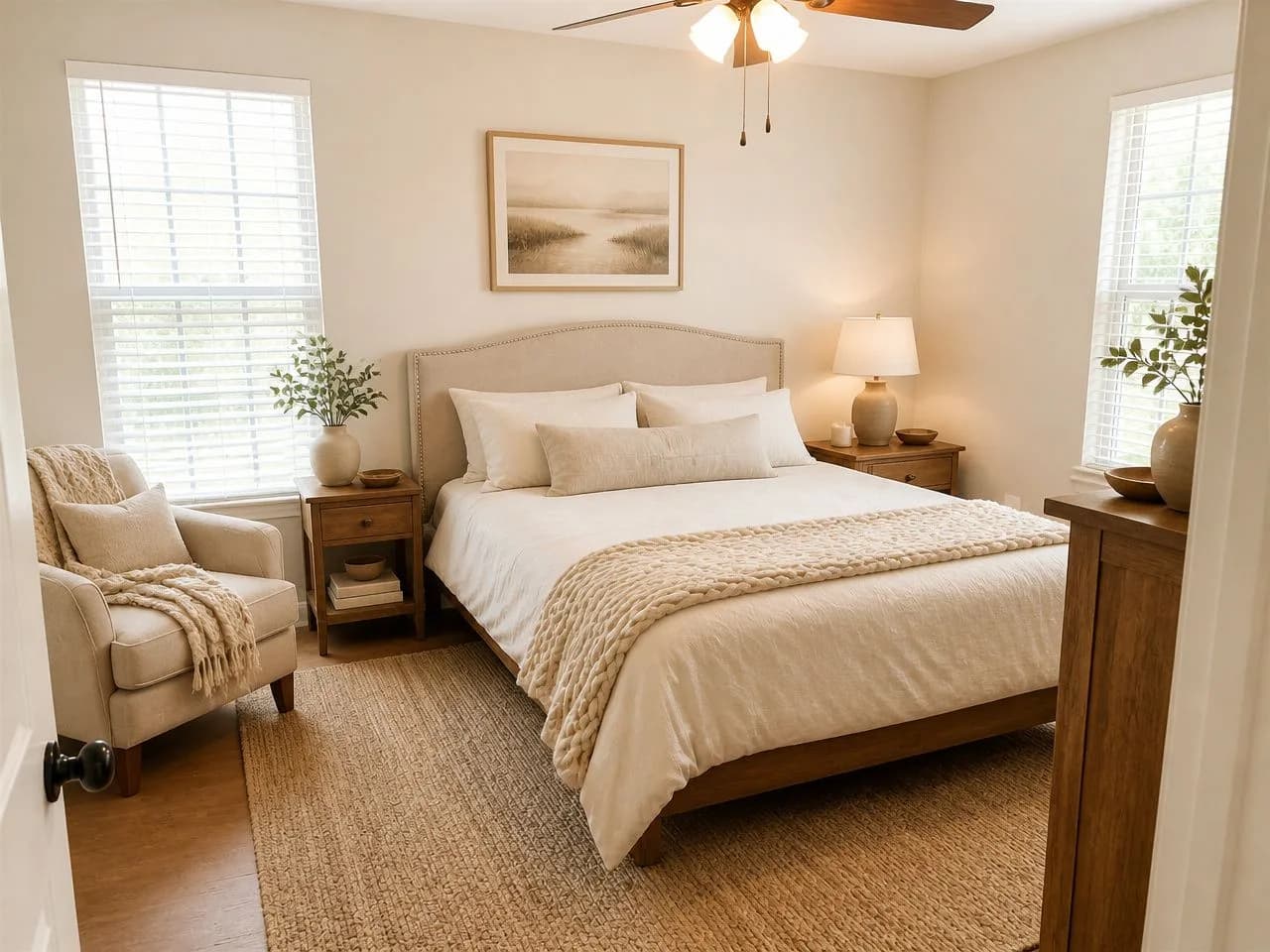
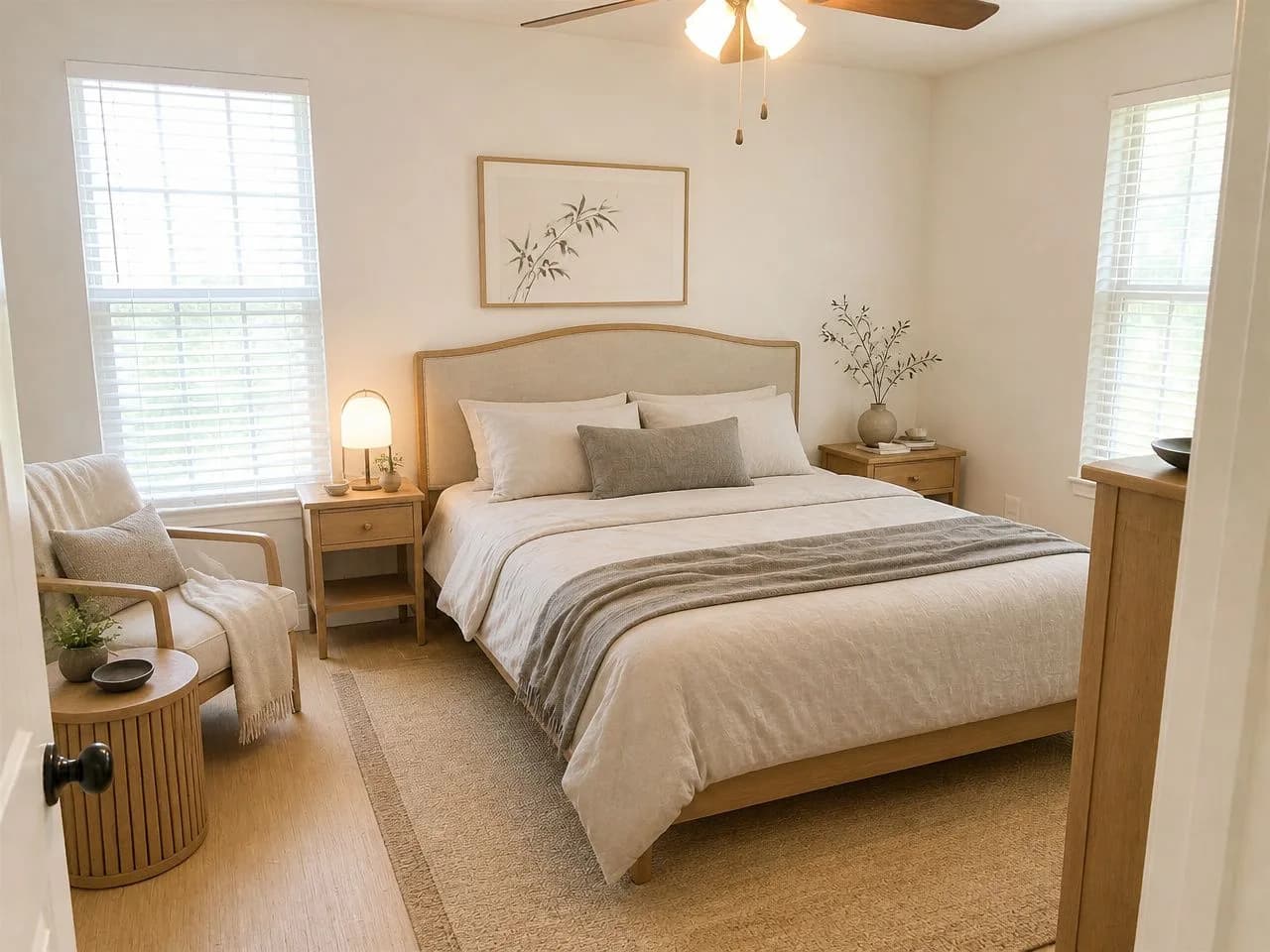
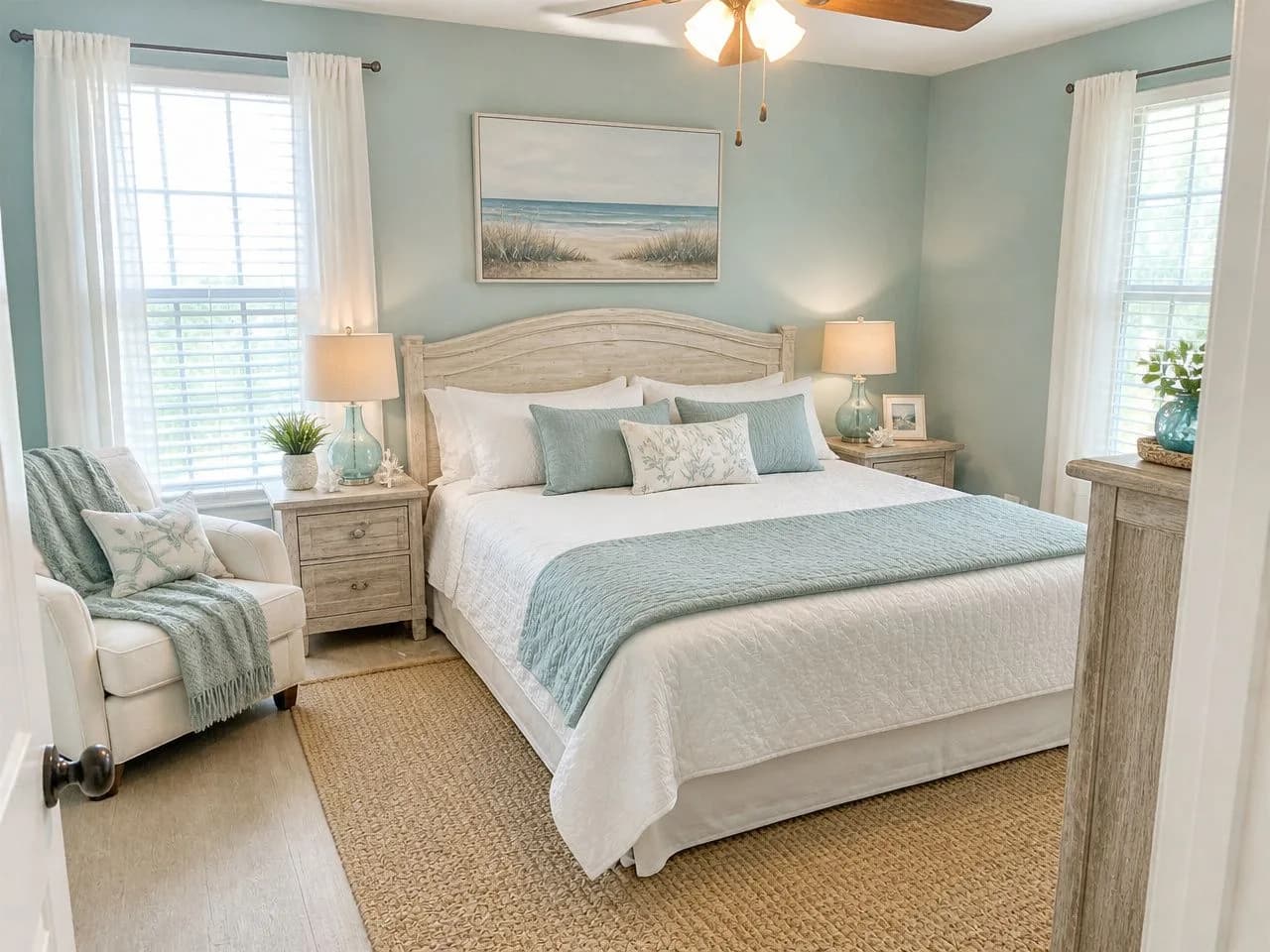
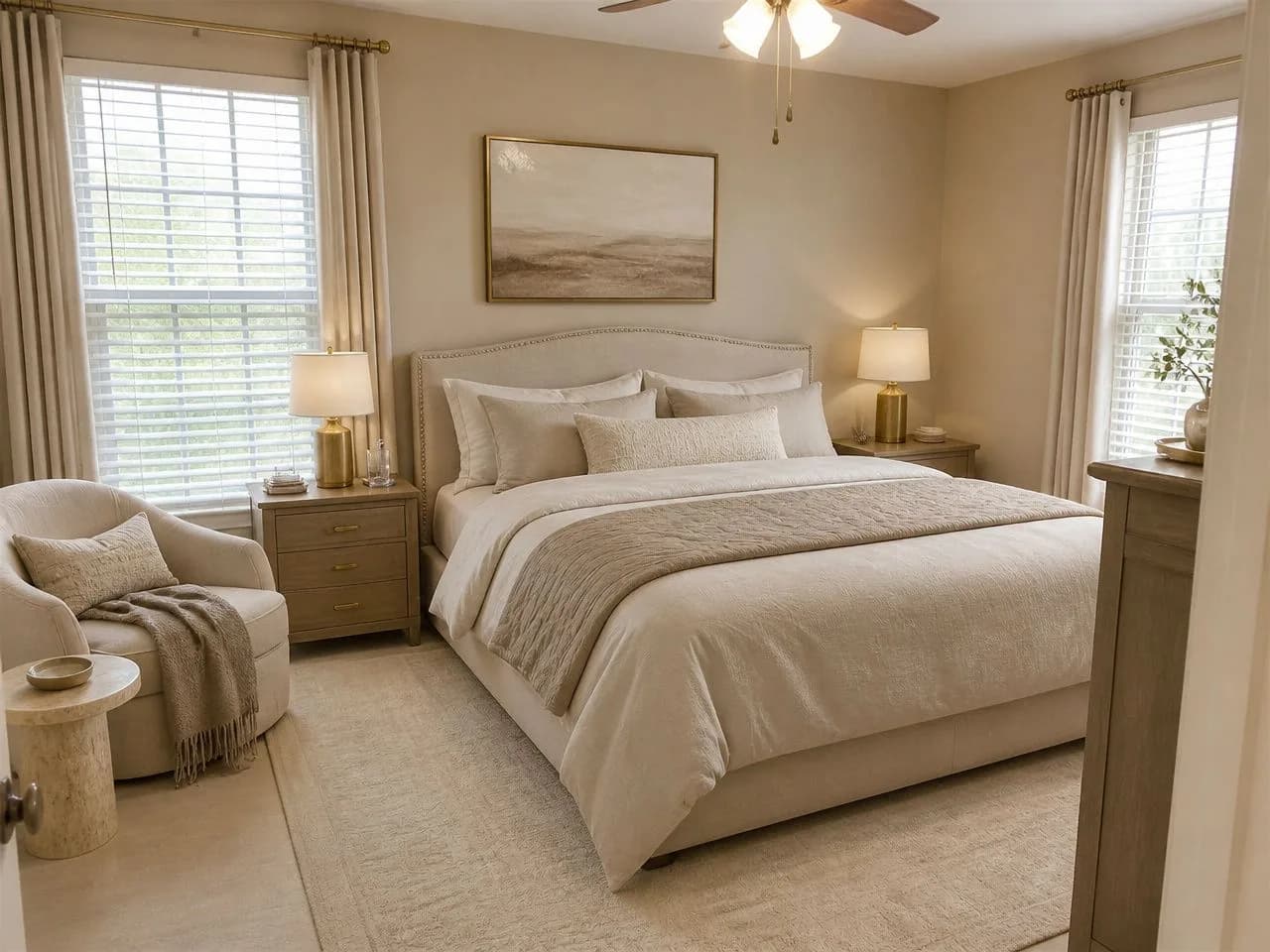
One bedroom, six looks.
An ordinary bedroom photo, redesigned by the app in six styles. Three are free; your free design can use any of the six free styles.
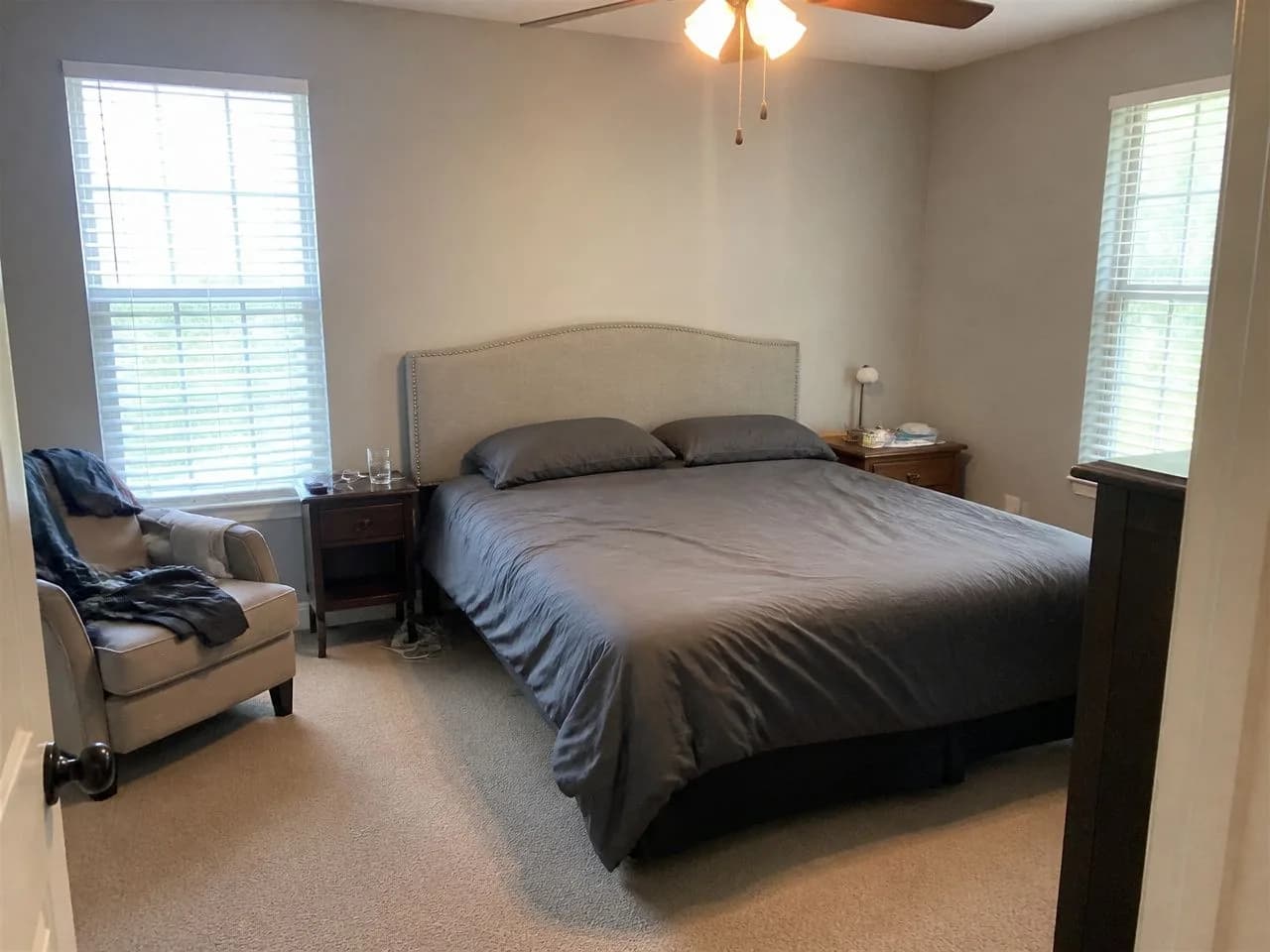 📷 The original photo
Start from one phone photo
A plain bed, mismatched nightstands, beige carpet and blinds: a bedroom that was never really decorated. Every result below is this exact photo, with the window, walls and camera angle unchanged. Nothing was drawn or modeled. (The example photos were generated to look like ordinary phone photos; the redesigns use the app's own styles.)
 🎁 Free
 🎁 Free
 🎁 Free
 ✨ Pass
 ✨ Pass
 ✨ Pass
Want more choice? See all 75+ styles
See it on your own room, free.
Upload a photo and get 1 free design in one of six free styles, with no account. Nothing to draw or place: your walls, windows and layout stay, and the style changes.
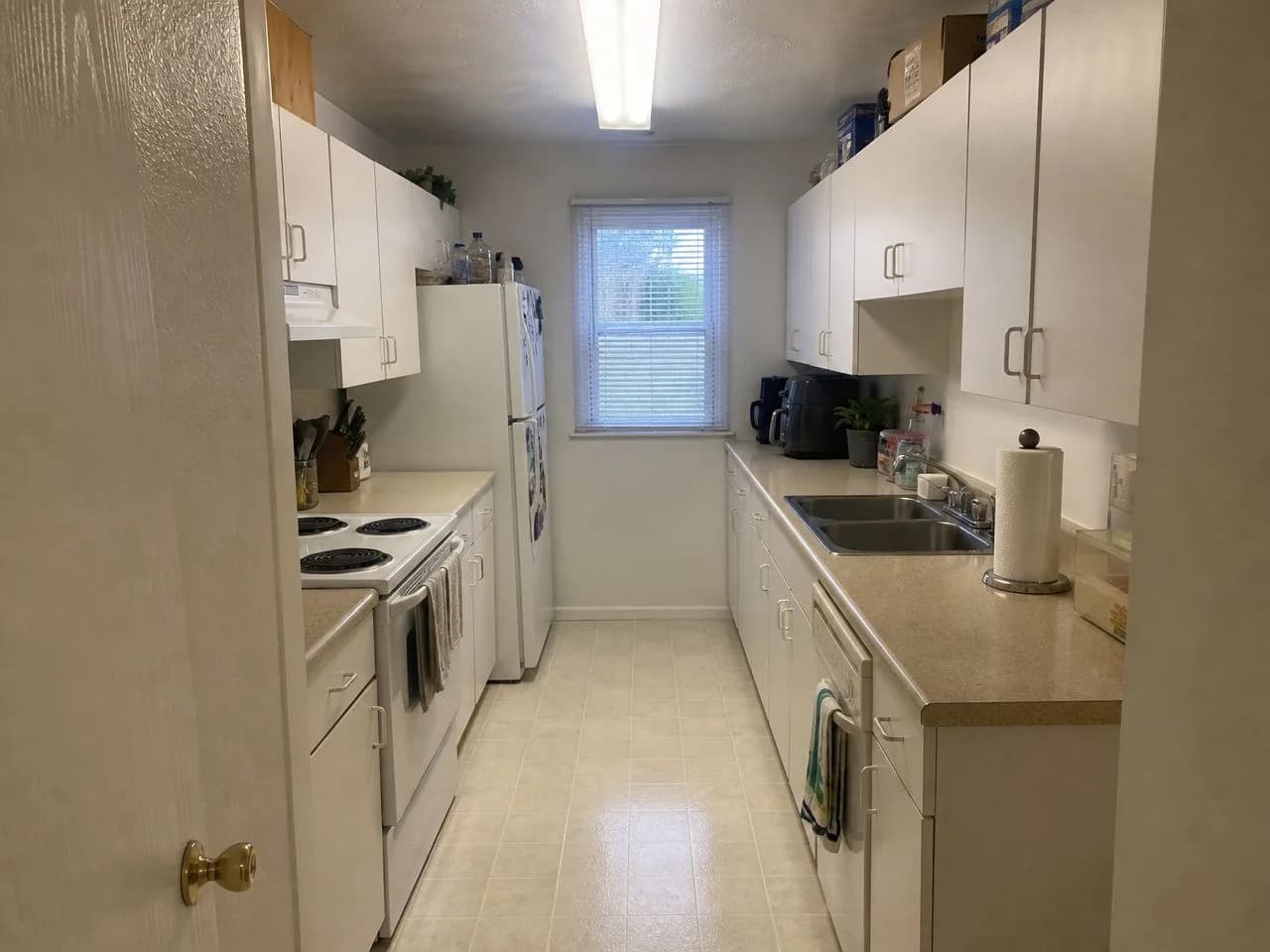 📷 Before
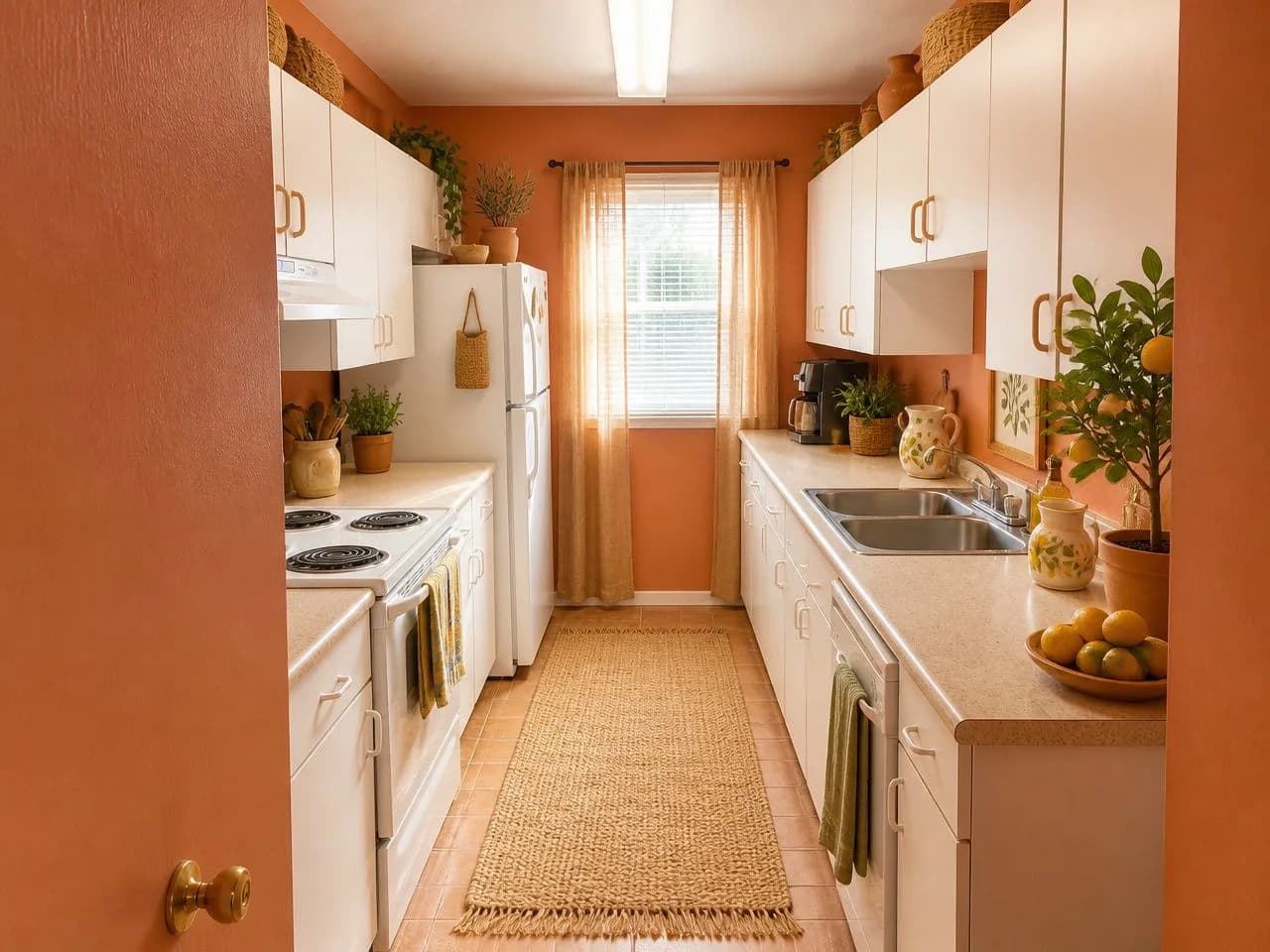 ✨ Sunwashed Terracotta (free)
The free design is available in the US, Canada, the UK and several European countries. More with a $9.99, 30-day pass, paid once.
More Roomstyler alternatives, by what they cost.
From each company's own site. The full comparison has eight tools and the source for every number.
Homestyler
Free: Basic plan: 3D planner, unlimited 1K renders
Paid: Pro+ from $6.8 a month
Another free 3D planner, with mobile apps and AI tools on paid plans.
Floorplanner
Free: Free for casual use
Paid: One-time upgrades or subscriptions
Roomstyler's sister product, built for floor plans first.
Planner 5D
Free: Free to start; limits vary
Paid: Not listed on the pages we checked
A 3D home planner with web and mobile apps.
Roomstyler questions, answered straight.
Is Roomstyler free?
Yes, to design. Roomstyler lets you draw a room, furnish it in 3D from 120,000+ items and render it for free. Higher-quality renders, such as HD and 4K, use credits, and free users can upload 2 floor plans a year. Some reviews say free renders are lower resolution with a watermark.
What is Roomstyler?
Roomstyler is a free, browser-based 3D room planner and design community from the makers of Floorplanner. You draw a room, furnish it with catalog items, many of them real products, render it, and can share it in a public gallery.
How do Roomstyler credits work?
Designing is free; credits pay for higher-quality renders such as HD, 4K and panoramas, with sharper renders costing more. Roomstyler does not list credit prices in one place, so check them in your account before you render.
Is Roomstyler the same as Floorplanner?
They come from the same company and, since 2021, use the same editor. Floorplanner is built around floor plans; Roomstyler around designing and furnishing rooms, with a community gallery.
Does Roomstyler have AI?
Roomstyler is a 3D planner: you build the room and place each item yourself. We found no AI photo redesign on roomstyler.com. Apps named “RoomStyler AI” or “Room Styler” are different companies with different pricing. If you want AI to restyle a photo of your room, a photo-based tool such as Decoratly does that.
Roomstyler or Homestyler: which is better?
Both are free 3D planners. Homestyler's free Basic plan includes unlimited 1K renders and it has mobile apps and AI tools on paid plans; Roomstyler has a large catalog of real products and the Floorplanner editor. Try both on a small room; the better one is the one you find easier to build in.
What is the best Roomstyler alternative?
It depends on the job. For another free 3D planner, Homestyler or Planner 5D; for floor plans, Floorplanner. To see a room you already have in a new style from one photo, Decoratly: 1 free design with no signup, then $9.99 once for 30 days.
Can I redesign my room from a photo instead?
Yes. With a photo-based tool you skip the drawing: upload a photo of your room, pick a style, and see the same room redesigned in about 30 seconds, with your walls, windows and layout kept. It is a picture, not a plan, so measure before you buy furniture.
Is Decoratly affiliated with Roomstyler?
No. Decoratly is a separate AI interior design app. This page was written by Decoratly's founder from Roomstyler's public pages and independent reviews.
About this page
Written by Kamil Uhryn, who builds and runs Decoratly, a competing AI interior design app. Decoratly is not affiliated with Roomstyler. Facts about Roomstyler come from its own website, read on October 22, 2026; we did not buy its plans, so we make no claims about its image quality. Prices change, so check its site before you buy.
Last checked October 22, 2026.